How to Send an Invoice by Email: A Guide for Financial Operators
Learn how to send email invoice with automation, security, and cash flow-boosting tips to speed payments.
Sending an invoice is not an administrative task. It is the primary trigger for cash flow. For financial leaders at professional services firms, how that email is sent directly impacts Days Sales Outstanding (DSO) and working capital.
A manual, inconsistent process creates friction, delays payment, and quietly erodes client trust. A disciplined, automated approach provides control and predictability. This guide outlines the operational specifics required to turn invoicing into a strategic lever.
Why Email Invoicing Is a Strategic Financial Control
For firms billing complex, high-value projects, attaching a PDF to a generic email is a direct cause of inflated DSO. This manual approach offers zero visibility into the receivables pipeline and provides no control over payment timing.
Every day an invoice sits unpaid, the firm is financing its clients. This is an unnecessary and costly use of capital.

The Hidden Costs of Manual Invoicing
The true cost of manual invoicing is often underestimated. Consider the finance staff hours spent creating, sending, tracking, and following up on each invoice. For a firm sending just 100 invoices a month, this administrative drag consumes hours better spent on strategic analysis.
Beyond time, manual systems introduce human error—incorrect amounts, missed due dates, or emails sent to the wrong contact. Each mistake restarts the payment clock, pushing DSO higher and creating a direct barrier to predictable revenue and the ability to improve cash flow.
For a $20M firm with a 45-day DSO, reducing that by just 5 days unlocks over $270,000 in cash. This is the measurable outcome of shifting invoicing from a task to a strategic control.
Shifting from Transactional to Strategic
An optimized email invoicing process is a strategic asset. It is a critical control point for managing both client perception and financial performance. A clear, professional, and consistent process reflects the quality of the firm's work and reinforces trust.
Implementing accounts receivable automation builds a system that delivers accuracy and consistency. This is not just about sending a file; it is about engineering a process that creates predictable revenue, reduces financial risk, and strengthens the firm's operational foundation.
* **Visual Idea 1: A clean line chart showing DSO steadily decreasing over six months as AR automation is implemented. Annotations highlight key milestones: "Automated Reminders Activated" (Month 2), "Payment Links Embedded" (Month 4). ***
Preparing an Invoice Built for Prompt Payment
An invoice sent by email is a data packet designed for one purpose: to be processed and paid efficiently. Any ambiguity or missing information pushes it to the bottom of a client's payables queue, directly impacting your cash flow.
This is about operational precision. Every field on the invoice either accelerates or decelerates payment. Getting this right is a fundamental step in building reliable procedures for accounts receivable that work.
Essential Data Beyond the Basics
Invoice number, date, and total amount due are standard. However, professional services firms must navigate complex client procurement systems. To ensure rapid processing, the invoice must contain the specific data their finance teams require for internal routing and approval.
Missing information is the most common—and avoidable—reason for payment delays.
Before sending, verify these critical data points:
- Client Purchase Order (PO) Number: For many large clients, an invoice without a PO number is dead on arrival. It will not enter their system.
- Specific Project or Matter Code: This detail allows the client to allocate the cost to the correct internal budget, preventing administrative delays that can stall payment for weeks.
- Direct AP Contact: List the name and email of the contact in their finance department, not just the project manager.
Including this information demonstrates an understanding of their internal processes and positions your invoice for faster approval.
Optimal File Formatting and Naming
File format and naming conventions signal operational discipline and reduce administrative burden for the client's AP team. A generic filename like "invoice.pdf" creates unnecessary work and friction.
PDF is the non-negotiable standard for its security and universal compatibility. For enhanced long-term integrity, use PDF/A, an archival format that embeds all necessary information to ensure the document can be opened and viewed identically years from now.
A consistent naming convention is a small detail with a significant operational payoff. A clear format like [YourFirm]_Invoice_[Inv#]_[ClientName]_[Date] removes all guesswork and makes your document instantly searchable.
This systematic approach prevents your invoice from getting lost in a high volume of attachments. It is a simple change that removes a surprising amount of friction.
The Strategic Advantage of Embedded Payment Links
The greatest obstacle between sending an invoice and receiving payment is the payment process itself. Forcing a client to log into a portal, write a check, or initiate a manual wire transfer introduces friction. Every point of friction is a potential delay.
A modern invoice must eliminate this.
Embedding a secure payment link directly within the PDF is a powerful tactic to reduce DSO. It provides the client a direct, one-click path to pay via ACH or credit card at the moment of approval. This transforms the invoice from a static document into an interactive tool for payment collection, shortening the cycle and providing greater control.
Crafting an Email That Triggers Action
The invoice email is not a notification; it is a critical communication designed to compel action. A vague message gives a busy client a reason to set it aside. The objective is not to be aggressive, but to be flawlessly clear.
The email must project calm confidence and remove every possible point of friction. Provide the client with everything they need to approve and process the payment in a single glance. This precision is how you take control of your receivables and improve your cash flow.
The Subject Line: Your First Control Point
The subject line is often the only information seen at first glance. A generic title like "Invoice" or "Your Invoice" is easily lost and signals a lack of operational discipline. A functional subject line immediately provides three key data points: sender, purpose, and reference number.
Think in terms of searchability. How would their AP team member search for this document in three months?
- One-off project:
Invoice 1258 for Q3 Brand Strategy - [Your Firm Name] - Recurring retainer:
Monthly Retainer Invoice 1259 - October 2024 - [Your Firm Name] - To create urgency:
Action Required: Invoice 1260 Due Nov 15, 2024 - [Your Firm Name]
These formats are engineered for busy operators who rely on email search.
Subject lines with an invoice number and project name have open rates up to 13% higher than generic ones. This small change gets more eyes on your invoice, faster.
Many AP systems use automation to route emails based on subject line keywords. A well-structured subject line assists their software, resulting in faster payment.
Email Subject Line Performance Matrix
Analysis of thousands of invoice emails shows that clarity directly impacts payment speed.
Subject Line Format | Average Open Rate | Average Days to Payment | Best For |
|---|---|---|---|
| 88% | 14 | Standard projects where context is key. |
| 65% | 28 | Not recommended; too generic and easily missed. |
| 92% | 11 | Creating urgency for high-priority or final invoices. |
| 81% | 19 | Firms with strong brand recognition. |
The data is clear: specificity wins. Formats including the invoice number and due date consistently outperform vague subjects, reducing average time-to-pay by days or even weeks.
Keep the Email Body Short and to the Point
The email body must be ruthlessly efficient. This is not a forum for project updates or relationship management. The sole goal is to present the invoice and facilitate payment.
Use simple, direct language. The purpose should be obvious in the first sentence. State the invoice number, total amount, and due date upfront.
Example:
Attached is Invoice #4096 for $15,000, covering our work on the Q3 Marketing Campaign. Payment is due by November 30, 2024.
A secure payment link is included below for your convenience. Please confirm receipt.
This approach leaves no room for confusion. You have provided key facts and a clear call to action.
Use Simple Templates for Different Scenarios
While consistency is key, context matters. An email for a final milestone payment should have a different tone than a standard monthly retainer.
- Final Project Payment:
Attached is the final invoice for the [Project Name] engagement. We look forward to our next collaboration. - Recurring Retainer:
Please find attached the invoice for our retainer services for [Month]. - New Client's First Invoice:
Attached is our first invoice for the services outlined in our agreement. We have included a payment link below to simplify setup for your AP system.
This level of detail demonstrates that your firm’s financial operations are as professional as its client-facing work, building trust and encouraging prompt payment habits.
Make Paying Incredibly Easy
Finally, the email must make the act of paying frictionless. The invoice PDF should always be attached with a clear name (e.g., Invoice_1260_YourFirm_ClientFirm.pdf).
The single most important element to include is a direct payment link.
Do not bury it. Place it prominently in the email body with a clear call to action like "Click here to pay Invoice #4096 securely." This link is the foundation of modern accounts receivable automation, turning a passive email into an active payment tool.
By focusing on clarity, precision, and ease of action, you convert a routine email into a strategic tool for managing your firm's financial health.
Automating Your AR Workflow to Reduce DSO
If your finance team sends invoice emails manually and tracks payments in a spreadsheet, you are actively slowing your cash flow. This operational drag is a direct cause of high Days Sales Outstanding (DSO), tying up capital that should be fueling growth.
The objective is to build a systematic, automated process that accelerates payment and improves predictability.
This is the function of accounts receivable automation. It is about engineering a scalable, error-free system for cash collection. This does not require a massive overhaul; it begins with leveraging existing tools and graduating to more advanced platforms.
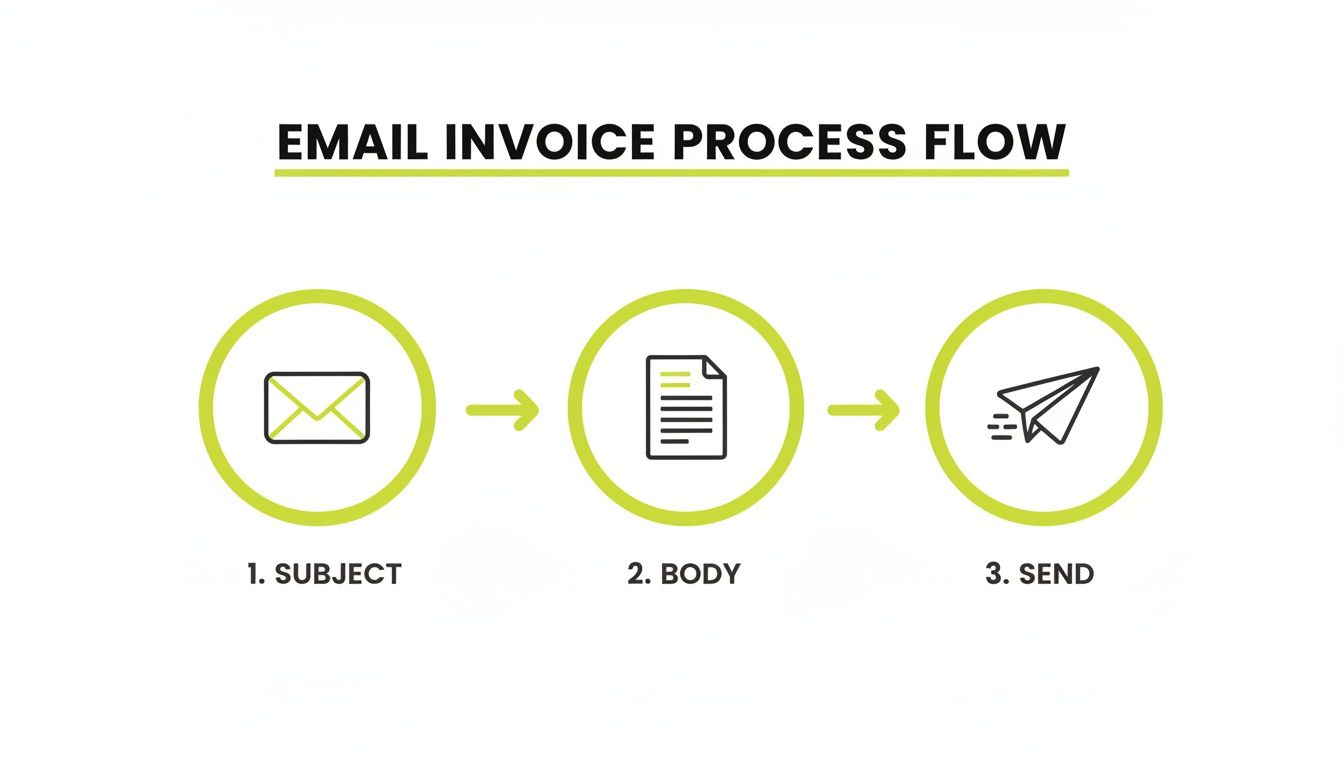
Think of each step—subject, body, and send action—as a control point. Automation standardizes each one for consistency and speed.
Starting with QuickBooks AR Automation
For many professional services firms, automation begins within their accounting software. QuickBooks AR automation provides foundational tools to set up a basic, rules-based follow-up system without adding new technology.
Configure automatic reminders for invoices that are approaching their due date or are past due. This simple step injects discipline into collections. No invoice is forgotten, and every client receives a consistent, professional nudge without manual intervention. It is a low-cost, high-impact method for reducing DSO.
Designing an Intelligent Reminder Cadence
A generic reminder is better than silence, but a structured sequence is far more effective. The goal is persistence without being disruptive, guiding the invoice through the client's internal approval cycle.
A proven cadence:
- 3 Days Pre-Due: "A reminder that Invoice #1234 is due on [Date]." This allows clients to schedule payment.
- 1 Day Post-Due: "Following up on Invoice #1234, which was due yesterday. Please advise on payment status."
- 7 Days Post-Due: "Invoice #1234 is now 7 days past due. Please remit payment to avoid service interruptions."
This automated sequence ensures consistent follow-up, removing the human hesitation that often delays collections.
Advancing to Dedicated AI AR Automation Platforms
While QuickBooks is a functional starting point, dedicated AR software for professional services offers a deeper level of intelligence and control. These platforms orchestrate a complete collections workflow.
With AI AR automation, the system can analyze a client’s payment history to predict who is likely to pay late, then adjust the follow-up strategy automatically.
The productivity gains are significant. An AR team member using automation can process 23,000 invoices per year, compared to just 6,000 manually. At an average manual processing cost of $15 per invoice, a fully digital workflow delivers a direct, measurable impact to the bottom line.
These advanced systems also provide real-time dashboards showing AR health, giving instant visibility into aging reports and cash flow projections. A firm grasp of accounts receivable aging analysis is non-negotiable for driving down DSO. The goal is a system that frees your finance experts from chasing payments to focus on high-value work like financial planning and strategic analysis.
* **Visual Idea 2: A cinematic, wide-angle shot of a calm, organized finance team collaborating in a modern office. The focus is on a large screen displaying a clean dashboard with key metrics (DSO, Cash Flow, AR Aging), suggesting control and strategic oversight. ***
Managing Security, Compliance, and Deliverability
Sending a high-value invoice via email introduces financial risk. A poorly managed process can expose your firm and your clients to significant threats. This is a core responsibility of financial management.
The most immediate danger is Business Email Compromise (BEC), where attackers impersonate your firm to divert payments. These attacks are not rare; they are a primary driver of financial loss for businesses.
As nearly 100 countries move toward e-invoicing mandates, email has become a strategic weak point. Business Email Compromise (BEC) accounts for 73% of cyber incidents and caused $2.9 billion in losses in the US alone. With 68% of firms still bogged down by manual data entry, adopting secure email practices is non-negotiable.
Getting Ahead of Payment Fraud and BEC
Protecting revenue begins with authentication. Send invoices from a verified, company-owned domain (e.g., billing@yourfirm.com), not a generic address. This builds trust and makes impersonation more difficult.
Next, educate your clients. State clearly in engagement letters and on the invoice that your banking details will never change without direct, multi-factor verbal confirmation. This policy creates a human firewall that can stop fraudulent transfers.
Finally, any AR software for professional services must have robust security, including data encryption and secure, tokenized payment portals that keep sensitive financial information out of the email channel entirely.
Staying on Top of E-Invoicing Rules
Beyond fraud, a growing web of compliance rules is changing B2B payments. Governments worldwide are rolling out e-invoicing mandates, like the Peppol network in Europe and Singapore, to increase tax transparency.
While these regulations may not affect all U.S. firms today, they signal a clear global trend toward structured, digital invoice data. A disciplined email invoicing process, with clean and consistently formatted data, prepares your firm for future compliance requirements.
Making Sure Your Invoices Actually Arrive
Security and compliance are irrelevant if your invoice lands in a spam folder. Email deliverability is a technical discipline that directly impacts cash flow.
Key factors include:
- Sender Reputation: Your domain’s history of sending legitimate email.
- Authentication: Technical standards like SPF, DKIM, and DMARC that prove your emails are authentic.
- Content: Emails with spam-triggering words, large attachments, or broken links are often flagged.
For a deeper analysis of ensuring inbox placement, it's worth reviewing guides on email deliverability best practices. Proper deliverability ensures your most important communications are seen and paid, which is fundamental to any effort to reduce DSO.
From Process Operator to Financial Strategist
Optimizing how you send an invoice is a direct lever on your firm’s financial health. It moves your finance team from a reactive group chasing payments to a proactive one focused on capital efficiency. This is a fundamental operational shift, not a minor tweak.
When you systemize this process with accounts receivable automation, you are no longer just sending reminders—you are taking direct control of your financial metrics. The result is a measurable drop in DSO, predictable cash flow, and stronger client trust.
A disciplined invoicing process doesn't just reduce administrative work. It creates actionable financial intelligence. Control this single touchpoint, and you get clarity across your entire revenue cycle.
This structured approach turns a routine task into a strategic advantage. When you know precisely when and how you will be paid, you can make smarter capital allocation decisions, manage risk with greater certainty, and plan for growth with confidence.
Common Questions We Hear
Tightening the invoicing process brings up recurring operational questions. The goal is always the same: accelerate payment and improve efficiency without damaging client relationships. Here are straightforward answers to common challenges.
What's the Single Best Way to Get Paid Faster?
Embed a direct payment link in the email and on the PDF invoice.
This simple change removes the most significant friction point in the payment process. Instead of requiring a client to log into their bank portal and set up a wire transfer, they can simply click and pay. It turns a static document into an immediate action item.
The impact is measurable. For a $10M firm with a 45-day DSO, cutting that by just 5 days frees up approximately $137,000 in working capital.
How Do We Handle a Client Who Claims They Never Got the Invoice?
This is where accounts receivable automation becomes non-negotiable.
Proper AR software provides delivery and read receipts for every invoice email, creating a clear, auditable trail that ends the “I never got it” conversation. The first follow-up is not an accusation, but a simple check-in: "Confirming you received our invoice sent on [Date]."
If the issue persists with a specific client, a direct phone call to their accounts payable contact is warranted. A five-minute conversation to verify the correct email address can prevent a simple error from becoming a 90-day-old receivable.
Should Invoices Come from a Person or a Generic Email Address?
The best practice is a hybrid approach.
The initial invoice should be sent from a monitored, role-based address like billing@[yourfirm].com. This ensures continuity if the person in that role changes. Critical financial communications are not lost in a personal inbox.
Automated follow-ups, however, should be more personal. Configure your system so reminders appear to come from a specific person, such as the Controller or an AR specialist. This provides the reliability of a central inbox combined with a human touch that preserves the client relationship.
--- Resolut automates AR for professional services—consistent, accurate, and human.