Boost Cash Flow with Invoicing Automation Software
Discover how invoicing automation software speeds billing, cuts errors, and unlocks working capital for professional services firms. Try a smarter AR process.
Manual invoice entry often slows finance operations and increases DSO. One misplaced digit or missing approval can trigger disputes and multiple reminder cycles.
In professional services firms, juggling spreadsheets and ad-hoc email follow-ups consumes hours that could go toward forecasting and strategic planning. CFOs need tools that reduce manual work and improve cash flow.
Why Manual Invoicing Falls Short
Manual workflows add friction at every stage of billing. Without accounts receivable automation, teams focus on reconciliations instead of trends.
A single keying error can delay payments by days. As invoice volumes grow, so do exceptions, disputes, and write-offs.
Hidden Costs Of Manual Entry
- Cost Per Invoice: Hand-keying invoices costs USD 15, rising with error corrections.
- Time Spent: Finance teams spend 5–15 minutes per invoice on data entry and verification.
- Error Rates: Up to 40% of manually entered invoices contain mistakes.
“Every hour spent on invoice firefighting is an hour not spent on strategic cash flow management.”
Strategic Impact On Cash Flow
Late invoices inflate Days Sales Outstanding (DSO). In a $20 M firm, a three-day delay ties up $164,000 in receivables.
That’s capital you could invest in growth. Current surveys show 68% of firms still manually key invoices into their ERP. Fewer than 32% use accounts receivable automation. Each manual invoice costs USD 15 to process. See accounts payable statistics.
To counter inefficiencies, firms should streamline business processes for B2B growth.
Visual Ideas
- Chart comparing manual vs automated invoice processing time and cost.
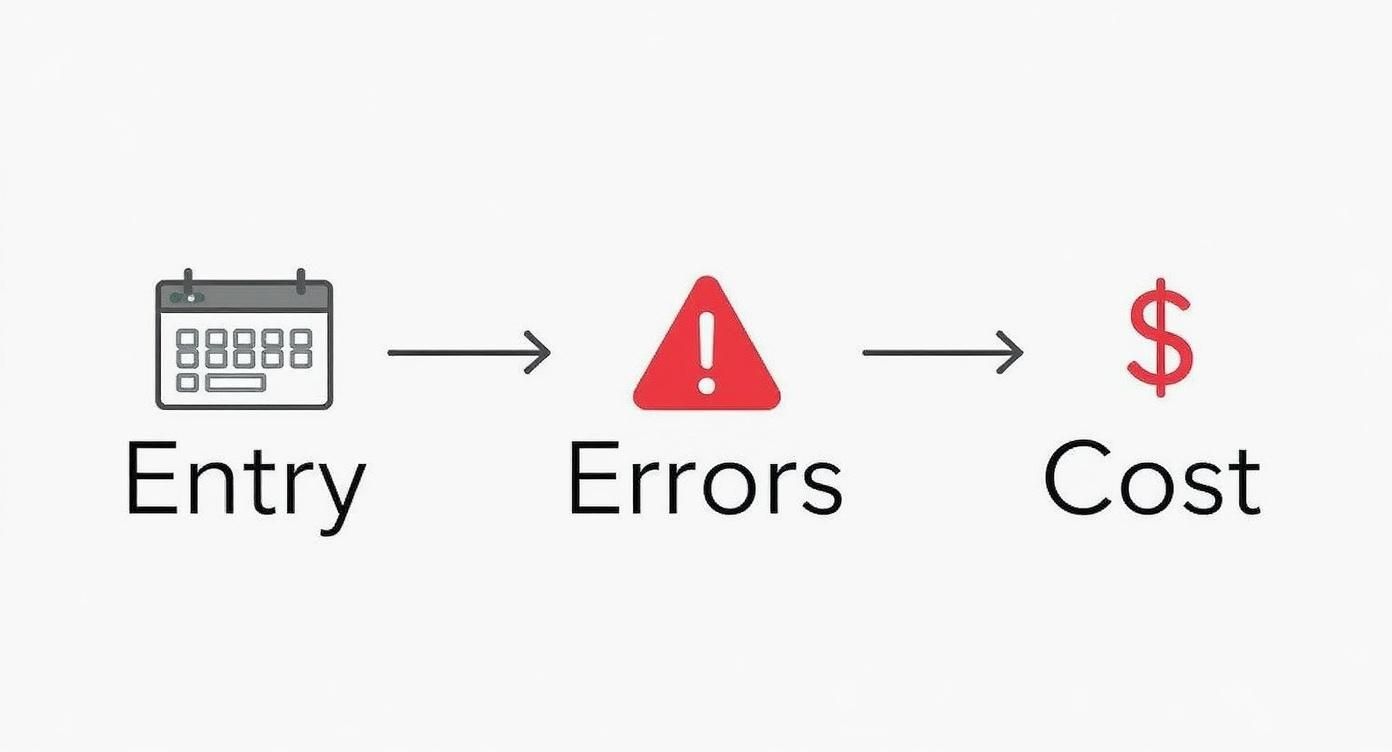
- Infographic flow diagram showing how entry delays translate to DSO increases.
- Cinematic image of a finance leader reviewing a live AR dashboard.
Key Features of Invoicing Automation Software
Accounts receivable automation pulls data from your time-tracking and project systems, drafts spot-on invoices, and sequences payment reminders automatically.
AI Data Extraction
Accounts receivable automation with AI and OCR achieves 95%+ accuracy. It scans project records, contracts, and expense reports to populate invoices.
At one $12 M firm, AI AR automation cut invoice prep time by 80%,flagging rate mismatches before billing. It also highlights missing approvals to avoid disputes.
Multichannel Payment Reminders
Automated reminders across email, SMS, and voice calls boost responses by 30% and reduce DSO by 2–4 days. You control timing and tone:
- Gentle email at 7 days overdue
- SMS with portal link at 15 days
- Escalation call at 25 days
“Consistent, professional reminders drive predictable cash inflows.”
Infographic Showing Manual Pitfalls
Manual invoice entry adds 2–3 days to billing cycles and extra costs. This infographic highlights every handoff that introduces delay.
Automated Cash Application
Automated cash application reconciles 90%+ of payments instantly, cutting unapplied receivables by 85%. It integrates bank feeds and your ERP, routing exceptions to a work queue and updating your ledger in real time.
- Eliminates manual matching
- Reduces unapplied receivables
- Increases real-time cash visibility
Feature Interplay
Feature | Benefit | Outcome |
|---|---|---|
AI Extraction | Accurate invoice data | Fewer disputes |
Multichannel Reminders | Timely outreach | Faster payments |
Cash Application | Instant reconciliation | Clear cash position |
Together, these features can cut your billing cycle by 50%, giving your team freedom to focus on strategic collections.
Why It Matters For Your Firm
Speed up DSO by 5–10 days on a $20 M revenue base to unlock $300K–$600K in working capital. A $5 M firm saw a 12-day DSO improvement—freeing $160K and trimming finance headcount by 20%.
Reassigning one AR resource to strategy work can deliver an extra $80K in annual value. A $30 M firm slashed billing tasks by 60%, dropping DSO from 45 to 28 days in six months.
Track ROI metrics monthly:
- DSO reduction and cash unlocked
- Hours saved and reallocated
- Dispute costs and write-off reductions
Reducing DSO And Unlocking Cash Flow
Cutting just a few days off DSO can feel like finding a hidden line of credit. For a $10 M services firm, shaving 5 days off DSO frees $137,000 in working capital.
How DSO Impacts Working Capital
DSO is the throttle on cash flow.
- Automated follow-ups keep invoices top of mind.
- Client portals deliver full invoice visibility.
- Early-pay incentives nudge faster settlements.
Modeling Cash Impact From DSO Reduction
Projected Cash Flow Impact for a $10M Firm
Current DSO | Target DSO | Reduction (Days) | Cash Unlocked |
|---|---|---|---|
45 | 40 | 5 | $137,000 |
45 | 35 | 10 | $274,000 |
45 | 30 | 15 | $411,000 |
Scenario one nets $137K, scenario two $274K, scenario three $411K.
“Reducing DSO by 10 days freed us to hire two analysts.”
Leveraging Early Pay Incentives
A 2% discount for payment within 10 days often moves receipts forward by two weeks.
- Embed discounts in your portal.
- Monitor uptake.
- Adjust based on client behavior.

Enabling Smarter Budgeting
Predictable collections eliminate guesswork.
- Compare predicted inflows to actuals weekly.
- Flag variances above 5%.
- Refine your forecast monthly.
Learn more in our guide on accounts receivable automation benefits.
Tracking Success With Metrics
Key indicators:
- Hours saved and their dollar value
- Dispute rates
- Write-off reductions
Regular reporting turns wins into hard evidence.
Next Steps For Implementation
- Document average client payment timelines.
- Set up automated reminder sequences.
- Introduce a self-service portal.
- Review DSO metrics weekly.
Case Example Of DSO Reduction
An $8 M firm cut DSO from 40 to 28 days in six months. They unlocked $273K and reallocated two analysts to strategic projects.
Choosing The Right AR Automation Partner
Choosing AR software for professional services feels like adding a teammate. Integrations must align with your systems—and your workflow.
Integration With Your Finance Ecosystem
Look for bi-directional sync with QuickBooks, NetSuite, bank feeds, and time-tracking systems.
“Integration is the backbone of reliable AR processes.” – Finance Director, $15 M consultancy
Evaluating Vendor Support And Services
Beyond software, you need a partner who provides:
- Hands-on implementation assistance
- Dedicated account management
- Ongoing health checks
Firms in the $3M–$50M range benefit from tailored onboarding roadmaps.
The invoice processing software market is USD 36.1 billion, projected to reach USD 189.2 billion by 2035 at 18.0% CAGR. on FutureMarketInsights.com
Tailored Checklist For Professional Services Complexity
- Project-based billing and retainers
- Automated proration for milestones
- Customizable dunning sequences
- Escalation paths for at-risk invoices
Roll out in stages—discovery, configuration, pilot, full launch—with clear timelines and KPIs.
You might also review how to choose AR automation software that works for professional services firms.
Next Steps For Partner Evaluation
- Compare demos and pilot results
- Reference calls with similar-scale firms
- Measure support responsiveness
- Validate vendor roadmaps and deliverables
Implementation Roadmap And How To Avoid Pitfalls

A phased rollout reduces risk and speeds ROI. Clear steps keep everyone aligned.
Discovery And Process Mapping
Gather finance, operations, and IT. Map every AR handoff over 2–3 weeks. Build a timeline chart with milestones: discovery, configuration, migration, training, rollout.
Configuration And Customization
Define user roles, approvals, and notifications. Validate rate tables and email templates in 1 week.
Data Migration And Validation
Cleanse duplicates and test-import 10% of records. Reconcile exceptions before going live.
Team Training And Change Management
Hands-on workshops cut errors by 30% and secure buy-in.
“Clear roles and training cut mistakes by up to 30%.”
Phased Rollout And Monitoring
Roll out in waves by region or service line. Track DSO, cash application, and reminder response. Adjust before full launch.
Common Pitfalls And Mitigation
- Unclear stakeholder value
- Skipping data cleanup
- Undefined post-automation roles
Mitigate with stakeholder workshops, a dedicated data steward, and a RACI chart.
Integration With Existing Systems
Deep links into QuickBooks AR automation eliminate double entry and sync errors.
Measurement And Continuous Improvement
Dashboards should monitor DSO, cash application rate, and reminder success weekly. Use insights to refine workflows.
Phase | Duration |
|---|---|
Discovery | 2–3 weeks |
Configuration | 1 week |
Migration | 1–2 weeks |
Training | 1 week |
Rollout | 2 weeks |
Case Study In Professional Services
A $12 M firm completed this four-phase rollout in six weeks. They cut DSO by 7 days, unlocked $85K, and reduced AR processing time by 40%.
Resolut Human-In-The-Loop AR Automation
Resolut blends AI AR automation with strategic human checkpoints for complex billing—retainers, milestones, and blended rates. Here’s how:
- Chart illustrating AI-driven extraction and human review
- Cinematic image of a CFO working with a real-time AR dashboard
- Process diagram from invoice creation to cash application
At The Core: AI-Powered OCR
Our OCR engine delivers 90%+ accuracy, cutting errors by 40%, and accelerating payments. Learn more on Softco.
Balancing Automation And Human Insight
Automated reminders and cash application handle volume. Your team focuses on client relationships and risk management.
“Human-in-the-loop design keeps communication purposeful.” – VP Finance, $30 M firm
Implementing Human-In-The-Loop Workflows
- Discovery & mapping
- AI model training & validation
- Pilot with human reviews
- Full end-to-end scaling
Integration with QuickBooks ensures invoices and payments sync automatically.
Real-World Impact Of Human-In-The-Loop
A $15 M consultancy saw:
- DSO drop from 38 to 25 days
- 45% fewer invoicing errors
- 200 hours freed per month
- 30% reduction in overdue invoices
This approach safeguards client relationships while improving cash flow.
Common Questions About Invoicing Automation Software
Integration, client experience, and ROI top CFOs’ lists. Here are direct answers—no jargon, no hype.
How Does Invoicing Automation Software Integrate With QuickBooks
Most AR platforms provide bi-directional sync with QuickBooks Online and Desktop.
- Invoice details align in both systems.
- Payments post back automatically, cutting unapplied receivables by 85%.
- Unified reporting eliminates manual exports.
Will Automating Collections Damage Our Client Relationships
Automation sets guardrails, not generic blasts. You control tone, timing, and cadence. Clients use a self-service portal for invoice visibility and payment.
- Tone settings match client preferences.
- Channel sequencing delivers email, SMS, or portal alerts in order.
- Frequency throttling prevents over-messaging.
“Professional reminders enhance trust and speed responses.”
What Is the Typical ROI for AI AR Automation
ROI starts with reducing DSO and freeing working capital. A 10-day improvement on $10 M in revenue unlocks $270K.
- DSO reduction of 5–10 days frees $137K–$274K per $10 M.
- Automating reminders and cash application saves 200+ hours annually.
- AI-driven processes cut errors by 40%, reducing dispute costs.
These figures guide your pilot. Compare before and after to validate results.
Resolut automates AR for professional services—consistent, accurate, and human.