What Is Payment Reconciliation: A Guide for Financial Leaders
Understand what is payment reconciliation and how automation streamlines AR, cuts DSO, and gives you precise control over your firm's cash flow.
Payment reconciliation is the process of confirming that the cash expected is the cash received. It’s a systematic comparison of internal financial records against external bank and processor statements.
For a professional services firm generating $3M–$50M in revenue, this isn't an administrative task. It is a core discipline for maintaining financial control. A single unreconciled payment obscures the true cash position, invalidating forecasts and undermining strategic decisions.
The Financial Drag of Unreconciled Payments

Unreconciled payments create a distorted view of liquidity, leading directly to flawed cash flow forecasting and increased operational risk. For CFOs and Controllers, this isn't a back-office problem; it is a strategic liability.
When a client payment isn't matched promptly to its corresponding invoice, the consequences are financial, not just clerical. Strategic decisions on hiring, investment, or expansion are made with incomplete data.
This operational friction makes it impossible to answer the fundamental question for any finance leader: "What is our precise cash position today?"
Why Precision in Reconciliation Is Non-Negotiable
The objective is to validate that invoiced revenue is secured in the firm's accounts. This process begins with foundational bank statement reconciliation, where even minor discrepancies can signal systemic issues.
Common reconciliation failures manifest as:
- Unapplied Cash: A client's payment sits in a bank account, unlinked to an open invoice. This artificially inflates the accounts receivable balance and understates available cash.
- Revenue Misstatements: Incorrectly applied payments lead to inaccurate revenue recognition, compromising the integrity of financial statements and performance analysis.
- Client Relationship Damage: Inquiring about an invoice a client has already paid damages credibility. It signals internal disorganization and erodes trust.
These issues directly increase Days Sales Outstanding (DSO), complicate the month-end close, and consume finance team hours better allocated to analysis. A deeper analysis of the true cost of AR inefficiency in professional services quantifies these impacts.
The Mandate for Automation
Manual methods are no longer viable at scale. The global reconciliation software market is projected to expand from $3.52 billion to $8.9 billion by 2033, a clear indicator that manual processes cannot sustain growing firms.
Without a systematic, automated process, a firm cannot manage cash flow or plan for growth with the required level of confidence.
The Hidden Liabilities of Manual Reconciliation
Spreadsheets provide a sense of control. For a professional services firm with significant transaction volume, that familiarity is a vulnerability. Manual reconciliation is a structural weakness that degrades financial visibility.
Manual processes are inherently fragile, subject to human error that compounds with volume. A single transposed digit or misapplied payment triggers a cascade of costly forensic accounting.
An estimated 84% of companies continue to rely on manual reconciliation methods. For a firm processing over 500 payments a month, this dependency is a significant operational and financial liability.
Data Entry Errors and Their Compounding Effect
The most common failure point is data entry error. An incorrect payment amount does not create a simple mismatch; it creates a time-consuming investigation that pulls the finance team away from high-value analysis.
Your team is forced to dig through bank statements, remittance advice, and client emails, while strategic financial planning is deferred.
The true cost of a manual error is not the time spent correcting it. It is the opportunity cost of the strategic work your finance team could have been doing instead.
These errors directly inflate key performance metrics. Every mismatched payment increases DSO, distorts cash flow visibility, and delays the month-end close. One analysis found that 30% of reconciliation time was spent correcting manual data entry errors.
Unapplied Cash and Obscured Liquidity
Slow manual processing directly results in a growing balance of unapplied cash. The payment has been received, but from a reporting standpoint, it exists in limbo—unmatched to an invoice.
This creates a dangerous blind spot. The AR aging report is inflated with invoices that appear outstanding but are, in fact, paid. This provides a completely inaccurate measure of DSO and true cash position.
Strategic decisions regarding payroll, investments, or bonuses are made based on flawed liquidity data. This can lead to embarrassing and relationship-damaging collection calls for settled invoices. For guidance on navigating this, see how modern AR automation protects client relationships.
Manual processes convert a straightforward task into a high-stakes problem that obscures the data required for effective financial leadership. Implementing accounts receivable automation is not about replacing personnel; it is about removing the operational friction that prevents them from performing strategic functions.
How Automated Payment Reconciliation Works
Manual reconciliation is a reactive, backward-looking exercise in forensic accounting. Automated payment reconciliation establishes a proactive, systematic workflow that operates with speed and precision unattainable by manual processes.
The system uses a logical flow of data ingestion, intelligent matching, and seamless ledger updates. The goal is to transform reconciliation from an operational cost center into a source of financial clarity, directly lowering DSO and improving cash flow.
Automated Ingestion of Financial Data
The first step is to eliminate manual data entry. Accounts receivable automation platforms integrate directly with financial data sources via secure APIs, creating a continuous, automated flow of information.
- Bank Feeds: The system pulls transaction data directly from the firm's bank accounts, capturing every inbound payment in real-time.
- Payment Processors: Data from gateways like Stripe or ACH processors is ingested, providing detailed transaction metadata.
- Accounting System: It syncs with the general ledger, typically via a QuickBooks AR automation integration, to maintain a current view of all open invoices.
This creates a single, undisputed source of financial truth.
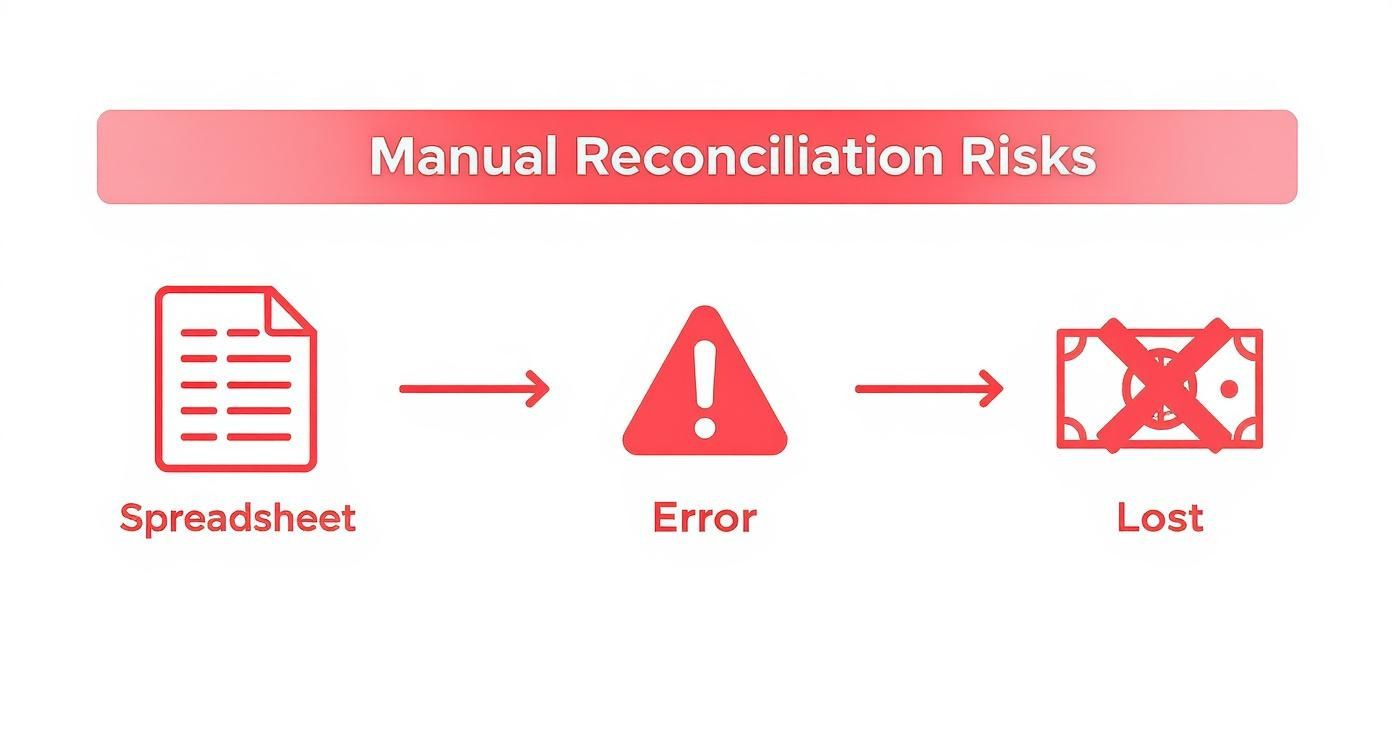
The inherent risk in a manual process exists long before any individual error occurs. The process itself is the liability.
AI-Powered Matching and Exception Handling
Once data is aggregated, the system applies matching algorithms. This is where AI AR automation demonstrates its value, moving beyond simple one-to-one invoice matching.
Modern systems are designed for complex B2B payment scenarios:
- Bundled Payments: A client remits a single wire transfer for multiple invoices. The AI parses the remittance data and correctly applies the funds across all designated invoices.
- Short Pays or Overpayments: The system flags payments that don't match the invoice amount, applies the partial payment, and creates a record for the remaining balance or credit.
- Missing Remittance Data: For payments arriving without an invoice number, the AI uses secondary data—payer name, exact amount, or payment history—to propose a probable match.
Best-in-class systems achieve a first-pass match rate of 90% or higher. This allows the finance team to shift from data reconciliation to managing true exceptions.
Exceptions are routed through a structured workflow, not an email chain. Each unmatched payment is flagged and assigned to the appropriate team member with all relevant data attached, as detailed in this guide to accounts receivable automation software.
Seamless Integration and Reporting
The final step closes the loop. Once a payment is matched, the system automatically updates the accounting software. The invoice is closed, and cash is posted to the correct general ledger account, ensuring the books are always current.
This integration provides leadership with a clean, up-to-the-minute view of the firm’s cash position, which is crucial for accurate forecasting. This automated capability can extend to complex areas like disputes; for more, see this resource on automated chargeback and dispute management using AI.
Connecting Automation to Key Financial Metrics
Implementing accounts receivable automation is a direct investment in the financial health of the firm. The value is measured by its impact on the metrics that define financial stability and operational efficiency.
Automating payment reconciliation transforms an error-prone manual function into a predictable driver of financial performance.
Driving Down Days Sales Outstanding (DSO)
The primary impact of automated reconciliation is a material reduction in Days Sales Outstanding (DSO). Every hour a payment sits as unapplied cash artificially inflates DSO, distorting the firm's true collection cycle.
The formula is straightforward, but its impact is significant:
(Accounts Receivable / Total Credit Sales) x Number of Days in Period = DSO
Automated systems apply cash within minutes of receipt. For a firm with $10 million in annual revenue, reducing DSO from 45 to 35 days unlocks over $270,000 in cash flow. This is working capital that can be deployed for payroll, strategic hires, or technology investments.
Eliminating Unapplied Cash and Reconciliation Lag
Unapplied cash is a liability. It represents received funds that cannot be recognized because they are not matched to an invoice. This lag obscures true liquidity.
AI AR automation is designed to eliminate this problem. The key metrics are:
- Auto-Match Rate: The percentage of inbound payments reconciled without human intervention. Top-tier systems achieve 90-95% auto-match rates.
- Reduction in Unapplied Cash: Tracking the dollar value of unapplied cash at month-end. A successful implementation can reduce this balance by over 80%.
The global payment processing ecosystem handles an estimated USD 157 trillion in transactions. As volume grows, managing this complexity with manual tools is unsustainable. You can review the size of the payment processing market to understand the scale of this trend.
Measuring Operational ROI and Team Productivity
Automation delivers a measurable return on the finance team's time. The hours spent on manual data entry, line-item matching, and discrepancy resolution represent a direct operational cost.
Track these KPIs to measure the impact:
- Time Spent on Reconciliation: It is common for firms to reduce reconciliation time from 40+ hours per month to under five.
- Cost Per Payment Processed: Automation significantly lowers the unit cost of processing each payment.
- Reduction in Exception Handling: Monitoring the number of payments requiring manual review provides a clear measure of system accuracy.
When you implement an AR software for professional services, particularly with a robust QuickBooks AR automation integration, you reallocate your team's capacity from low-value data entry to high-value financial analysis. This is how you strategically improve cash flow.
A Practical Checklist for Implementing AR Automation
Transitioning to automated payment reconciliation is a strategic initiative. A deliberate implementation plan is required to connect the right technology with the firm's specific workflows and ensure a smooth transition.
This checklist provides a practical framework for finance leaders managing this change to ensure the investment in accounts receivable automation delivers immediate value.
Phase 1: Establish a Baseline
Before evaluating platforms, a clear baseline of current performance is required. This begins with a candid assessment of the existing reconciliation process to identify true bottlenecks.
Map the lifecycle of a payment from receipt to final posting in the ledger. Document every manual touchpoint, handoff, and potential failure point.
- KPI Benchmarking: Establish current metrics. What is the average DSO? What is the month-end balance of unapplied cash? How many team hours are dedicated to reconciliation?
- Define Success Metrics: Set specific, measurable targets. For example, a 20% reduction in DSO within six months or an 85% auto-match rate on payments within the first quarter.
- Identify Critical Integrations: Define must-have system connections. For most professional services firms, this includes a seamless integration for QuickBooks AR automation and direct feeds from primary bank accounts.
Phase 2: Select the Right Technology Partner
With requirements defined, begin evaluating AR software for professional services. Focus on platforms designed to solve your specific challenges, not generic feature sets.
Select a partner, not a vendor. The right provider understands the nuances of professional services billing, such as project-based invoices, retainers, and complex payment structures.
During demonstrations, ask pointed questions. How does the system handle a single payment covering multiple invoices? What is the workflow for resolving a short payment? Can client communications be customized to reflect the firm's brand voice?
The objective is to find a system that adapts to your workflow, not one that forces process changes.
Phase 3: Execute a Controlled Rollout
Successful implementation depends on effective change management. Communicate the strategic rationale for the transition, emphasizing how automation enables the team to focus on more valuable, analytical work.
- Run a Pilot Program: Start with a limited scope, such as a single client group or line of business. This allows for fine-tuning integrations and workflows without disrupting the entire finance function.
- Configure and Test: Work with your partner to configure the matching rules engine and stress-test the data synchronization between banking, the AR platform, and QuickBooks.
- Train and Empower: Provide comprehensive training that focuses on how the software helps the team achieve its objectives and improve cash flow for the firm.
This structured approach transforms the transition into a predictable project that restores clarity and control to the firm’s finances.
Tying It All Together with Confidence
The objective of automation is not simply to match payments faster. It is to orchestrate the entire accounts receivable cycle to establish a new level of financial control.
For professional services firms, cash flow is the operational lifeblood. A true AR orchestration platform moves beyond payment reconciliation to create a unified system for invoicing, reminders, collections, and cash application. This is command and control over the revenue cycle.
A Single Source of Truth for AR
The primary benefit is a single, definitive source of truth for all receivables. This eliminates the need to cross-reference bank portals, spreadsheets, and the accounting ledger to ascertain the firm's cash position.
This real-time, consolidated data provides finance leaders with the visibility required for sharp, strategic decision-making. An integrated AR software for professional services proves its worth by enabling accurate forecasting and confident capital deployment.
An AR orchestration platform does not just process transactions. It delivers the data and control necessary to manage the financial health of the firm proactively.
Beyond Automation to Human-Centric Control
Systemization empowers the finance team. The platform handles high-volume, repetitive work—from sending payment reminders to applying cash—with machine consistency.
This frees finance professionals to focus on managing client relationships, analyzing financial performance, and resolving the complex exceptions that require human judgment. AI AR automation manages the noise, so your team can focus on the signal. Direct integration with tools like QuickBooks through QuickBooks AR automation creates a seamless workflow. This is how you reduce DSO and improve cash flow predictably.
The goal is a system that is both intelligent and intuitive, automating tedious work while keeping your team in control of financial strategy. This builds a resilient financial operation that supports firm growth.
Common Questions About AR Automation
For financial leaders at professional services firms, moving from spreadsheets to automation prompts practical questions. Here are direct answers to common inquiries.
How Does AI Handle Complex B2B Payments?
Modern AI AR automation is engineered for the complexity of B2B payments. Consider a client who sends a single ACH transfer for five invoices without remittance advice. The AI analyzes the payment amount, client history, and open invoice data to propose a high-confidence match.
What about short payments? The system can be configured to automatically apply the cash, create a record for the outstanding balance, and flag the item for review. Exception handling becomes a quick verification step, not a forensic investigation.
What Is a Realistic Implementation Timeline?
For a mid-sized firm, implementation is a matter of weeks, not months. A typical rollout is completed in 30-45 days.
- Weeks 1-2: Discovery and Setup. We map your existing process and integrate with your bank feeds and accounting software.
- Weeks 3-4: Pilot Testing. We validate the matching logic and data integrity with a limited client set before a full rollout.
- Week 5: Go-Live. The platform is deployed to the entire finance team with dedicated support.
The objective is to reduce DSO and deliver a return on investment within the first quarter.
How Does This Automation Integrate with QuickBooks?
A high-quality QuickBooks AR automation platform uses a secure, bi-directional API. When the system reconciles a payment, the data flows directly back into QuickBooks.
The cash is posted, the invoice is closed, and the customer account is updated without manual intervention. This eliminates duplicate data entry and ensures the general ledger is always current, providing a real-time view of your cash position.
What Is the Level of Customization?
The best automation platforms adapt to your firm's processes. Key areas of configuration include:
- Matching Rules: Define the logic for handling partial payments, overpayments, and payments lacking remittance data.
- Exception Workflows: Dictate notification and escalation paths for specific issues, ensuring the right person reviews complex exceptions.
- Client Communications: Customize the tone, timing, and content of all automated reminders and confirmations to protect client relationships.
This flexibility ensures the system helps you improve cash flow while aligning with your established operational procedures.
--- Resolut automates AR for professional services—consistent, accurate, and human. Learn more at https://www.resolutai.com.