How to Find Net Credit Sales for Financial Control
A practical guide on how to find net credit sales. Learn the formula, avoid common pitfalls, and use this key metric to improve cash flow and reduce DSO.
For leaders at professional services firms, not all revenue is equal. Cash revenue is simple. Credit revenue is the true test of your financial operations.
That’s where net credit sales comes in.
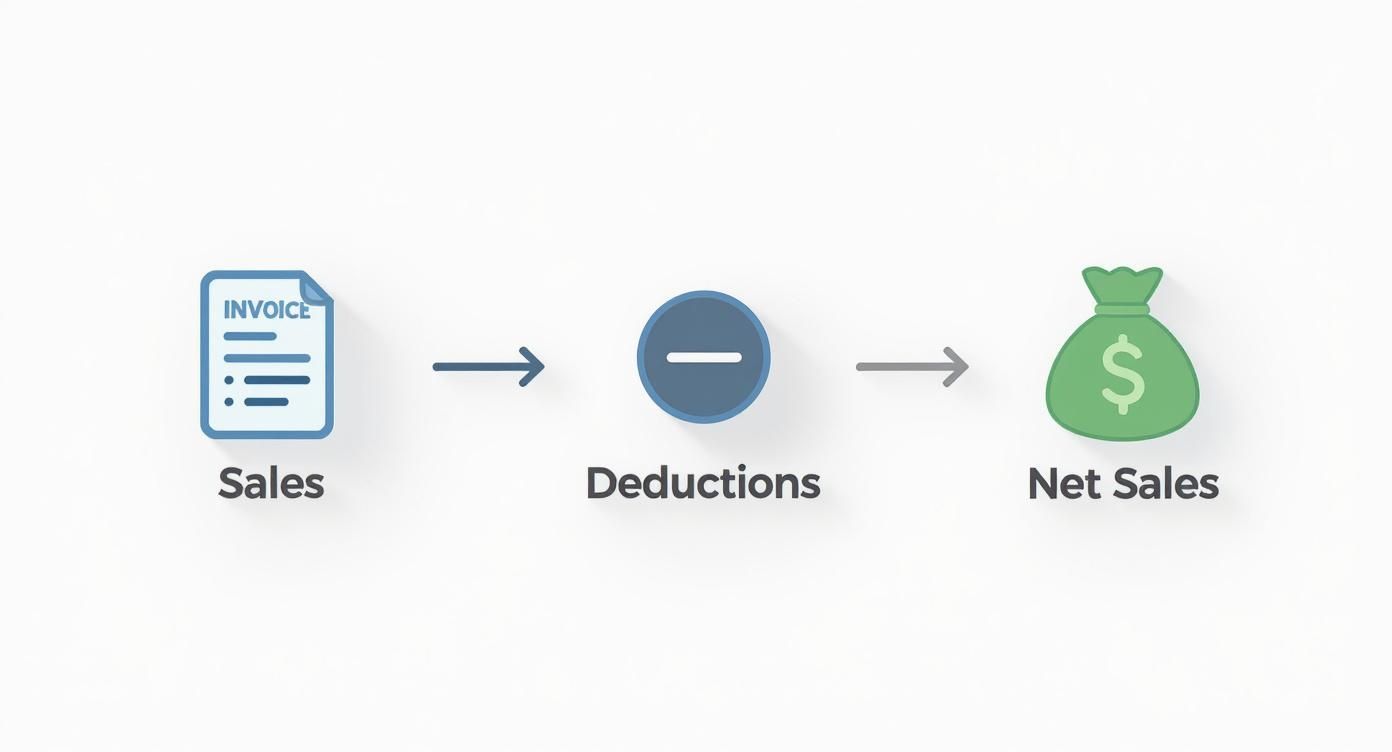
The calculation is direct: gross credit sales minus returns, allowances, and discounts. The result is the actual revenue fueling your accounts receivable. It’s the foundation for an accurate Days Sales Outstanding (DSO) calculation and reliable cash flow forecasting.
Why Net Credit Sales Is a Core Financial Metric
For financial operators, net credit sales provides clarity. It strips away cash payments to reveal precisely how much revenue you are actively working to collect. This precision is critical for managing liquidity and assessing credit policies.
Without an accurate net credit sales figure, your DSO is a guess. Your cash flow projections are unreliable. A firm generating $10M in annual revenue can see a DSO miscalculation of 5-10 days from this error alone, masking significant cash flow constraints.
The Formula and Its Components
The calculation is straightforward:
Net Credit Sales = Gross Credit Sales – (Sales Returns + Sales Allowances + Sales Discounts)
Each component tells a part of the operational story. Gross credit sales represents total invoiced work. Deductions are the adjustments—a credit for a canceled project, a fee reduction to resolve a dispute, or an early-payment discount. The calculation relies on understanding accrual accounting, where revenue is recognized when earned, not when paid.
A breakdown of each component:
Components of the Net Credit Sales Formula
Component | Description | Example in Professional Services |
|---|---|---|
Gross Credit Sales | The total value of all invoices issued for services rendered on credit. | A marketing agency invoices a client $25,000 for a completed Q3 campaign. |
Sales Returns | A full credit issued for services canceled post-invoice. | A law firm issues a $5,000 credit after a client cancels a retainer agreement mid-month. |
Sales Allowances | A partial credit or price reduction, often to resolve a dispute or correct a minor issue. | An IT consultancy gives a $1,500 allowance on a $10,000 invoice due to a minor project delay. |
Sales Discounts | Reductions offered to clients for early payment (e.g., "2/10, n/30" terms). | A design firm offers a 2% discount on a $12,000 invoice, reducing payment by $240. |
If your firm had $500,000 in gross credit sales but issued $20,000 in returns, granted $5,000 in allowances, and clients utilized $3,000 in discounts, your net credit sales are $472,000.
That $472,000 is the number that matters for your collections team. It’s the operational reality. This calculation is a vital part of the order-to-cash process.
Getting the Right Numbers Out of Your Accounting System
An accurate calculation depends on clean data. The challenge for finance operators is not the formula, but establishing a repeatable, auditable process for extracting data from systems like QuickBooks or NetSuite.
This requires a clear protocol for isolating gross credit sales, specific credit memos for returns, and every allowance or discount. A reliable system produces trustworthy data every time.
Where to Find Your Source Data
Pinpoint the exact reports that hold your key figures. In most systems, isolating the specific transaction types within a set period is the critical step.
To find your gross credit sales, the Sales by Customer Summary report is often the best source.
- Filter by Date Range: Set the precise period being measured.
- Filter by Transaction Type: Isolate invoices only. This is crucial for excluding cash sales that would otherwise distort the data.
This process creates a clear audit trail from total invoiced sales down to the net figure required for analysis.
Nailing Down Your Deductions
Deductions—returns, allowances, and discounts—are rarely bundled in one report. Misclassifying a credit memo or failing to account for discounts are common errors that invalidate the final number.
Run separate reports for each deduction type. A credit memo for a canceled service (a return) has different operational implications than a negotiated fee adjustment (an allowance). Separate tracking provides deeper insight.
For firms using AR software for professional services, generating a Credit Memo Register or Sales Discounts report is standard procedure. Ensure the same date filters are applied across all reports for consistency. This methodical approach is the first step to improve cash flow, starting with accurate data.
A Practical Walkthrough of the Calculation
Let's apply the formula to a mid-sized consulting firm.
Assume the firm, a strategy consultancy, invoiced a total of $1,250,000 on credit in Q3. This is the Gross Credit Sales.

During the quarter, a client scaled back a project's scope post-invoice, resulting in a credit memo for $40,000. This is a Sales Return.
Accounting for Allowances and Discounts
A minor dispute with a key client was resolved with a $15,000 fee adjustment. This is a Sales Allowance.
Finally, the firm’s "2/10, n/30" terms resulted in $8,500 in Sales Discounts. Each deduction must be subtracted from the gross figure.
These adjustments are not just accounting entries; they are the financial narrative of client relationships and credit policies. Tracking them is essential to understanding true revenue and collection efficiency.
This method is a globally standardized approach. You can find more detail in this guide to calculating net sales on Moon Invoice's blog.
Putting It All Together
For our consulting firm:
- Gross Credit Sales: $1,250,000
- Sales Returns: -$40,000
- Sales Allowances: -$15,000
- Sales Discounts: -$8,500
The formula is:
$1,250,000 - ($40,000 + $15,000 + $8,500) = $1,186,500
The firm’s Net Credit Sales for Q3 is $1,186,500. This is the correct input for calculating Days Sales Outstanding (DSO) and provides the clarity needed to make strategic decisions. Gross sales are vanity; net credit sales provide control.
Where The Calculation Can Go Wrong
Even with the correct formula, process errors can corrupt the result. An accurate net credit sales figure demands discipline. Small missteps can distort DSO and produce unreliable cash flow forecasts.
The most common error is including cash sales in gross credit sales. This inflates the numerator and artificially lowers DSO, masking collection inefficiencies. The control is simple: filter accounting reports for invoice-based transactions only.
Another frequent error is grouping all credit memos. A credit for a scope reduction is a sales return. A partial credit to resolve a client dispute is a sales allowance. Conflating them obscures important signals about service delivery and client satisfaction.
Forgetting to Account for Every Deduction
Firms often fail to track all deductions, particularly early payment discounts. Individually small, their cumulative impact directly reduces realized revenue. For a $10M firm, even a 0.5% miss on tracking discounts represents a $50,000 error in net revenue.
You can see a similar breakdown of credit sales from Pipedrive that illustrates the impact of these deductions. The solution is to ensure your chart of accounts has specific general ledger (GL) accounts for each deduction type. This simple structure ensures accurate reporting.
An inaccurate net credit sales figure is a strategic blind spot. It masks collection inefficiencies and leads to flawed credit policy and cash management decisions. If the inputs are unreliable, the outputs are useless.
Building Controls for Consistent Accuracy
A reliable calculation requires repeatable controls. Create a standardized checklist or template for pulling data each month. This removes guesswork and ensures data quality is consistent, regardless of who runs the report.
- Standardized Reporting: Define the exact reports and filters to use in your accounting software, such as QuickBooks AR automation reports.
- Segregated Accounts: Maintain separate GL accounts for sales returns, allowances, and discounts.
- Monthly Reconciliation: Perform a monthly review comparing calculation inputs against source documents, like the credit memo register.
The table below outlines common errors and their solutions.
Common Calculation Errors and Their Solutions
Common Pitfall | Impact on Financials | Preventative Control/Solution |
|---|---|---|
Including Cash Sales | Inflates net credit sales, artificially lowers DSO, masking collection issues. | Filter accounting reports to include only sales made on credit (invoice-based transactions). |
Misclassifying Credit Memos | Obscures reasons for revenue reduction (e.g., service issues vs. goodwill gestures). | Use distinct GL accounts for Sales Returns vs. Sales Allowances and train staff accordingly. |
Ignoring Early Payment Discounts | Overstates net revenue and understates the cost of offering discounts. | Create a dedicated "Sales Discounts" account and record all discounts there. |
Inconsistent Data Pulls | Creates fluctuating, unreliable metrics month-over-month. | Document a standard operating procedure (SOP) for data extraction, specifying reports and filters. |
Operational discipline allows platforms that offer AI AR automation to effectively reduce DSO by working from an accurate, real-time view of your financial position.
Using Net Credit Sales to Sharpen Financial Strategy
Calculating net credit sales is the starting point. The value comes from using this metric to make better financial decisions.
Consider your Days Sales Outstanding (DSO). Using total sales, which includes cash transactions, produces a skewed result. The artificially low DSO can hide collection problems that are quietly eroding cash flow.
Using net credit sales isolates the revenue you are actually waiting on, providing an honest measure of collection efficiency.
Turning Data into Strategic Insight
Consistent tracking of net credit sales reveals patterns. It highlights clients who pay promptly and those who consistently lag. This data informs credit term adjustments and helps identify at-risk accounts before they become write-offs.
The metric also provides a clear assessment of discount policies. Is the cash flow benefit of a 2% discount worth the revenue forgone? By comparing total sales discounts to net credit sales, you can quantify the cost and make an informed decision.
The objective is to move from calculating a metric to interpreting its meaning. A spike in sales allowances could indicate a service delivery problem. A decline in net credit sales could be an early warning of a market slowdown.
Understanding net credit sales is a key piece of the puzzle, but to truly sharpen your strategy, you need to know how to analyze financial data from all angles.
A Foundation for Better Cash Flow Management
An accurate net credit sales figure is the bedrock of reliable cash flow forecasting. It enables more precise prediction of payment timelines, which reduces uncertainty around hiring, investment, and operational spending.
This metric directly impacts your ability to improve cash flow and provides a complete picture of your revenue cycle.
- DSO Accuracy: Ensures your most important collections KPI is based on reality.
- Credit Policy Evaluation: Provides the data to assess if credit terms are too loose or restrictive.
- Client Behavior Analysis: Identifies best and worst paying clients, informing relationship management efforts.
This is why modern AR software for professional services, particularly tools focused on accounts receivable automation, use net credit sales as a core input. Integrating this data with platforms that provide QuickBooks AR automation transforms a manual process into a live, strategic dashboard.
Automating Net Credit Sales for Real-Time Insight
Manual calculations are slow, error-prone, and consume valuable finance team hours. Pulling data, manipulating spreadsheets, and double-checking formulas is low-value work that creates friction and delays insight.
Modern accounts receivable automation platforms eliminate this process. They integrate directly with your accounting system—providing QuickBooks AR automation, for example—to deliver an accurate net credit sales figure on demand. This shifts financial reporting from a historical exercise to a live dashboard.
From Manual Pulls to Live Metrics
The right AR software for professional services automatically segregates credit sales from cash transactions. It applies deductions from credit memos, allowances, and discounts in real time, producing a net credit sales figure that is always current.
Moving this calculation from a spreadsheet to a dedicated platform establishes an operational control. It guarantees the metric is calculated consistently, eliminating human error from critical financial ratios.
This transition allows your finance team to focus on high-value analysis and strategy, a core principle of effective receivable management services.
The results are measurable:
- Time Savings: Firms can reduce time spent on manual AR reporting by over 75%.
- Improved Accuracy: Automation eliminates the copy-paste errors that skew DSO and cash flow projections.
- Real-Time Control: An immediate, accurate view of AR metrics enables faster decisions to improve cash flow.
AI AR automation turns net credit sales from a static number into a live, actionable insight, providing direct control over a key driver of your firm's financial health.
A Few Common Questions About Net Credit Sales
Let's address common questions from finance leaders.
Why Can’t I Just Use Total Sales to Calculate DSO?
Using total sales produces a misleading DSO. Cash sales have a DSO of zero. Including them in the calculation artificially lowers the average and masks underlying collection issues.
Using net credit sales provides an unfiltered view of how long it takes to convert credit-based services into cash. For any operator focused on improving cash flow, this is non-negotiable.
How Often Should I Calculate This Metric?
For most professional services firms, monthly calculation is a solid baseline for internal reporting. However, during periods of tight cash flow or when testing new credit policies, weekly calculation provides a much faster feedback loop.
This is where modern AR software for professional services provides a distinct advantage by delivering this data in real-time.
Automation transforms this calculation from a monthly report into a live vital sign for your firm. This shift from rearview mirror analysis to forward-looking control is critical for managing the cash conversion cycle.
Does Accounts Receivable Automation Replace My Finance Team?
No. It is a force multiplier.
Accounts receivable automation handles the repetitive, error-prone tasks of data extraction and calculation. It frees your finance professionals to focus on high-value work: analyzing trends, strategic planning, and using data to reduce DSO and drive better business outcomes.
--- Resolut automates AR for professional services—consistent, accurate, and human.