What Is an Aging Report and How It Drives Cash Flow
what is a aging report and how it can reduce DSO and boost cash flow. A practical guide for CFOs on AR analysis and automation.
An invoice sent is a promise of revenue. An invoice paid is cash in the bank. For a professional services firm, the difference between the two defines working capital.
The accounts receivable (AR) aging report is the diagnostic tool that measures this gap. It's not a historical record; it's an early warning system for cash flow and a barometer of your clients' financial health.
Understanding the AR Aging Report Beyond the Basics
The AR aging report organizes unpaid client invoices into time-based buckets, typically in 30-day increments. This shows who owes you, how much, and for how long.
For a CFO or controller, it’s a predictive tool that reveals the financial pulse of the firm. It transforms raw AR data into operational intelligence needed for accurate forecasting and risk management.

This report moves beyond tracking balances. It provides the context to identify client payment trends, flag systemic billing issues, and forecast cash receipts with greater precision.
An aging report answers two critical questions: "How much are we owed?" and, more importantly, "How likely are we to collect it?"
Why It's a Core Financial Control
The primary function of an AR aging report is to provide a structured view of receivables. This visibility is non-negotiable for professional services firms, where project-based billing creates complex and often uneven revenue cycles.
It enables you to:
- Pinpoint Credit Risk: Identify which clients are consistently late—a clear indicator of their own financial instability.
- Prioritize Collections: Focus collection efforts on the oldest and largest invoices that pose the greatest risk to cash flow.
- Refine Credit Policies: Use historical aging data to determine if your payment terms are effective or require tightening.
The report serves as your early warning system. While B2B DSO often sits around 45-60 days, it can easily climb to 70+ days in professional services, directly impacting working capital.
An aging report lets you manage this metric proactively. For more context, you can explore insights on global payment trends.
The goal isn't just to track debt; it's to systematically reduce DSO and stabilize cash flow. This is where modern tools like accounts receivable automation come into play. Effective AR software for professional services, including platforms offering QuickBooks AR automation, use this data to trigger timely, professional reminders without manual intervention.
How to Turn Your Aging Report into Actionable Insights
An aging report on its own is static data. Its value is unlocked by the decisions it informs.
Finance leaders must look beyond overdue invoices to see the patterns hiding between the lines. This is where a proactive cash flow strategy is born.
Effective analysis means identifying trends. A single, large late invoice is a collections issue. A consistent 15% bulge in your 31-60 day bucket points to a broken process—perhaps in your billing cycle or client onboarding.

Turning this raw data into a coherent strategy is what protects working capital and strengthens the firm’s financial footing. It’s the difference between reactive accounting and financial control.
From Data Points to Strategic Decisions
First, segment the information. A high-value, long-term client who’s 45 days late requires a different approach than a new, smaller client who’s 90 days past due. Prioritize accounts based on both balance size and debt age.
Consider a scenario: your 31-60 day bucket swells by 15% in a single quarter while others remain flat. This signals a systemic issue, not just a collections problem. It could point to unclear statements of work, delayed milestone approvals, or inefficient invoice delivery.
Your aging report isn’t just a financial statement. It’s a behavioral analysis of your client base and a performance review of your internal billing processes.
By digging into these trends, you can make informed adjustments, such as refining payment terms for new clients or implementing early payment discounts. This is the core of data-driven receivable management services—where insights lead directly to smarter processes.
Identifying Client Payment Patterns
The aging report is critical for managing individual client relationships. Look for clients whose balances consistently "roll" from one aging bucket to the next. This pattern of progressive lateness is a significant red flag.
- Client A: Pays on day 29 every month. Predictable and low-risk.
- Client B: Paid on day 35 in Q1, day 48 in Q2, and is now at day 62 in Q3. This client’s financial health may be deteriorating, increasing your credit risk.
* **Visual Idea 1: A clean, cinematic shot of a controller's desk at dusk. On a large monitor, a simplified aging report is displayed with color-coded bars (green for current, yellow for 31-60, red for 90+). The focus is on the screen, implying quiet control and strategic oversight. ***
This detail allows you to act preemptively. For Client B, you might schedule a call to understand the situation or adjust future project terms to require a larger upfront deposit.
Leveraging Data for Measurable Outcomes
Regular analysis of your aging report drives measurable improvements in key financial metrics. The most immediate impact is on Days Sales Outstanding (DSO), the indicator of how quickly you convert work into cash.
Consistent analysis and action are proven to reduce DSO and improve cash flow. This discipline transforms aging data into systematic, intelligent follow-ups that build a more resilient financial operation.
The Key Metrics an Aging Report Helps You Command
Your aging report is the source code for the metrics that define your firm’s financial health. It provides the data to diagnose the efficiency of your entire revenue cycle.
These numbers are precise instruments measuring your firm's ability to convert billable hours into cash in the bank.
Days Sales Outstanding (DSO)
Days Sales Outstanding (DSO) measures the average number of days it takes to get paid after sending an invoice. A high DSO is an anchor on your working capital.
DSO = (Total Accounts Receivable / Total Credit Sales) x Number of Days in Period
A rising DSO is a red flag. It may indicate a few slow-paying clients, but more often reveals systemic flaws like inefficient billing or a weak collections process. For most professional services firms, a DSO below 45 days is a healthy target.
Average Days Delinquent (ADD)
While DSO provides a broad overview, Average Days Delinquent (ADD) isolates the real problem: overdue accounts. It measures the average number of days your invoices are past their due date.
If your terms are Net 30 and your DSO is 48, your ADD is 18 days. This metric judges the pure performance of your collections efforts. A shrinking ADD, even if DSO is flat, shows your strategy is working.
Collection Effectiveness Index (CEI)
The Collection Effectiveness Index (CEI) measures how much of your collectible money you actually collected in a given period. It provides a clear percentage score of your team's ability to bring cash in. A CEI approaching 100% indicates an optimized collections function.
The formula is:
- CEI = [(Beginning Receivables + Monthly Credit Sales) - Ending Total Receivables] / [(Beginning Receivables + Monthly Credit Sales) - Ending Current Receivables] x 100
In short, it’s a stable indicator of collections performance, showing how well you convert what you're owed into what you have.
AR Performance Metrics Derived from an Aging Report
Your aging report is a dynamic tool for calculating the key performance indicators (KPIs) that matter. DSO, ADD, and CEI form the foundation of a healthy AR strategy.
Metric (KPI) | Formula | What It Tells You |
|---|---|---|
Days Sales Outstanding (DSO) | | The average number of days it takes to collect payment after an invoice is issued. A direct measure of cash flow velocity. |
Average Days Delinquent (ADD) | | The average number of days invoices are past their due date. It isolates and measures collections performance specifically. |
Collection Effectiveness Index (CEI) | | The percentage of collectible receivables that were actually collected. A pure measure of collection efficiency. |
Mastering these metrics is about taking control. Firms that integrate technology see significant gains. Introducing AI AR automation into the AR process can improve cash flow by 15%, with 70% of receivables collected 10 days faster. You can find more data on how national aging plans influence financial outcomes in this global health analysis. By shifting from manual report-checking to an automated system, you can directly improve cash flow.
Common Pitfalls That Undermine Your Aging Report
An AR aging report’s value disappears when bad habits create friction. Even disciplined finance teams can fall into routines that mask risk and allow minor issues to become major cash flow problems.
Dodging these pitfalls requires operational discipline.
Infrequent and Inconsistent Reviews
Treating the aging report as a month-end task means you are always working with old news. A client who was 35 days past due at month-end is nearly 65 days past due by the time you act.
For professional services firms, a weekly review is the standard. This cadence provides a real-time view, allowing you to address invoices slipping into the 61-90 day bucket before they become severe.
An aging report is a living document. Reviewing it weekly turns reactive collections into a proactive cash management strategy.
Ignoring Small, Persistent Balances
It is easy to focus on the largest outstanding invoices. But small, nagging balances from multiple clients can quietly drain working capital without triggering alarms.
These overdue payments often signal larger problems—a client unhappy with a deliverable or an unanswered billing question. Ignoring them hurts cash flow and erodes the client relationship.
A One-Size-Fits-All Collections Approach
Using the same collections script for every client is inefficient and can damage relationships with valuable partners. A strategic, long-term client who is 45 days late requires a different approach than a new client 90 days past due.
Segmentation is the solution:
- Low-Risk/High-Value Clients: Gentle, automated reminders.
- Moderate-Risk Clients: A clear sequence of increasingly firm reminders.
- High-Risk/Chronically Late Clients: Immediate, direct follow-up.
This tailored strategy is a core function of accounts receivable automation, where systems execute segmented workflows with perfect consistency.
Relying on Manual Processes
Managing aging reports manually, especially in QuickBooks, is prone to human error and wasted hours. Manual data entry and tracking down email threads in Outlook do not scale.
This is where AI AR automation delivers a significant advantage. It provides consistent follow-up, a central communications log, and eliminates manual friction, helping you reduce DSO and improve cash flow systematically.
From Static Reports to Dynamic AR
If you are still pulling aging reports manually from a system like QuickBooks, you are looking at the past. The moment you export that spreadsheet, it is already out of date.
For a growing professional services firm, this information lag is an operational drag. The process must evolve from historical snapshots to a real-time approach to accounts receivable.
The aging report must become a command center, not a passive document.
The Limits of a Manual Approach
A manually pulled aging report is a picture of a moment that has passed. Payments may have arrived and new invoices issued, but your spreadsheet is blind to it. Your team makes decisions with a constant information deficit.
This is not just slow; it is expensive. Every hour spent exporting data and cross-referencing payments is an hour not spent on high-value work like cash flow forecasting or client profitability analysis.
Where Intelligent Automation Steps In
The solution is to build intelligence directly into the AR process. Accounts receivable automation takes data from your aging report and translates it into action.
- Automated Workflows: The system can automatically initiate collection workflows. An invoice hitting 31 days past due triggers a professional reminder. At 61 days, it escalates. No invoice is forgotten.
- Predictive Risk Scoring: Modern platforms can score the payment risk of an invoice, allowing your team to focus on accounts likely to become problems before they hit 90+ days.
- A Single Source of Truth: All AR data, communication logs, and payment statuses exist in one place, providing a complete, real-time view of your cash position.
This is how you avoid the pitfalls guaranteed by manual processes.
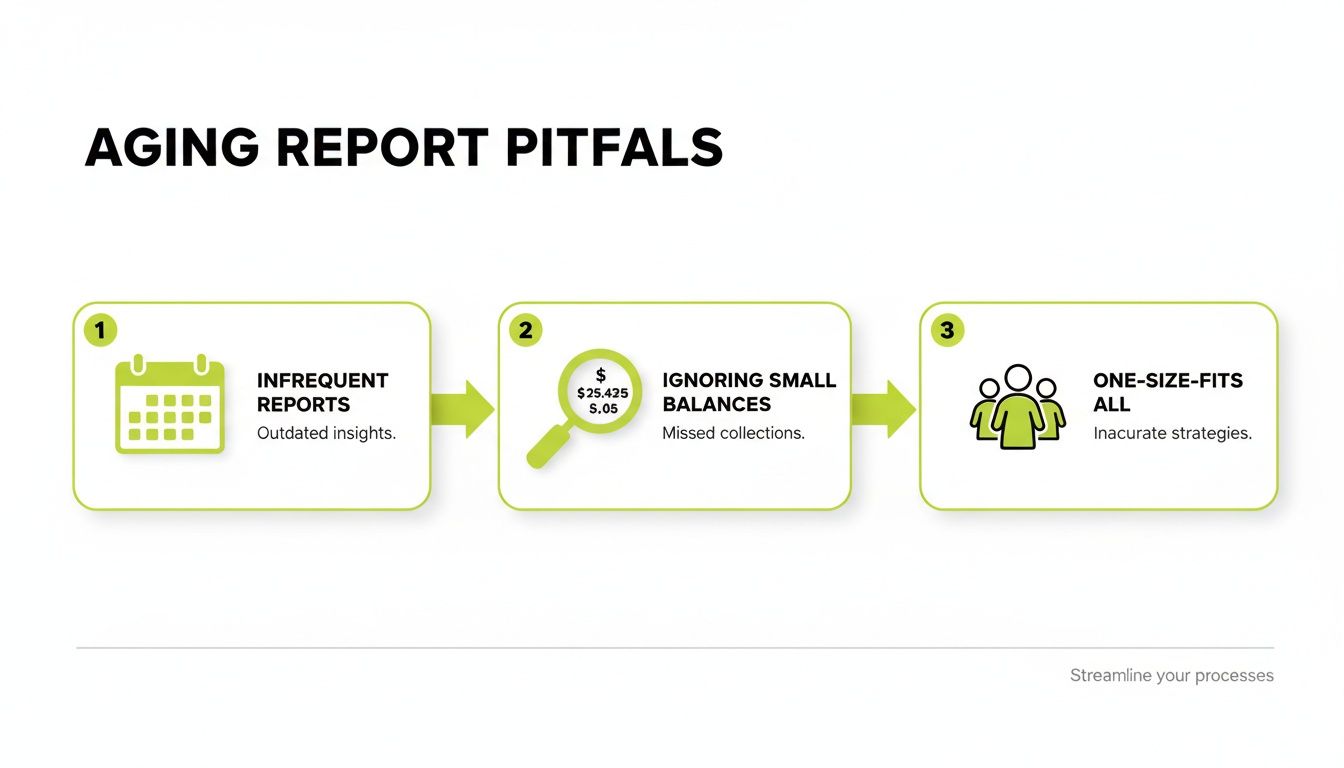
Running reports too late and using generic follow-ups are symptoms of manual limitations. Automation solves them.
Real-World Outcomes from Automation
Moving to an automated system is about achieving better results. The focus shifts from administrative tasks to strategic outcomes.
The goal of automation is not to replace your finance team. It's to arm them with better tools, freeing them to perform the high-value strategic work they were hired for.
Key metrics see immediate improvement:
- Lower DSO: Consistent, timely follow-up shrinks payment times. Firms often see a 15-25% reduction in DSO within six months.
- Healthier Cash Flow: Faster collections mean more predictable cash in the bank, providing working capital to grow without relying on a line of credit.
- A More Efficient Team: Automation can handle 80% of routine collections outreach, freeing your team to manage exceptions and analyze performance.
This is how you gain control over receivables. To take it a step further, you can implement AI report writing strategies for smarter financial analysis.
When you integrate AI AR automation, your aging report becomes the engine for a proactive, intelligent cash flow machine.
Your Path to Proactive Cash Flow Management
The AR aging report is a strategic asset, not just an accounting tool.
In a competitive market, cash flow management separates stable firms from vulnerable ones. It requires moving from reacting to problems to actively preventing them.
This journey from raw data to insight has one goal: operational control. By understanding the report's components and tracking the right KPIs, you turn a static document into a dynamic dashboard that protects working capital.
* **Visual Idea 2: A simple line graph showing two metrics over six months. The top line, "Manual DSO," is high and erratic. The bottom line, "Automated DSO," starts at the same point but trends steadily downward by 20%, demonstrating a clear, measurable outcome. ***
From Insight to Action
The final step is turning intelligence into consistent action. Automating the AR process ensures the insights from your aging report are never wasted.
Beyond managing AR, adopting effective cash flow management strategies is crucial for long-term financial health.
For professional services firms, moving beyond manual processes isn't an option; it's a necessity for sustainable growth.
This shift empowers your firm to command its financial position. You achieve measurable outcomes: lower DSO, predictable revenue cycles, and a stronger balance sheet. You can also explore additional ways to increase cash flow by optimizing financial operations.
The Questions We Hear Most Often
Even in sharp finance teams, common questions about accounts receivable persist. Here are the straight answers for finance operators.
How Often Should We Run an AR Aging Report?
Weekly.
Looking at your AR aging report monthly means you're looking at history. You are reacting to problems that have already taken root.
A weekly review turns the report into a command tool. It allows you to spot an invoice drifting from 30 to 60 days before it becomes a significant issue. This cadence keeps you proactive.
An aging report reviewed monthly is a historical document. An aging report reviewed weekly is a command tool.
What’s the Fastest Way to Get Our 90+ Day Bucket Down?
Stop treating every overdue account the same. To effectively reduce DSO, you must be surgical.
Segment your 90+ day accounts:
- High-Value, Strategic Clients: These require a personal touch. A direct call from a partner preserves the relationship while signaling that payment is a priority.
- Lower-Value, Higher-Volume Invoices: Use smart automation. A firm, consistent dunning sequence ensures follow-up without burning out your team.
This targeted approach focuses your team’s time where it matters most.
Can We Actually Integrate AR Automation with QuickBooks?
Yes. Any modern AR software for professional services must connect seamlessly with accounting systems like QuickBooks. It is a baseline requirement.
The API connection pulls invoice and payment data in real-time. This eliminates the risk of your team chasing an invoice that has already been paid.
This is the core of QuickBooks AR automation. It transforms static accounting data into a dynamic collections engine that works to improve cash flow continuously.
--- Resolut automates AR for professional services—consistent, accurate, and human.