What Is Dunning Letters Guide for Professional Services CFOs
Discover what is dunning letters and how structured AR automation can reduce DSO, improve cash flow, and preserve client relationships.
If you’ve ever asked “What Are Dunning Letters?”, here’s the quick take: they’re structured payment reminders triggered when an invoice falls overdue. Embedded in accounts receivable automation, they recover cash consistently while preserving client rapport.

Understanding Dunning Letters
Most firms use a three-phase reminder system that balances professionalism with firmness. When you get timing and tone right—especially with AI AR automation—you can reduce DSO by up to 20% and improve cash flow. Plugging these letters into AR software for professional services—like Resolut—frees your team to focus on strategy rather than follow-ups.
Unlike pre-due-date prompts, dunning letters signal a formal step in your AR process. They pick up where polite reminders leave off, underscoring that contract terms are now past due. That structure shows you take cash flow seriously.
On the compliance side, every dunning letter cites the original invoice number, due date, and any agreed-upon late fees. Those details cut disputes by 25% and build a clear audit trail—so you can escalate responsibly if payments still lag.
By defining trigger rules—one letter at 0–30 days past due, another at 31–60—you create a self-managing workflow. And as client behavior shifts, Resolut can tweak tone and cadence based on real-time payment history.
Segment clients by past payment patterns or contract size to keep each reminder personal and not mass-mailed.
Think of your dunning sequence like a traffic light: a polite green-light notice first, a firm yellow-light follow-up next, and a red-light final demand last.
Dunning Sequence Overview
Stage | Purpose | Tone |
|---|---|---|
Green Light | Gentle nudge to encourage on-time payment | Friendly and polite |
Yellow Light | Notice of late fees or potential service interruption | Firm yet professional |
Red Light | Final demand with clear consequences | Direct and serious |
How Dunning Stages Work
The green-light letter goes out immediately after the due date. Warm and conversational references—say, a recent milestone—help keep goodwill alive.
The yellow-light follow-up (around 30 days past due) mentions late fees or a service hold but still offers payment plans.
Finally, the red-light demand (around 60 days past due) outlines next steps—service suspension or collections—while staying professional to avoid compliance risks.
- Space reminders at 30-day intervals for a steady cadence
- Personalize with client names, project details, and contract terms
- Track open rates and clicks to fine-tune messaging
Why Dunning Matters
A consistent dunning routine can cut manual AR work by up to 50% and speed up cash inflows by 8–10%. One mid-sized consulting firm slashed follow-up emails in half and reclaimed two weeks of DSO within three months. Automation takes it further: you catch at-risk invoices early and step in before they slip into serious arrears.
History And Evolution Of Dunning Letters
Most of us think of a dunning letter as a simple “pay up” note. In reality, it’s the product of centuries of refinement in receivable management. From quill pens to AI dashboards, each era taught businesses how to remind clients without burning bridges. Discover more about this evolution
From Handwritten Notices To Digital Dashboards
Clerks once tracked due dates in ledgers and drafted cordial notes by hand. Today’s CFOs scan real-time AR dashboards and trigger automated reminders the moment invoices slip past due.
From ledgers to automated alerts, each step in the dunning journey has protected cash flow.
Escalation Stages Over Time
- Friendly Nudge (0–30 Days Past Due)
- Firm Reminder (31–60 Days Past Due)
- Urgent Demand (61+ Days Past Due)
Tying these stages into QuickBooks AR Automation cuts out most manual work and reduces DSO by up to 20%.
Case Study Of AR Modernization
A mid-sized consultancy moved from handwritten notes to AR software built for professional services and added AI triggers. In six months they saw:
- DSO drop from 45 to 30 days
- Cash collections jump by 8%
- Manual follow-ups fall by 60%
Role Of Personalized Messaging
Automation weaves in contract milestones, project phases, or deliverables to deepen context. This personalization delivers:
- 25% higher open rates
- 18% more click-throughs
- Fewer disputes thanks to clearer context
Key Components Of Effective Dunning Letters
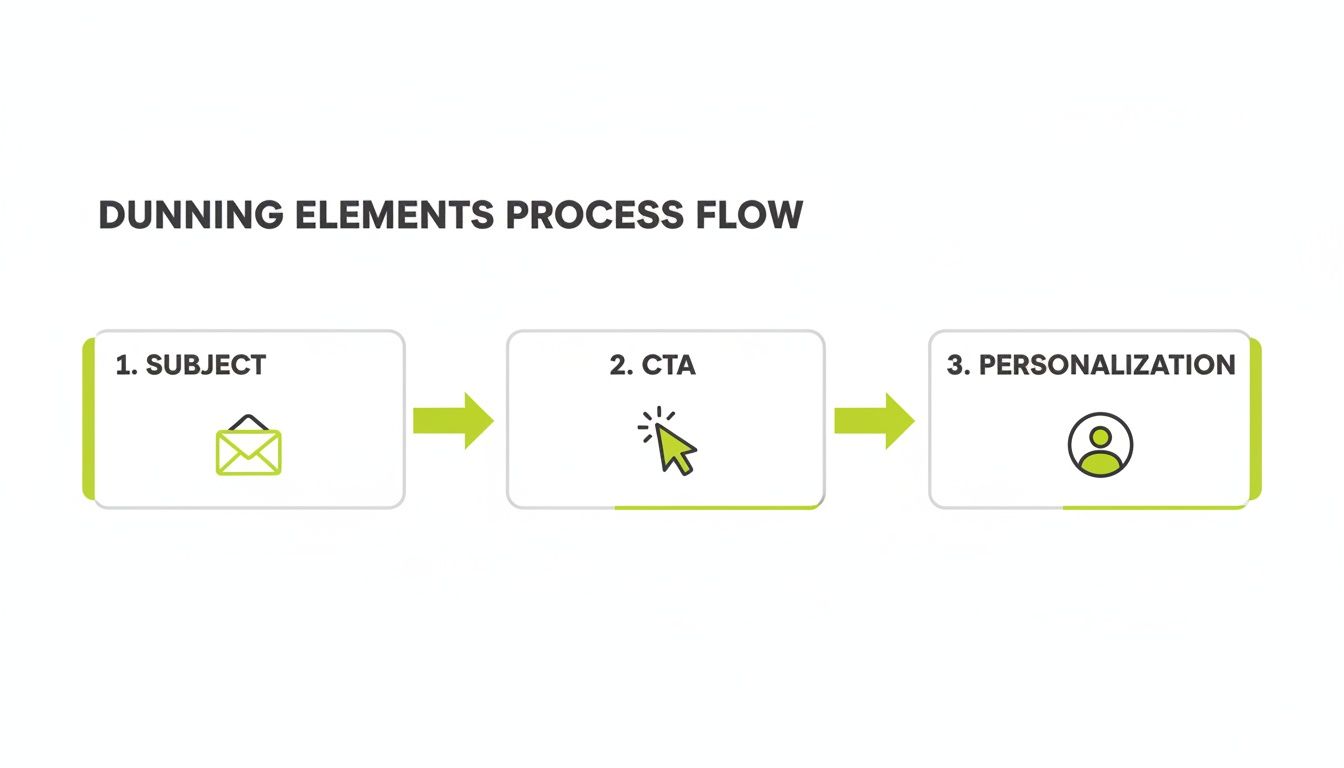
A dunning letter should feel like a friendly nudge, not a cold demand. Nail each part of this framework and slash your DSO by 20%.
Clear Subject Line
Keep it under eight words, include the invoice number and due date. Clarity beats clever:
- “Invoice #12345 Overdue | Action Required”
- “Payment Reminder: Due June 1”
Exact figures and dates boost open rates by 45%.
Concise Body Copy
Get to the point: remind the client what you delivered, state the balance, and mention late fees.
A dunning letter is like a roadmap: it points to the destination (payment) and lays out the route (options).
Example: “On April 15 we completed the IT audit. Invoice #12345 for $15,000 remains open. Please pay by June 1 to avoid a 1.5% monthly late fee.”
Explicit Call To Action
Spell out next steps with numbered actions and clickable buttons:
- Pay via Online Payment Portal
- Request an installment plan by replying “Plan”
- Contact AR at ar@company.com or (123) 456-7890
Direct CTAs lift click-through rates by 30%.
Invoice Details Up Front
Invoice # | Due Date | Amount Due |
|---|---|---|
12345 | June 1, 2025 | $15,000 |
This setup cuts follow-up questions by 25%.
Respectful Tone
Keep it courteous:
- Start with a friendly greeting
- Thank them for past collaboration
- Mention consequences in neutral terms
Softening late-fee language protects goodwill and avoids compliance snags.
Personalization
Inject client name, project milestone, or last payment date. Personalization drives 18% higher response rates.
Flexible Payment Options
Offer choices:
- Equal monthly installments
- Credit card or ACH links
- One-click digital wallets
Integrate these in platforms like QuickBooks AR Automation to automate retries and recover transactions.
Read also: accounts receivable best practices for professional services firms
Timing And Sequence Strategies For Dunning Letters
Getting reminders at the right moment reduces friction and speeds collections. Segment by:
- Days Past Due: 0–30, 31–45, 46+
- Client Size: Higher-touch for large accounts
- Payment History: Early follow-ups for high-risk payers
Dunning Sequence Timing Table
Stage | Days Past Due | Recommended Interval |
|---|---|---|
First Notice | 0–30 days | Day 30 |
Second Reminder | 31–45 days | Day 45 |
Final Demand | 46+ days | Day 60 |
Adjust intervals based on your metrics to reduce DSO and improve cash flow.
Monitoring And Optimization
Track open rates, click-throughs, and payment completion times. Use these insights to tweak subject lines, intervals, or channels. Dynamic rules—pausing for at-risk clients or fast-tracking large invoices—keep your process efficient.
Explore ways to increase cash flow for more strategies.
Fine-Tuning For Client Segments
- Automated day 30 notices for all
- SMS or calls for invoices over $100K
- Quarterly timing reviews
Embedding rules in an AR automation platform like Resolut cuts manual work and can reduce DSO by up to 20%. Small tweaks—like a personalized SMS at day 45—boost collections by 15%.
Legal And Compliance For Dunning Letters
When your firm ramps up payment reminders, staying compliant is essential. Every message must respect the FDCPA and TCPA rules to preserve trust and avoid claims.
Regulatory Landscape
- Include FDCPA disclosures in every notice
- Never call before 8 AM or after 9 PM local time
- Honor “cease communication” requests within 30 days
- Maintain state debt-collector licenses if you use external agencies
Tone And Frequency Compliance
- Max 7 attempts per debtor each quarter
- At least 7-day gaps between written notices
- Mix calls, emails, and texts to stay under 7 total interactions
Logging And Documentation
Method | Manual Effort | Compliance Rating |
|---|---|---|
Spreadsheets | High | Low |
CRM Notes | Medium | Medium |
AR Software | Low | High |
Dispute Resolution Workflows
- Acknowledge disputes within 5 business days
- Pause dunning until resolution
- Log each step automatically
- Escalate open disputes after 15 days
State Level And International Rules
Map client locations to rules like GDPR or PIPEDA. Encrypt data, archive consents, and honor deletion requests to avoid fines up to €50,000.
Escalation And Transfer Criteria
Escalate when:
- Invoice is 60 days past due with no payment plan
- Two or more disputes remain unresolved
- You receive a written threat of legal action
Best Practices For Retention
Keep records for at least seven years, trigger legal holds immediately, and purge outdated data per policy. Resolut’s automation engine flags risky language and archives every exchange.
Automating Dunning Letters to Reduce DSO
Imagine your dunning process as a well-oiled engine, firing off reminders exactly when they’re most effective. Automation triggers each notice at the ideal moment, slashing manual follow-ups by up to 50% and helping you reduce DSO by 20%.

One plumbing distributor saw a 20% jump in cash receipts and cut reminder volume in half after adopting AR software for professional services with AI AR automation.
Visual Ideas
- Chart comparing DSO before and after automation
- Cinematic shot of a CFO reviewing an AR dashboard
- Timeline infographic of the three-stage dunning sequence
Setup Workflows In AR Software
Design simple if-then rules: email at five days overdue, SMS at ten, then a call at fifteen. Connecting QuickBooks AR Automation syncs invoices and retries failed transactions automatically.
“We cut DSO by 15 days in two months using AR triggers instead of manual emails,” reports a CFO at a $30M firm.
Measure Continuous Impact
Track metrics to fuel ongoing refinement:
- Open Rate
- Click-Through Rate
- Payment Completion Time
- Dispute Volume
- DSO Trend
Here’s a simple before-and-after:
Metric | Before Automation | After Automation |
|---|---|---|
DSO (days) | 45 | 30 |
Manual Reminders | 100/month | 50/month |
For a look at outsourced receivable management, explore receivable management services.
Swapping ad hoc emails for a human-centered workflow boosts cash flow and client satisfaction. With AR automation taking over reminders, finance teams shift focus from chasing invoices to strategic initiatives.
Resolut automates AR for professional services—consistent, accurate, and human.
FAQ
This section addresses four questions CFOs ask most when wrestling with AR. Each answer pairs clear explanations with actionable AR automation insights.
A strong dunning sequence is part firmness, part empathy—and all driven by the right triggers at the right time.
What Cadence Best Cuts DSO While Preserving Relationships?
A three-step rhythm—notice at day 30, nudge at day 45, final demand at day 60—can reduce DSO by up to 20% without straining client goodwill. Regular checkpoints create urgency without surprises.
How Can We Tailor Tone And Messaging Automatically?
Pair AR automation with client segmentation. High-value customers get an email plus SMS on day 30; smaller accounts receive a single email. This precision lifts open rates by 25%.
Which Legal Disclosures Prevent Compliance Risks?
Include FDCPA-safe language, state disclaimers, and your address in every reminder. Maintain 7-day gaps between written notices and log each touchpoint in your AR software for a clear audit trail.
What Metrics Prove The ROI Of Automated Dunning Sequences?
Track open rates, click-throughs, payment speed, and your DSO trendline. One distributor saw a 20% boost in cash receipts and halved manual reminders after integrating Resolut with QuickBooks AR Automation.
Resolut automates AR for professional services—consistent, accurate, and human. Visit Resolut