Legal Invoice Format: A Control for Accelerating Cash Flow
Unlock a legal invoice format that speeds payments and lowers DSO with core fields, terms, and simple AR automation tips.
An effective legal invoice format isn't an administrative task; it's a financial control. A precise, compliant, and clear invoice accelerates cash flow. An inconsistent one creates friction, inflates Days Sales Outstanding (DSO), and invites clients to question the bill.
For any CFO or Controller, an invoice is more than a request for payment. It's the final, tangible proof of the value your firm delivered. When that document is ambiguous or strays from client billing guidelines, it becomes a liability in your accounts receivable.
A missing purchase order number or a vague line item opens the door to a payment dispute. These aren't clerical issues; they're financial blockages. A single disputed invoice can stall a six-figure payment for an entire billing cycle, torpedoing cash flow forecasts.
Why Your Invoice Format Is an Untapped Cash Flow Lever
The problem scales. For a firm sending hundreds of invoices monthly, even a 5% error rate creates a constant, draining workload for your AR team. Instead of strategic work, they are stuck in a reactive cycle of chasing information. This manual drag is a direct, measurable cost.
A standardized, enforceable legal invoice format becomes a strategic asset. By bringing discipline to invoicing, you lock in critical outcomes:
- Reduce DSO: Clear, accurate invoices get approved faster. A 5-day reduction in DSO for a $10M firm frees up nearly $140,000 in working capital.
- Minimize Disputes: Proactive compliance with client billing guidelines eliminates the number one cause of payment delays. This reduces time spent on non-revenue-generating tasks.
- Improve Cash Flow: Predictable payments shift forecasting from a guessing game to a data-driven exercise. This provides the control needed for sound financial planning.
The invoice is the last mile of the client experience. A poor format suggests operational sloppiness and gives clients a reason to delay payment.
How Automation Enforces Discipline
Manually enforcing a perfect legal invoice format is an operational challenge, especially for firms using systems like QuickBooks. Minor human errors are inevitable and costly. This is where accounts receivable automation provides a clear advantage.
Modern AR software for professional services does more than send reminders. It programmatically enforces formatting rules, ensuring every invoice is compliant before it reaches the client. This operational discipline is fundamental to building a predictable financial engine for your firm.
Anatomy of a Compliant Invoice: The Fields You Can't Afford to Get Wrong
Your invoice is a legal document and your primary tool for getting paid on time. For anyone managing accounts receivable, every field either speeds up cash flow or creates a bottleneck. Precision is non-negotiable.
A wrong address or a missing tax ID can give a client's AP department a valid reason to reject or delay payment. That directly bloats your Days Sales Outstanding (DSO).
Let's break down the essential components that make an invoice legally sound and operationally effective. These are the structural backbone of a solid billing process.
Core Identification and Contact Information
This is where the most frequent and avoidable errors occur. Getting these details right eliminates friction that stalls an invoice before it enters the client's approval queue.
Your invoice must be a clear, self-contained document. That means triple-checking:
- Your Firm’s Full Legal Name and Address: Use the exact registered name. Many corporate payment systems use automated vendor matching; any discrepancy will get your invoice rejected.
- Client’s Full Legal Name and Address: This must match the entity name and address in your Master Services Agreement (MSA). Billing the wrong subsidiary is a classic mistake that stops the payment process.
- Your Tax Identification Numbers: Always include your firm's federal tax ID (EIN) and any relevant state, VAT, or GST numbers. It’s a hard requirement for most enterprise AP systems.
Inconsistencies in legal entity names are a top reason for initial payment rejections, adding an average of 7-10 days to the payment cycle for manual correction and resubmission.
Unique Transaction and Service Details
Once you’ve nailed the "who," you must be just as precise with the "what" and "when." Ambiguity is the number one cause of payment disputes. Every line item must be easily understood and defended.
These data points are non-negotiable for a compliant invoice and a clean audit trail:
- A Unique Invoice Number: A simple, sequential identifier is critical for tracking, reconciliation, and follow-up communication. It’s a fundamental control for any AR process.
- Invoice Date and Due Date: The invoice date starts the clock on your payment terms. The due date needs to be impossible to miss—make it bold and clear to set a firm expectation.
- A Detailed Description of Services Rendered: A line item for "$50,000 - Consulting Services" invites questions. A stronger entry: "Phase 2 Deliverable: Market Analysis & Competitive Landscape Report as per SOW dated [Date]."
This infographic highlights the primary friction points in the cash flow cycle. Notice how many are exacerbated by a weak or vague invoice format.
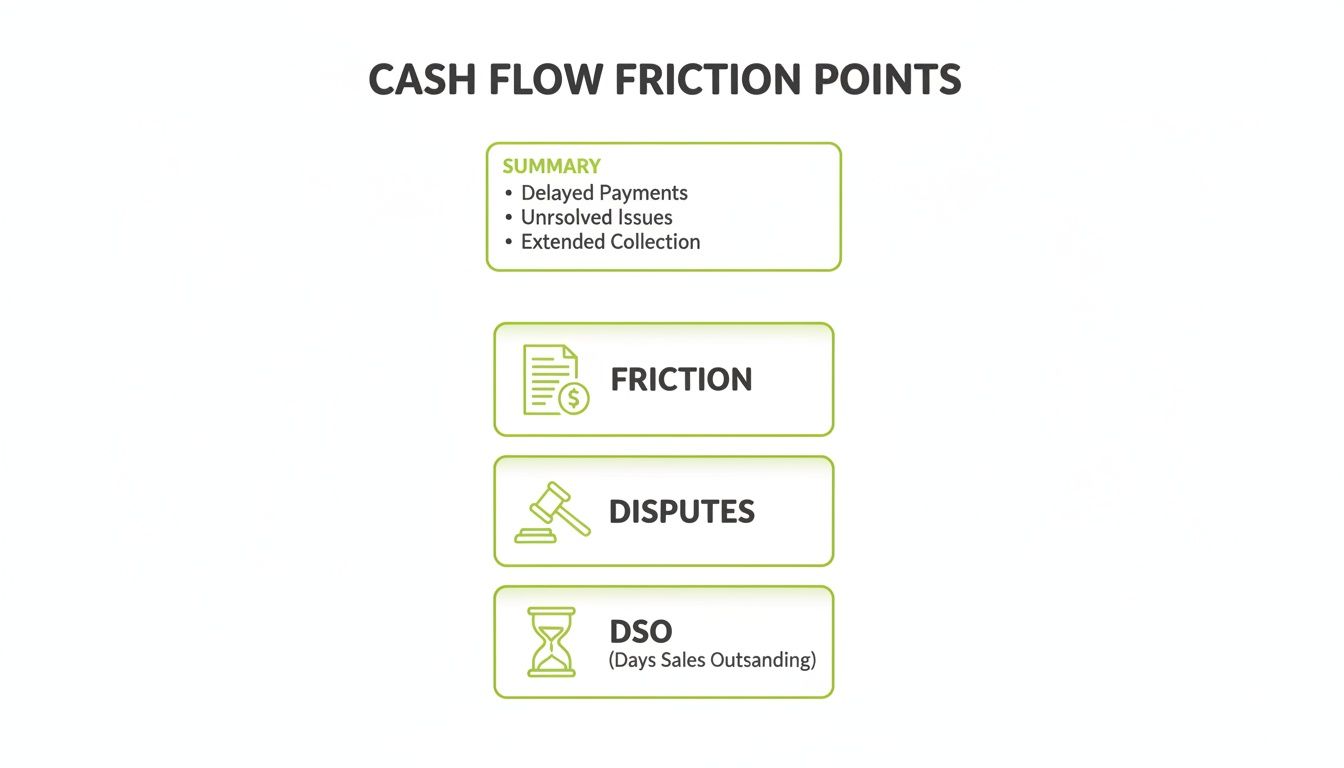
What starts as simple invoice friction snowballs into disputes and a bloated DSO, effectively trapping your cash.
Mandatory vs. Optimized Invoice Fields
To get paid faster, go beyond the bare minimum legal requirements. The goal is to answer a client’s questions before they ask them. Here's the difference between a compliant invoice and an optimized one.
Field | Minimum Legal Requirement | Optimized for Faster Payment |
|---|---|---|
Service Description | A brief description of services. | Detailed line items referencing the SOW, project codes, or specific deliverables. |
Contact Info | Your legal name and address. | Includes a specific billing contact name and direct email for quick query resolution. |
Due Date | Stated due date (e.g., "Net 30"). | A specific calendar date (e.g., "Due on October 25, 2024") in a prominent location. |
Purchase Order | Not always required by law. | Includes the client's PO number, a non-negotiable for most large company AP departments. |
Payment Instructions | Bank account details. | Multiple payment options (ACH, wire, card) with all necessary codes (SWIFT/BIC) and clear instructions. |
By adopting the "optimized" approach, you actively manage the payment process and remove common roadblocks.
Financials and Clear Payment Instructions
The final piece is making the numbers and payment steps foolproof. This section must provide an unmistakable summary of what's owed and how to pay, leaving no room for interpretation. Our guide on the professional services invoice template shows how these elements come together visually.
Ensure these financial fields are present and clear:
- Itemized Costs: Each service should be its own line item, with a price that ties back to the detailed descriptions.
- Subtotal, Taxes, and Total Amount Due: Clearly separate the subtotal from any applicable taxes. Display the final, total amount due in bold.
- Payment Instructions: Provide unambiguous remittance details. Include your bank name, account number, routing/SWIFT code, and the exact name on the account.
A practical legal billing template can help ensure your invoices are optimized to get you paid faster. Building a bulletproof format is about removing every possible point of confusion.
Getting Your Payment Terms and Late Fee Clauses Right
The payment terms on your invoice are contractual levers that directly control your firm's cash flow. When they're ambiguous, you invite payment delays and signal operational disorganization.
Simply putting "Net 30" on an invoice is insufficient. Is that 30 business or calendar days? Does the clock start on send or receipt? Ambiguity creates friction and adds days to your DSO.
From Ambiguity to Absolute Clarity
Your terms must be specific, quantifiable, and aligned with your Master Services Agreement (MSA). This turns a passive request into an enforceable instruction.
Replace "Net 30" with: “Payment due in full within 30 calendar days of the invoice date specified above.” This simple tweak removes guesswork. Learn more about Net 30 terms in our detailed guide.
An invoice’s payment terms should mirror the precision of the MSA. Any discrepancy creates a contractual loophole that AP departments can exploit to delay payment.
This precision is vital. Even as new pricing models emerge, hourly billing still accounts for nearly 90% of legal spend. With worked rates up 7.4% in 2025—outpacing the 2.8% inflation rate—clients scrutinize invoices more than ever. Find more on these trends and their impact on client expectations and billing practices on Apperio.com.
Structuring Legally Sound Late Fee Clauses
Late fee enforceability varies by location. A penalty that is too aggressive or non-compliant can be legally thrown out and damage the client relationship.
Frame late fees as a reasonable charge to cover the administrative and financial costs of carrying overdue debt. It’s a balanced, defensible approach.
- Check State and Local Laws: Some states cap late fees. For example, Colorado allows merchants to charge the actual cost of credit processing or a maximum of 2%. Verify the maximum allowable rate in your jurisdiction and your client’s.
- Use Clear, Non-Punitive Language: Instead of "penalty for late payment," try, “A service charge of 1.5% per month will be applied to all outstanding balances not paid within the specified terms.” This wording is less confrontational and legally sound.
- Reference the MSA: Your invoice terms should explicitly state they are governed by the signed MSA. This gives your late fee clause the full weight of the master contract.
Implementing Tiered Structures and Escalation Paths
A tiered late-fee structure can be an effective tool. It encourages timely payment without being immediately punitive, showing flexibility while maintaining financial discipline.
A simple tiered escalation path:
- Grace Period (1-5 Days Past Due): An automated, professional reminder is sent. No fee is applied.
- Initial Late Fee (6-30 Days Past Due): The contractual service charge (e.g., 1.5%) is applied. The invoice should be re-issued with the new total.
- Further Action (31+ Days Past Due): The account is flagged for review by the finance controller. Communication may shift to a more direct tone, referencing potential service suspension as outlined in the MSA.
A structured process is predictable and procedural, removing emotion from collections. When an AI AR automation system handles it, these steps are executed with perfect consistency. This discipline is essential for firms using tools like QuickBooks AR automation, where manual follow-ups are prone to error.
Enforceable payment terms are about setting clear expectations. By drafting precise, compliant clauses backed by a systematic process, you protect cash flow and reinforce your reputation.
Common Invoice Pitfalls That Are Killing Your DSO
Invoice errors are direct hits to your cash flow. Every mistake kicks off a manual rework cycle that stretches payment times, drains your finance team, and inflates your Days Sales Outstanding (DSO). For a professional services firm, these "minor" oversights have a major financial impact.
A single missing purchase order number can get an invoice instantly rejected by an enterprise client’s automated payment system. This often pushes it out a full 30-day billing cycle. That’s a real cash flow problem from a preventable data entry error.

This is the reality for many AR teams—stuck in a loop of manually checking details. It’s a clear sign of operational drag when you lack automated controls.
The Most Damaging Invoicing Errors
A few specific errors are responsible for most payment delays. They are not complex issues, but their repetition creates a systemic bottleneck in your cash conversion cycle.
The most common culprits:
- Incorrect Client Entity Name: Billing "ABC Company" when your contract is with "ABC Company, LLC" is a classic mistake. Large organizations have rigid vendor validation, and a mismatch halts the payment process.
- Missing Purchase Order (PO) Number: For many corporate clients, the PO number is non-negotiable. If it's not on the invoice, their system can't match it to an approved budget, and it gets rejected.
- Unapproved Billing Rates or Line Items: Billing for something not explicitly in the Statement of Work (SOW) or Master Services Agreement (MSA) will flag the invoice for a long, manual review.
- Ignoring Client Billing Guidelines: Large clients often have their own billing portals or detailed guides. If you deviate from their rules, you guarantee a delay.
An invoice is a claim for payment that must be proven. Every error weakens that claim, giving the client’s AP department a legitimate reason to dispute it.
Quantifying the Financial Drag
The fallout from these errors goes beyond delayed cash. They create operational waste and can strain client relationships. With law firm worked rates up 7.4% in 2025, clients are scrutinizing invoices more than ever. One in four buyers report they never receive excellent value; any invoicing mistake can spark a larger dispute. More on these trends is available at thomsonreuters.com.
The core problem is that manual invoicing processes lack the controls to prevent these mistakes. A finance team managing this with spreadsheets and standard QuickBooks AR automation is exposed to human error. There are no built-in guardrails to enforce client-specific billing requirements.
This is the problem AI AR automation is designed to fix. An intelligent system can store and apply client-specific rules automatically, checking every invoice against contracts and billing guidelines before it goes out. This proactive validation eliminates the errors that inflate your DSO.
Automating Compliance and Collections with AI
Manually checking every invoice against a long list of legal and client-specific requirements is tedious, inefficient, and invites human error. For any firm juggling clients with unique billing portal quirks, the manual approach becomes an operational nightmare, leading to rejected invoices and a climbing DSO.
The root of the problem is a lack of systemic control. Relying on memory is not a scalable process. It sets your team up for a reactive cycle of fixing mistakes instead of getting paid.

From Manual Rework to Systemic Enforcement
Accounts receivable automation platforms change the game. These systems build your billing standards directly into the workflow. They use rule-based engines to enforce compliance automatically, providing consistency that manual processes cannot achieve.
AI AR automation takes this further by learning and adapting to each client. You can configure the system to:
- Lock Down Your Format: Ensure every invoice conforms to a compliant legal invoice format, with all mandatory fields built-in.
- Populate Key Data Automatically: Program the system to add specific PO numbers or MSA references for certain clients.
- Manage Complex Client Rules: The system can store and apply unique billing guidelines for each client, essential when dealing with sophisticated enterprise AP portals.
This shift from manual review to automated validation allows firms to slash invoice errors by over 90%. The result is a tangible acceleration of your cash conversion cycle.
Measurable Outcomes of AR Automation
Implementing AR software for professional services is about driving financial results. When you remove the friction caused by non-compliant invoices, you directly improve key metrics.
A common issue for firms using standard tools like QuickBooks AR automation is the lack of intelligent, client-aware follow-up. An AI-powered platform personalizes the collections process, adapting its approach based on client payment history and communication preferences.
By automating both the enforcement of billing rules and the collections cadence, firms consistently reduce DSO by 10-25% within the first six months. That translates directly into better cash flow and more working capital.
Performance is data-driven. For instance, 71% of clients now prefer flat fees, a shift that has led to a 34% increase in flat-fee matters. These matters close 2.6 times faster and get paid nearly twice as quickly. An automated system can handle this mix of billing models seamlessly.
Beyond Invoicing: The Full Automation Lifecycle
True automation manages the entire accounts receivable lifecycle, from send to payment, with a level of control manual processes can't match. An integrated system provides a single source of truth for every AR activity. You can get a more detailed look at how these platforms work in our complete guide to invoice automation software.
AI-driven automation delivers the discipline and consistency needed to manage a complex billing environment at scale. It replaces the unpredictability of human error with the precision of a system, turning your invoicing process from a liability into an asset that protects and accelerates your cash flow.
Nail Your Invoicing, Nail Your Cash Flow
Getting your invoice format right isn't about ticking legal boxes—it's about taking control of your financial health. When your invoices are precise, professional, and compliant, you spend less time chasing payments and more time managing predictable cash flow. It's a clear signal of your firm's operational discipline.
Knowing the rules is one thing; applying them perfectly across thousands of invoices is another. This is where smart automation moves you from theory to consistent execution.
Adopting an AI-powered accounts receivable (AR) system is more than a process upgrade. You’re building a more resilient financial foundation for your business.
Resolut automates AR for professional services—consistent, accurate, and human.
Common Questions Answered
We receive many questions from finance leaders about fine-tuning their invoice format and using automation to accelerate cash flow. Here are a few common ones.
What's the Single Biggest Thing I Can Do to Prevent Invoice Disputes?
The most critical element is a crystal-clear description of the services provided.
Vague line items like “Consulting Services” are a red flag for any AP team and the number one reason payments get held up. It forces them to stop, question the charge, and seek approval—a recipe for delay.
A bulletproof invoice breaks work into specific tasks. For hourly billing, list the task, who performed it, and the time spent. For fixed-fee projects, spell out the exact deliverable, referencing the SOW. This transparency leaves no room for questions and directly reduces DSO.
How Can We Chase Payments Without Ruining Our Client Relationships?
Make enforcement a predictable, professional process, not an aggressive attack. Be clear and consistent, starting with the Master Services Agreement (MSA) and mirroring those terms on every invoice.
This is where accounts receivable automation is invaluable. An automated reminder sent seven days before the due date, another on the due date, and a gentle nudge a few days after feels like a standard system notification, not a personal demand. It removes emotion from the follow-up, protecting the client relationship while maintaining financial accountability. This systematic follow-up is a core strength of modern AR software for professional services.
Will AR Automation Make My Finance Team Obsolete?
Not at all. Think of AI AR automation as an assistant for your finance team, not a replacement. The technology takes over tedious, high-volume tasks like generating invoices, sending them, and firing off routine reminders.
By automating the busywork, you free up skilled finance professionals to focus on higher-value work: navigating a complex dispute, working out a payment plan for a key client, or analyzing AR data to spot cash flow trends. Automation makes your experts more efficient and strategic.
--- Resolut automates AR for professional services—consistent, accurate, and human.