How Do I Fill Out an Invoice? A Guide for 2026
Wondering how do i fill out an invoice? Discover essential fields, avoid common errors, and optimize your accounts receivable to boost cash flow.
Most advice on how do i fill out an invoice treats the work like clerical formatting. That's too small a view for a professional services firm.
An invoice is one of the most important control documents in your revenue cycle. It tells your client's AP team who is billing, what was delivered, which approval path applies, when payment is due, and how the amount ties back to a contract, PO, or timesheet. If any of that is unclear, payment slows. If it's wrong, your team starts doing manual exception work instead of collections work.
For CFOs, Controllers, and firm owners, that distinction matters. Better invoicing doesn't just make finance look organized. It helps reduce DSO, protects data integrity, and improves cash flow without adding pressure to the client relationship. A clean invoice is easier to approve, easier to match, and easier to collect against.
An Invoice Is a Control Document Not a Bill
The common mistake is simple. Firms think the work ends when the invoice is sent.
It doesn't.
The ultimate test is whether the client can process the invoice without asking a single follow-up question. If AP has to stop and verify the legal entity name, request a missing PO number, or decode a vague service description, your invoice has failed as a control document. It may still be a valid bill, but it's now an exception.
That distinction is where cash flow gets won or lost.
What finance leaders should optimize
When a billing team asks, “Is the invoice out?” they're asking the wrong question. The better question is, “Is the invoice complete enough to move through the client's approval process without friction?”
That standard changes behavior. Teams stop focusing on output volume and start focusing on first-pass acceptability.
Practical rule: Treat every invoice like structured data that must survive both human review and system validation.
For professional services firms, this is even more important because the product is often intangible. You're not invoicing a SKU that can be scanned in a warehouse. You're invoicing time, expertise, milestones, retainers, and project deliverables. That means the invoice itself has to carry more of the approval burden.
What works and what doesn't
A few patterns hold up in practice:
- What works: Standardized billing fields, consistent customer naming, and line items that map cleanly to a statement of work.
- What works: Finance owning invoice rules, even if project managers or admins assemble draft billing data.
- What doesn't: Freeform descriptions, inconsistent numbering, and sending invoices before confirming the AP contact or portal requirement.
- What doesn't: Treating collections as the fix for weak billing discipline.
A lot of firms try to solve slow payment with harder follow-up. Sometimes that helps. More often, it means your AR team is compensating for preventable invoice defects.
If you want a practical starting point, don't ask how to send more reminders. Ask how to make every invoice easier to approve on day one.
The Anatomy of a Non-Negotiable Invoice
A usable invoice isn't “roughly complete.” It's complete in a way that gives the buyer's AP team exactly what they need to validate and route payment.
Sage outlines 13 core invoice elements: the word “Invoice,” your company name and contact details, the customer's name and address, invoice date, invoice number, PO number if applicable, due date, item descriptions, total amount due, sales tax if applicable, accepted payment methods, payment terms, and notes, as described in Sage's invoice guide. That list is narrow for a reason. These fields support review, matching, and payment.
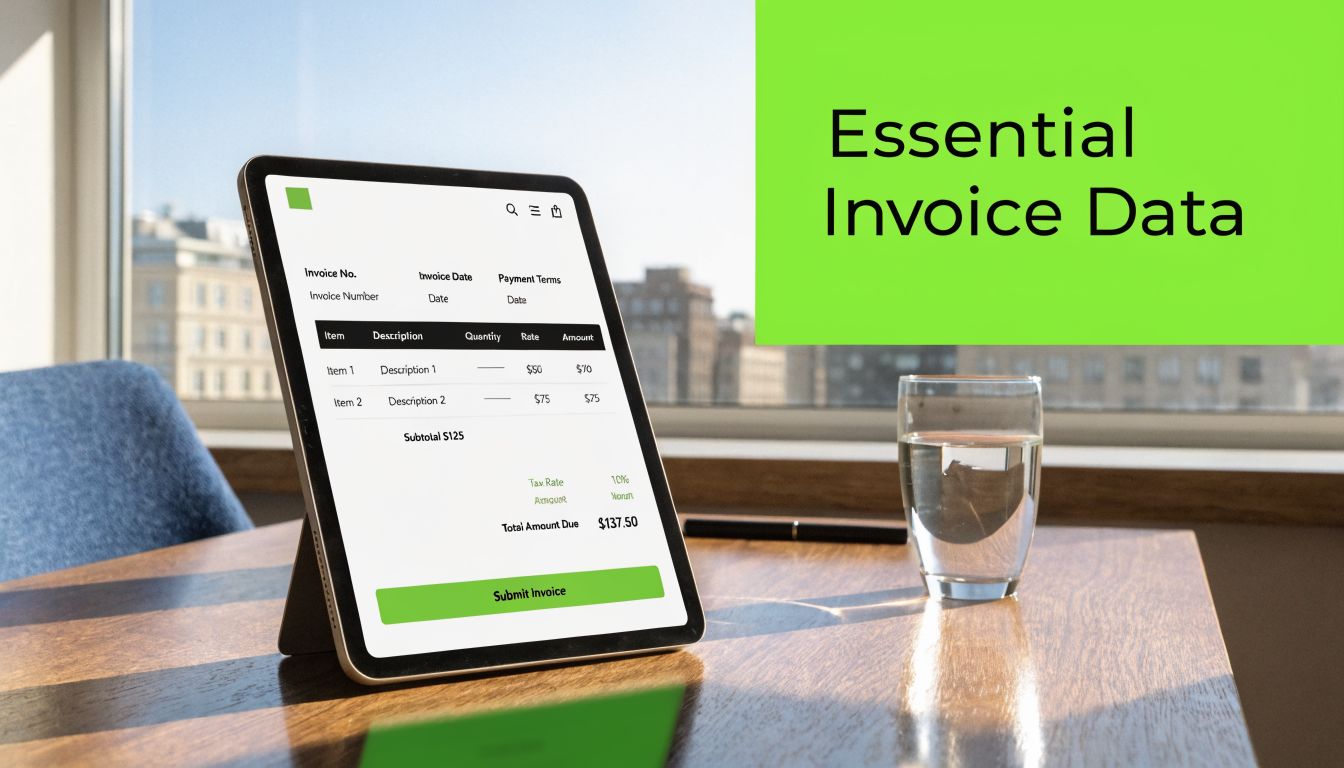
If your team wants a service-specific layout reference, this legal invoice format example is a useful comparison point because it shows how professional services billing needs clarity at the line-item level.
The fields that can't be optional
Here's the minimum standard I'd enforce:
- Document label. Include the word Invoice clearly. It sounds obvious, but clear labeling matters for routing and document capture.
- Supplier identity. Use the exact company name and contact details your client expects. Variations in naming create matching problems.
- Customer identity. Bill the correct legal entity and address, not the shorthand name your team uses internally.
- Invoice date. This anchors terms and aging.
- Invoice number. It must be unique and consistent with your numbering logic.
- PO number if applicable. If the client requires it, this isn't a nice-to-have.
- Due date. Don't make AP infer payment timing from generic terms language.
- Item descriptions. These should show what was delivered in language the approver recognizes.
- Total amount due. Make it visually obvious.
- Tax if applicable. Show tax treatment clearly.
- Accepted payment methods. Reduce friction at the point of payment.
- Payment terms. State them plainly.
- Notes. Use this sparingly for useful references, not billing clutter.
Why each field matters operationally
Finance teams sometimes assume AP will “figure it out” if most of the invoice is right. That's optimistic.
Each field exists because someone on the buyer side needs it for a specific control. Legal names support vendor validation. Dates support payment scheduling. Itemization supports internal approval. Payment method instructions support execution. Notes can help explain edge cases, but they shouldn't carry information that belongs in structured fields.
A clean invoice reduces interpretation. AP teams don't want to guess what you meant.
That's the shift mature firms make. They stop designing invoices for appearance and start designing them for processing.
A short controller's checklist
Field | Why it matters |
|---|---|
Legal entity names | Supports vendor and customer matching |
Invoice number | Creates a unique audit reference |
Due date | Drives timing and collections cadence |
Itemized lines | Helps approvers validate services rendered |
Tax and total due | Prevents recalculation and disputes |
Payment method | Removes avoidable payment friction |
If your current template leaves any of those ambiguous, it's not a finished invoice. It's a draft with branding.
Strategic Fields for Professional Services Firms
Services invoices fail for different reasons than product invoices. The problem usually isn't whether goods shipped. The problem is whether the buyer can tell what was approved, who approved it, and whether the charge matches the contract.
That's why invoice quality in a services firm depends heavily on a few fields that look administrative but behave like control points.
Quicken's invoice preparation guidance lays out a practical order: supplier or legal entity details, bill-to details, unique sequential invoice number, issue date and due date, PO number if required, itemized line items with quantity, unit price, and description, tax breakdown, and payment terms or methods, in Quicken's invoice article. That sequence mirrors how AP teams review invoices in actual business operations.
For teams refining service billing structure, this professional services invoice template is a helpful operational reference.
The PO number is often a gatekeeper
In many larger client environments, the PO number determines whether the invoice can move at all. No PO, no match. No match, no payment run.
This doesn't mean every client requires one. It means your team should know, before billing, whether that client's process depends on it. If the engagement started with procurement, assume the invoice needs to reflect procurement discipline.
A late discovery here is expensive. Finance ends up reissuing the invoice, project leads get pulled into email threads, and the original due date becomes meaningless in practice.
Service descriptions need to be approvable
A vague line item might satisfy your internal team. It won't satisfy a client approver who has to sign off against a contract or budget.
Compare these approaches:
Weak line item | Better line item |
|---|---|
Consulting services | Retainer services for monthly finance advisory per engagement terms |
Project work | Phase 2 implementation services completed during current billing period |
Professional fees | Hourly advisory services with quantity, rate, and scope reference |
The point isn't verbosity. The point is recognizability. The approver should be able to say, “Yes, this matches what we bought,” without opening three other documents.
Different billing models need different wording
Professional services firms usually bill in a few common patterns:
- Retainer billing. Reference the billing period and service category clearly.
- Milestone billing. Name the milestone the client already recognizes from the statement of work.
- Hourly billing. Show quantity, rate, and a description that explains the work at a level suitable for approval.
- Project-based fixed fee billing. Tie the charge to a named phase, deliverable, or agreed schedule.
If the invoice language doesn't match the contract language, approval slows.
That's why strong firms keep billing taxonomy under control. They don't let every project manager invent invoice wording from scratch. They create approved description patterns that finance can enforce across clients and engagements.
Why Invoices Are Rejected and How to Avoid It
Most invoice rejections aren't random. They're validation failures.
Buyer AP teams often require a purchase order number, the exact customer legal entity name, and enough line-level detail to support matching or internal approval. Training materials also flag duplicate invoice numbers, omitted PO numbers, and unclear service descriptions as common pitfalls, as noted in Canada College's invoice processing training PDF.
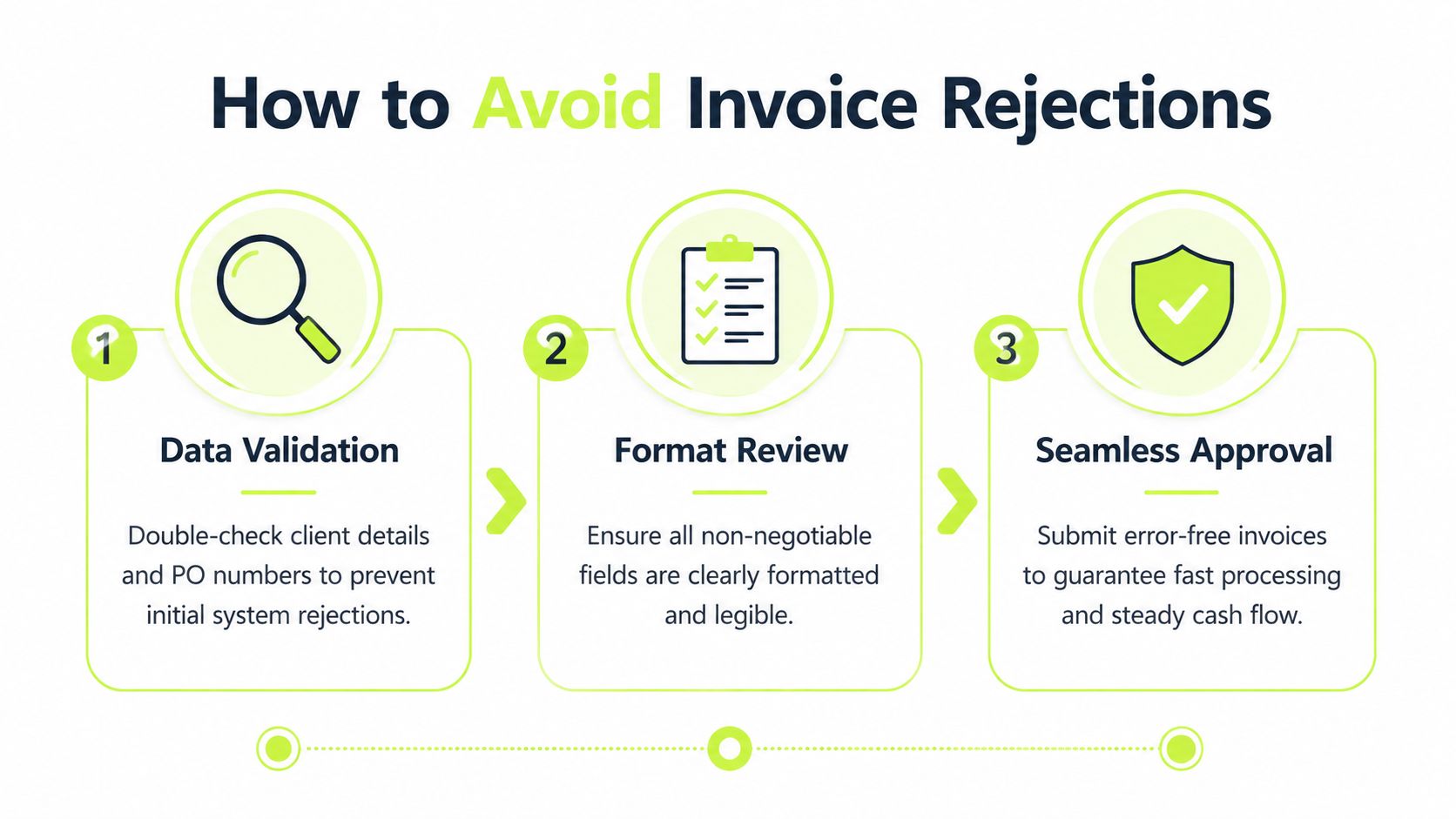
The important operational point is this. Rejection usually happens because your invoice didn't fit the buyer's control environment. AP didn't create the delay. Your process handed them an exception they couldn't auto-route.
The buyer's view is stricter than the seller's view
From your side, “Acme” and “Acme Holdings LLC” may feel interchangeable. From the buyer's side, one may be valid in the vendor master and the other may not.
The same goes for line items. Your partner or project lead may know exactly what “Q1 strategy support” means. The approver inside the client's business unit may not. AP won't guess.
That's why rejections cluster around small data errors:
- Entity mismatch. The invoice names don't match system records.
- Missing PO. Procurement required it, but billing didn't include it.
- Duplicate numbering. The invoice can't be distinguished cleanly from another bill.
- Unclear descriptions. The approver can't validate the charge.
- Formatting problems. Key fields are buried, inconsistent, or hard to extract.
A practical pre-flight review
Before an invoice goes out, someone on the finance side should verify a short set of controls:
- Customer record check. Confirm the exact bill-to legal entity, address, and submission destination.
- Commercial check. Verify the PO number, engagement reference, rates, and billing period.
- Document check. Confirm invoice number uniqueness, due date, tax treatment, total due, and payment instructions.
The best collections process in the world can't recover time lost to an avoidable invoice rejection.
Disciplined firms separate themselves during this phase. They don't rely on post-send heroics. They build a repeatable review step that catches preventable defects before the invoice enters the client's workflow.
Visual ideas for internal process design
If you're improving billing controls internally, a few visuals work well with finance teams:
- A rejection heat map by client, showing where entity mismatches, PO errors, and description issues are concentrated.
- A simple process swimlane showing handoff points between project management, billing, and AR.
- A first-pass acceptance dashboard that compares submitted invoices against corrected or reissued invoices.
Those visuals make invoicing quality visible. Once teams can see the failure pattern, they stop treating billing errors as isolated admin mistakes.
Using Payment Terms and Delivery to Shrink DSO
Once the invoice itself is sound, the next focal point is process. Numbering, terms, and delivery all affect whether cash arrives on time.
Deskera notes that invoice numbering can be sequential, chronological, by customer number, or by project number, and that itemization and numbering support traceability for cash collection, internal approval, and dispute resolution in Deskera's invoice guide. That's not cosmetic. It's the backbone of receivables control.
Numbering should support retrieval, not creativity
I prefer numbering systems that are easy for finance staff to audit and easy for clients to reference in email, remittance, and dispute conversations.
The wrong approach is a numbering scheme that looks clever but creates lookup friction. If your team can't instantly identify whether an invoice is new, revised, duplicated, or tied to a client or project stream, the numbering logic is working against you.
A strong numbering system should help with:
- Tracking. AR can identify invoice status quickly.
- Reconciliation. Cash application teams can match remittance references with fewer questions.
- Dispute handling. Client teams can point to one unambiguous document.
- Audit trail. Finance can review sequence integrity without detective work.
Terms need to reflect leverage and client reality
Payment terms aren't just legal language. They're a financing decision.
Some firms default every client to the same term set because it's administratively easier. That's clean internally, but it can be lazy commercially. If a client pays predictably and values speed, shorter terms may work. If procurement is rigid, the practical play may be to tighten invoice timing and delivery discipline rather than negotiate a term the client won't honor operationally.
What doesn't work is writing a due date on the invoice and assuming behavior follows. Terms only matter when the invoice is delivered correctly, reaches the right contact, and enters the client's system promptly.
Delivery discipline matters more than most teams admit
A well-built invoice still underperforms if it goes to the wrong inbox or skips a required portal submission.
I've seen firms lose days because they sent the invoice to the business sponsor instead of the AP intake address. The sponsor approved the work, but AP never received the document in the required channel. Finance then spends time chasing a “late payment” that was really a failed submission.
Send invoices the way the client's process expects, not the way your team prefers.
For firms trying to improve cash flow, this is one of the simplest wins available. Confirm the submission method, confirm the contact path, and make that routing part of the client master record. Good terms help. Predictable delivery helps more.
From Manual Invoicing to Automated AR
Manual invoicing can work when volume is low and client requirements are simple. It breaks down as a firm grows.
At that point, the issue isn't whether your team knows how do i fill out an invoice. The issue is whether the business can enforce the same standard every time across clients, billing models, and staff handoffs. That's where accounts receivable automation becomes less of a convenience and more of a control decision.

What automation fixes that templates don't
Templates help with document consistency. They don't solve process inconsistency.
A finance team still has to verify client-specific fields, maintain numbering integrity, route invoices correctly, monitor aging, follow up on missing approvals, and reconcile payments back into the ledger. If you're handling that inside QuickBooks with spreadsheets, inboxes, and human memory, the control structure is fragile.
That's why firms evaluating AR software for professional services usually care about a few practical capabilities:
- Field enforcement so required billing data isn't skipped
- Workflow consistency so invoices follow the right path by client or entity
- Follow-up automation so reminders happen without relying on manual ticklers
- Payment visibility so finance can see what's open, disputed, approved, or at risk
- Reconciliation support so posted cash ties back to invoices faster
For teams researching QuickBooks AR automation, the key question isn't whether the accounting system can generate an invoice. It's whether the surrounding workflow reduces exceptions and supports faster collection.
A focused explainer on invoice automation software for finance teams is useful if you're comparing process layers beyond the core ledger.
AI AR automation is about enforcement
The strongest use of AI AR automation isn't fancy language generation. It's disciplined execution.
A good system can standardize invoice creation, flag missing inputs before sending, orchestrate follow-ups based on status, and help finance teams prioritize the receivables that need human intervention. That gives Controllers more confidence in billing quality and gives AR staff more time for exception handling that requires judgment.
Here's a short demo format that shows what that looks like in practice:
Among the available options, Resolut fits this operating model by automating invoicing-related follow-up, coordinating AR workflows, and giving finance teams a more centralized process for billing and collections. Used well, that kind of platform doesn't replace judgment. It applies judgment more consistently.
What changes inside the finance function
The actual benefit extends beyond mere labor savings.
Automation changes the posture of the finance team from reactive to controlled. Instead of discovering issues after invoices age, the team can prevent defects before submission, see stalled approvals sooner, and act on receivables based on risk and status rather than inbox noise. That's how firms start to reduce DSO in a durable way.
For a professional services firm, that matters because revenue concentration, client-specific requirements, and relationship-sensitive collections make AR messy fast. Standardized invoicing plus workflow automation is how you keep that complexity from turning into chronic cash delay.
Resolut automates AR for professional services. It helps firms keep invoicing and follow-up consistent, accurate, and human. If your team wants tighter billing controls, better visibility, and less manual chasing, Resolut is worth a look.