Automated Invoice Matching: A CFO Guide
Learn how automated invoice matching reduces exceptions and DSO. A practical guide for CFOs to improve cash flow and scale AR operations efficiently.
Month-end arrives, the bank feed is full of deposits, and none of them explains itself. A client pays several invoices in one transfer, another deducts a bank fee, and a third sends remittance advice to a shared inbox nobody has checked yet. Your team opens the accounting system, searches invoice by invoice, and postpones the close while cash sits in an unapplied account.
That routine is common in professional services firms. It's also more consequential than it looks. Automated invoice matching isn't just a way to reduce data entry. Done properly, it connects cash application, collections, financial controls, and working capital discipline.
For CFOs, Controllers, and firm owners managing a $3M–$50M professional services business, the practical question is simple: can your team apply incoming cash accurately, resolve exceptions quickly, and give clients a consistent payment experience without adding headcount?
The Real Cost of Manual Reconciliation
Manual reconciliation rarely fails in one dramatic event. It creates small delays that accumulate across every payment cycle.
A finance coordinator sees a deposit with a recognizable client name but no invoice reference. The client has paid three projects at once, or the remittance email lists an invoice number with a typo. Someone searches QuickBooks, checks prior correspondence, asks the account manager, and parks the payment until the answer arrives. The payment may be in the bank, but the ledger still shows the invoices as open.
That gap affects more than bookkeeping. Collections staff may follow up on an invoice the client has already paid. A partner may receive an unnecessary escalation. The Controller may review an inaccurate receivables aging report. During close, the team spends time proving what happened instead of analyzing why cash moved.
A useful examination of this wider problem is the true cost of AR inefficiency in professional services. The cost isn't limited to hours spent matching transactions. It includes delayed reporting, avoidable client friction, and weaker confidence in the cash position.
Matching is a control, not a clerical task
Accounts receivable automation should preserve a clear chain between the bank transaction, remittance information, customer account, and open invoice. When confidence is high, the system can apply the payment. When confidence is low, it should route the item to a person with the relevant context.
That distinction matters. An automated system that posts uncertain matches without review can make the ledger look clean while introducing errors. A system that sends every payment to a human just recreates the old process in a different interface.
The strongest operating model combines straight-through processing with controlled exceptions. Finance leaders can then distinguish genuine ambiguity from routine work, while maintaining an audit trail for every decision.
Practical rule: Never measure matching only by how many payments the system touches. Measure whether the payment lands on the right customer, invoice, amount, and date.
The cash-flow connection
High-automation AR organizations report an average 41% reduction in Days Sales Outstanding, while AI-powered cash application can achieve 90%+ automated match rates, compared with typical manual match rates of 40–60%, according to Billtrust's accounts receivable automation data.
Those figures point to the economic role of matching. Faster application gives collections teams a more reliable list of genuinely unpaid invoices. It helps Controllers close with fewer unresolved balances. It gives owners a clearer view of cash that has arrived but hasn't yet been allocated.
The return isn't created by processing more transactions for its own sake. It comes from removing uncertainty between payment receipt and financial action.
How AI Transforms Extraction and Matching
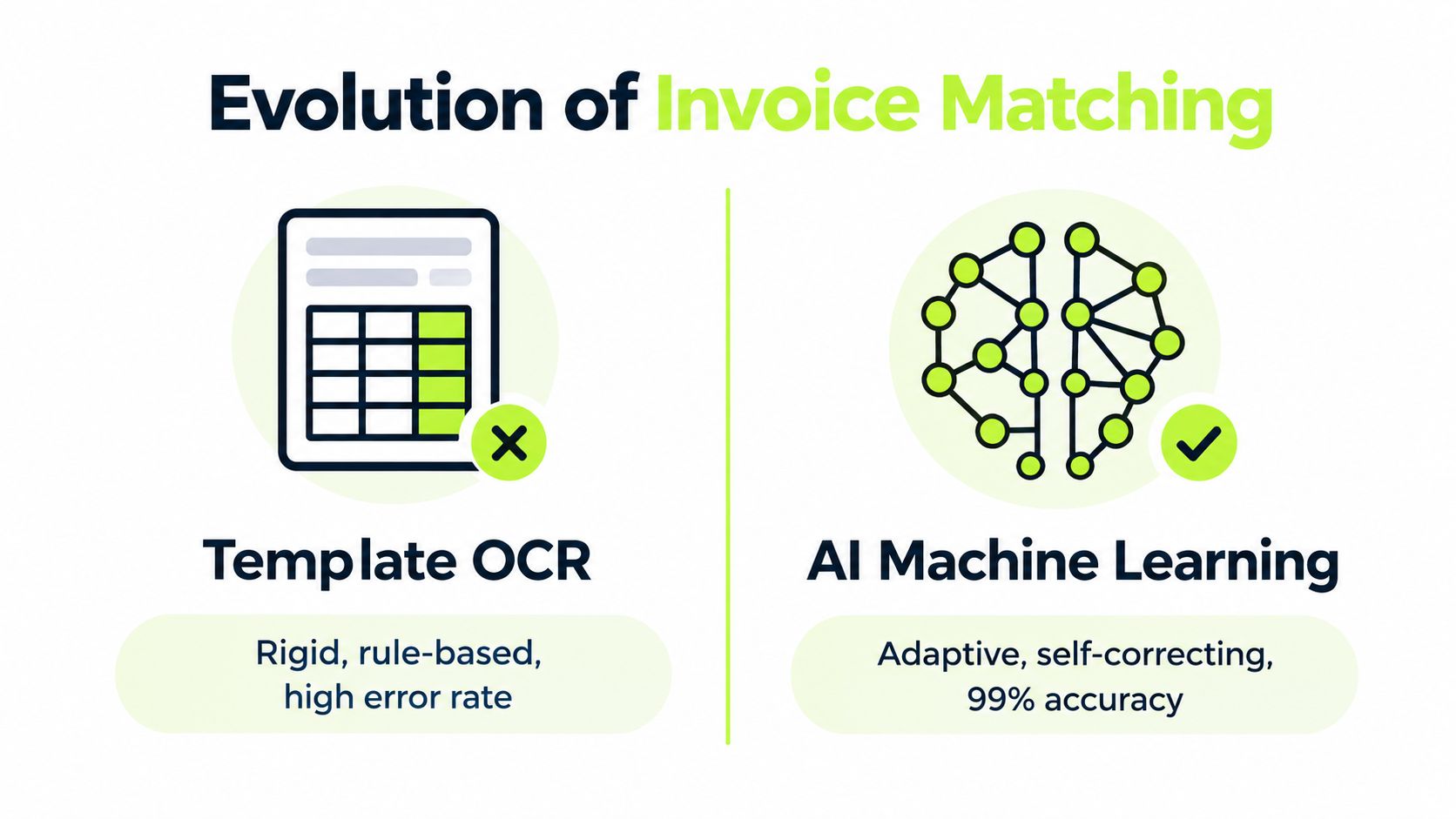
Legacy OCR reads documents by looking for predictable fields in predictable places. That approach can work for a consistent invoice template, but professional services firms receive remittance advice, payment notices, spreadsheets, and free-form emails that rarely follow one layout.
Machine learning changes the task from locating fixed labels to interpreting relationships. The system can connect a customer name, payment amount, invoice reference, currency, and remittance detail even when the information appears in different formats. It can also use prior human corrections as feedback, improving the treatment of recurring customer behaviors over time.
The distinction is operational, not academic. If the system extracts the wrong invoice number or amount, every downstream matching rule starts with bad input.
Extraction quality determines matching quality
Modern AI-driven invoice processing benchmarks report 70–85% field extraction accuracy for template OCR and 95–99.5% for machine-learning systems, with straight-through processing rising from 10–20% of invoices to 60–85% in higher-performing deployments, as reported by EZ Integrations.
For a finance leader, the important point is the dependency chain:
- The system captures the document or bank data.
- It extracts names, references, amounts, and dates.
- It normalizes those fields against the ERP or accounting platform.
- It proposes or completes the match.
- It sends uncertain items to the appropriate reviewer.
A weak first step creates manual work later. Better extraction can reduce false exceptions, but it won't solve incomplete customer records, inconsistent invoice references, or slow ERP synchronization.
What AI should handle
A practical AI AR automation workflow should recognize more than an exact invoice number. It should be able to interpret:
- One payment covering multiple invoices, then suggest an allocation for approval.
- Partial payments, where the remaining balance stays open and visible.
- Short payments, including deductions that may require a dispute or write-off decision.
- Remittance sent separately, where the bank transaction and supporting detail arrive through different channels.
- Customer naming variations, such as legal entities, trading names, or abbreviated references.
The system shouldn't hide uncertainty behind a confident-looking green status. Confidence scoring, explanation fields, and an accessible review queue allow finance staff to understand why a match was proposed.
Here an AI approach to accounts receivable can be useful, provided the platform keeps human approval available for sensitive or ambiguous transactions.
A short demonstration can help teams assess whether a vendor is showing real workflow behavior or merely presenting document capture.
The right evaluation question isn't “Does it use AI?” It's “Can it explain a proposed match, learn from corrections, and preserve control when the data is incomplete?”
Moving Beyond Rigid Three-Way Matching
Three-way matching is sound for the environment it was designed to control. It compares a purchase order, goods receipt, and invoice before payment. If the documents don't align, the invoice is held until someone resolves the discrepancy, a process intended to prevent overpayments, duplicate payments, and payment for undelivered goods, as described in Tipalti's explanation of three-way matching.
Professional services firms often operate differently. A consulting engagement may be governed by a statement of work, a rate card, approved hours, milestone acceptance, or a recurring retainer. There may be no conventional goods receipt, and the important evidence may sit in a project system, email thread, or client approval record.
That doesn't mean the control should disappear. It means the control has to follow the commercial reality.
The document trail can be valid without a standard PO
For a non-PO service invoice, matching may involve:
- Contract terms, including agreed rates, billing frequency, and renewal conditions.
- Project evidence, such as approved time, milestones, or deliverable acceptance.
- Customer history, including regular payment patterns and known remittance conventions.
- Invoice integrity, including totals, tax treatment, dates, and internal calculations.
- Duplicate signals, including similar amounts, vendors, dates, and altered invoice identifiers.
The most dangerous failure is a clean-looking match against a flawed source. Contract-price drift can leave an invoice consistent with an outdated PO. A duplicate payment can use a modified invoice ID. An internal calculation can be wrong even when the invoice references the correct engagement.
Phacet Labs' analysis of three-way matching automation highlights these less visible failure modes, including contract-price drift, modified invoice IDs, and incorrect internal calculations. Controllers assessing their control environment should also consider forensic accounting for purchase orders when reviewing whether source documents reflect the commercial agreement.
Fuzzy matching needs boundaries
History-based fuzzy matching can catch close-but-not-identical duplicates that exact ERP checks miss. It may compare customer identity, amount, date, invoice description, and prior payment behavior to identify a likely relationship.
But fuzzy matching shouldn't become a license to post anything that seems familiar. The system needs clear thresholds and different actions for different confidence levels. A high-confidence recurring payment may be applied automatically. A similar amount with a changed reference may require review, especially if the invoice is large, overdue, disputed, or connected to unusual bank details.
The practical model is flexible evidence with rigid accountability. Allow the system to search broadly, but require it to explain the match and preserve the reviewer's decision.
Designing Tolerance Rules and Exception Routing
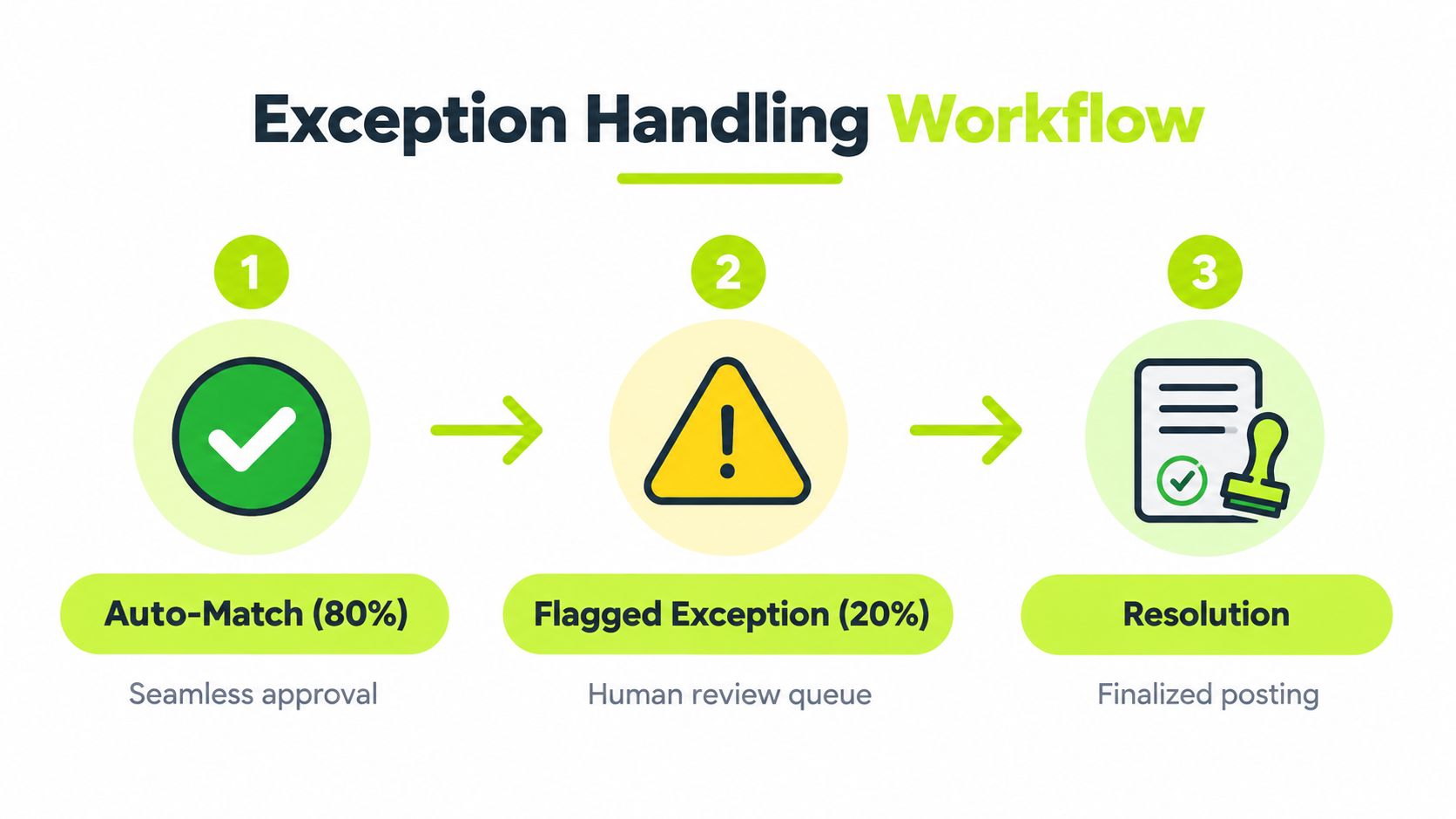
Automation creates value in the exception queue, not just in the matches that never need attention. A system that processes routine payments quickly but gives staff an unprioritized list of ambiguous items leaves the hardest work untouched.
Design the workflow before turning on autopilot.
Start with risk categories
First, separate exceptions by cause and financial consequence. A minor bank fee isn't the same as a payment that could belong to two customers. A short payment caused by an agreed credit isn't the same as an unexplained deduction.
A useful routing model includes:
- Low-risk variances, such as a small fee or rounding difference, sent to a controlled auto-resolution path.
- Allocation questions, such as one payment covering multiple invoices, routed to AR staff with the customer's open balance visible.
- Commercial disputes, including deductions or disputed work, routed to the account owner or collections specialist.
- High-risk anomalies, such as unusual payment patterns or identity conflicts, escalated to a Controller or designated approver.
Each route should have an owner, a reason code, and a required next action. “Needs review” is not a workflow. “Confirm whether the payment covers invoices A and B, then post the balance to invoice C” is.
Set tolerances deliberately
Tolerance rules should reflect the firm's risk appetite and customer agreements. Don't create a broad percentage allowance just to improve the auto-match rate. A tolerance that hides repeated short payments can weaken collections and distort revenue or write-off reporting.
Instead, document:
- Which variance types can be resolved automatically.
- Which customer or contract terms override the general rule.
- Which amounts require approval.
- How unresolved balances remain visible.
- When the system escalates an item because it has aged without a decision.
Best-in-class AP teams report an invoice exception rate of 9%, compared with a 22% average, according to TallyScan's invoice matching guidance. Although professional services AR has different document patterns, the lesson carries across: improving automation means reducing unnecessary exceptions, not merely moving them into a faster queue.
Give reviewers the right context
A reviewer shouldn't have to open five systems to understand a payment. The exception screen should show the bank transaction, remittance detail, customer account, open invoices, prior decisions, and any relevant dispute or credit information.
That context shortens resolution time and improves consistency. It also creates useful management data. If the same customers repeatedly pay without references, the firm can change invoice instructions or payment portal design. If one project type creates recurring deductions, the billing process may need attention rather than another matching rule.
A well-designed exception queue turns human review into judgment work. It doesn't use people as a substitute for missing workflow design.
Measuring the Impact on DSO and Cash Flow
The wrong dashboard celebrates payment volume processed. The right dashboard shows whether cash is becoming usable information faster.
Start with the interval between bank receipt and accurate application. A payment that remains unapplied can make a paid invoice look overdue, trigger unnecessary outreach, and obscure the firm's true receivables position. Faster application improves the quality of every downstream decision, from collection prioritization to cash forecasting.
Cash application automation can match payments to open invoices, reduce errors, and accelerate financial close. Systematic collection workflows also keep follow-up consistent and can apply incoming payments automatically when they map cleanly to a single open invoice, according to Versapay's professional services AR guidance.
Track operating measures that explain DSO
Use a small set of measures that connect workflow performance to cash outcomes:
Measure | What it tells you |
|---|---|
Time to apply cash | How quickly receipts become reliable ledger information |
Unapplied cash balance | How much received cash remains operationally unresolved |
Exception aging | Whether ambiguous items are being resolved or accumulating |
Manual touch rate | How much routine work still requires staff intervention |
Short-payment recovery | Whether deductions are being investigated and collected |
DSO trend | Whether improved application and follow-up support faster collection |
These measures should be reviewed together. A lower manual touch rate isn't a success if unapplied cash rises. A faster close isn't a success if staff are forcing uncertain matches into the ledger. A better DSO trend is more credible when the underlying application and exception data supports it.
Separate application from collection
Matching doesn't collect money by itself. It makes collection activity more accurate.
Once a payment is applied, the system can remove the invoice from routine follow-up. When a payment is partial, the remaining balance can stay in the correct workflow. When a customer claims to have paid, staff can verify the transaction instead of asking for information the firm already has.
That distinction helps professional services firms protect client relationships. Clients may accept a reminder for an open invoice. They're less likely to appreciate a reminder for an invoice they paid days earlier.
A practical review should compare cash application performance with DSO, overdue aging, dispute resolution, and close quality. The guide to reducing Days Sales Outstanding is most useful when treated as an operating discipline rather than a single software project.
Make the financial case in working-capital terms
The investment case for accounts receivable automation should connect labor savings to cash predictability. Faster, more accurate application can help the finance team identify collectible balances, focus outreach, and reduce the time spent searching bank statements.
The benefit compounds through better decisions. Partners receive fewer incorrect escalations, Controllers spend less time correcting allocations, and owners see a clearer cash position. For a firm with recurring client work, that consistency can matter as much as raw processing speed.
Choosing the Right AR Automation Partner
The right AR software for professional services should fit the firm's actual payment behavior, not force every customer into an AP-style process.
Start with integration. The platform should import invoices and customer records reliably, synchronize payment status with the accounting system, and make latency visible. A polished interface doesn't compensate for stale balances in QuickBooks or an unclear posting history.
A QuickBooks AR automation workflow should preserve the accounting system as a dependable ledger while adding intelligence around outreach, payment behavior, matching, and exceptions. Test the complete path with real scenarios, including a multi-invoice payment, partial payment, unidentified receipt, credit balance, and customer remittance sent by email.

Evaluate control as carefully as automation
A credible partner should support both autopilot and co-pilot modes. Routine, high-confidence matches can move without intervention. Sensitive communications, unusual deductions, and complex client escalations should remain available for human review.
Ask vendors to demonstrate:
- Confidence handling, including what happens when the system can't identify a clear invoice.
- Exception ownership, with routing by customer, project, amount, or issue type.
- Audit evidence, including match reasoning, user decisions, timestamps, and reversals.
- Omnichannel communication, so email, SMS, phone activity, and payment events remain connected.
- Payment experience, including a professional portal for cards, bank transfers, and digital wallets.
- ERP behavior, including how quickly applied cash and status changes reach the accounting system.
Cash application tools can use bank-feed and remittance data to apply payments to the correct invoices, while sending low-confidence matches to a human reviewer to protect ledger accuracy and reduce manual bank-statement searches, as described by Ramp's AR automation overview.
Choose the operating model, not just the feature list
Professional services firms need a system that respects client relationships while enforcing payment discipline. It should help collections teams personalize outreach, give finance leaders visibility into risk, and let authorized staff intervene when context matters.
Infrastructure also deserves attention. Firms evaluating cloud accounting for professionals should ask how the AR platform fits into identity controls, data access, reporting, and existing accounting workflows. The goal is one dependable operating picture, not another disconnected dashboard.
A strong evaluation ends with measurable acceptance criteria. Define the matching scenarios the system must handle, the exceptions it must route, the records it must preserve, and the reports the CFO will use after launch. Then run the test with real historical transactions, not only vendor-provided examples.
Resolut automates AR for professional services with consistent cash application, controlled exception routing, and human review when a match isn't clear. If you're working to reduce DSO and improve cash flow without weakening client relationships, visit Resolut to evaluate a more dependable AR operating workflow.