7 Automated Invoice Reminders That Improve Cash Flow
Compare 7 automated invoice reminders, cadences, channels, templates, and metrics to reduce DSO and improve cash flow at professional services firms.
A professional services firm finishes a demanding engagement, sends the invoice, and moves on to the next client need. Weeks later, the invoice is still unpaid. Someone opens a spreadsheet, checks the due date, decides whether to send a gentle note or make a call, then tries to remember whether the client already raised a question about the work.
That process creates two risks. Cash arrives later than expected, and the client experience depends on which team member happens to follow up. Effective automated invoice reminders create a controlled path from invoice delivery to payment, dispute resolution, and escalation without treating every customer as a delinquent account.
For CFOs, Controllers, and firm owners, the evaluation is operational. Can the tool support a flexible cadence, coordinate email, SMS, and phone activity, control tone, simplify payment, integrate with accounting software, preserve human approval, and report on cash outcomes? That's the practical role of accounts receivable automation, including QuickBooks AR automation, in helping firms reduce DSO and improve cash flow.
Consistency, not pressure, is the core advantage of automated reminders.
The seven tools below differ less in whether they can send a reminder than in how well they support timing, channel selection, escalation, approval control, and measurement.
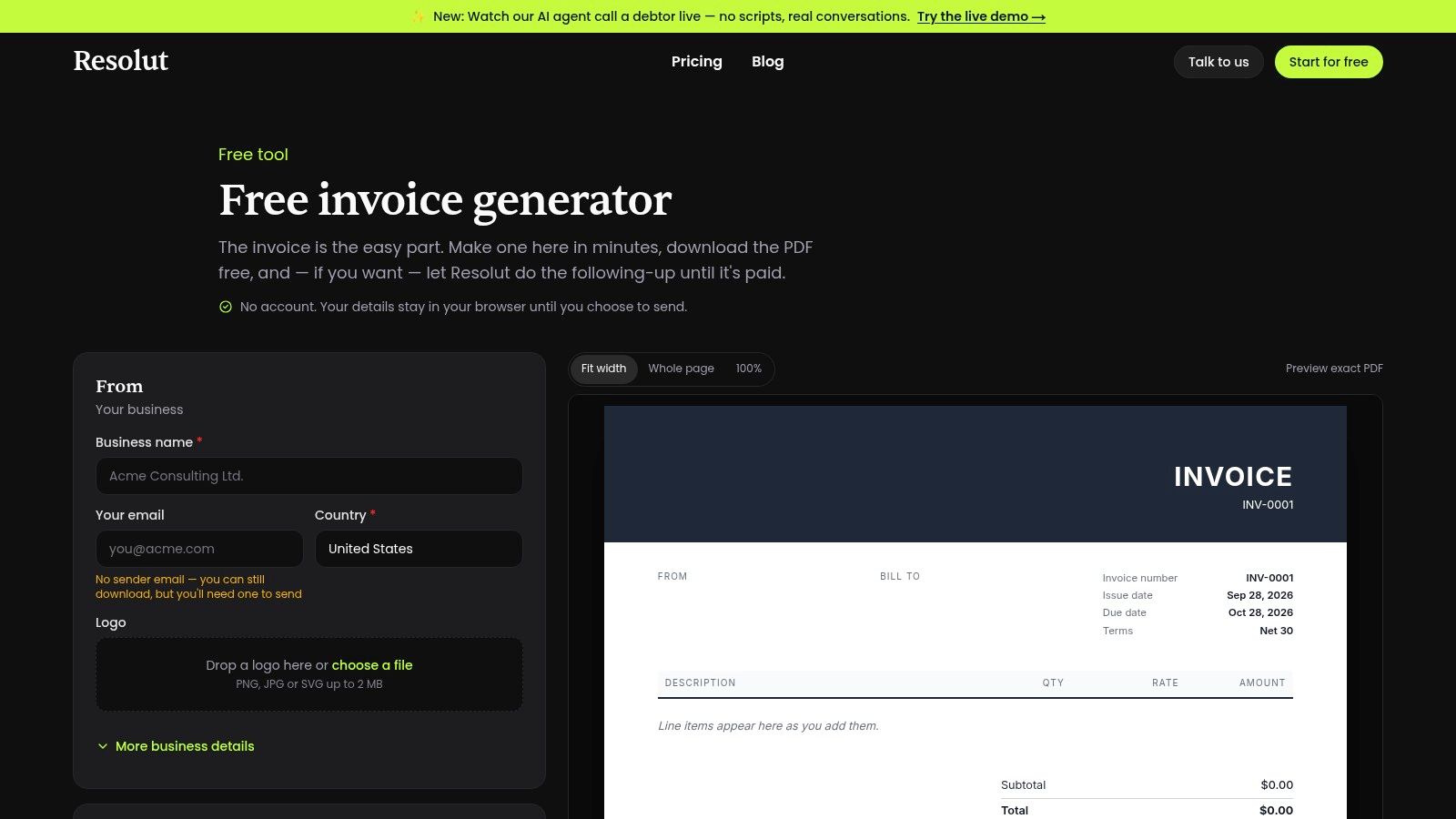
1. Free Invoice Generator by Resolut
A professional services firm can create an invoice, send it from its own domain, and still lose time tracking follow-up manually. Resolut's Free Invoice Generator addresses the first stages of that workflow by creating and sending invoices quickly, then applying a pre-built reminder cadence before and after the due date, with follow-up extending up to 90 days.
The timing supports a practical collection process. A pre-due message confirms that the invoice reached the right contact. Later reminders can become more direct while the finance team decides which exceptions need personal attention. This preserves consistency without treating a disputed milestone invoice like an ordinary overdue balance.
Where Resolut supports controlled follow-up
The free tool sends invoice emails from the firm's domain and supports personalized templates. That helps maintain recognizable branding and gives finance leaders control over tone. Domain setup and verification are required before live sending, so implementation should include ownership of the sending domain and a review of the approval process.
User sign-off remains a mandatory gate. Resolut can prepare communications and schedule timing, but nothing is sent without approval. That distinction matters for firms handling retainers, partner relationships, milestone disputes, or unusual commercial terms. It also limits the tool's hands-off automation, since someone must review each outgoing message.
The generator connects with Resolut's broader AI-driven accounts receivable automation platform. The wider platform adds a consumer-grade payment portal, automated cash application, and broader collection orchestration, while the free generator remains focused on invoice creation and controlled reminders.
- Best fit: Firms that need fast invoice creation with reviewed reminder messages.
- Key control: Require user approval before every communication is sent.
- Trade-off: Omnichannel automation, deeper analytics, and legal escalation require the broader Resolut platform.
Teams standardizing invoice content can use Resolut's automated invoice template guidance to align invoice details with later reminders. The Free Invoice Generator suits QuickBooks AR automation or manual workflows that need a low-friction starting point. For teams comparing payment collection options, the Axis Meter Solutions payment guide explains how a tenant-facing payment portal can reduce follow-up work.
2. Invoiced by Flywire
Invoiced, now part of Flywire, is designed for teams that need more control than a simple date-based reminder sequence. Its Smart Chasing capability supports cadences at both account and invoice level, allowing the finance team to pause, adjust, or time communication around the actual relationship rather than applying one schedule to every open balance.
That distinction is useful for professional services. A client with several invoices may need account-level coordination, while a disputed project invoice needs its own pause rule. Without that separation, a system can continue sending reminders for an invoice that the client has already challenged.
A strong choice for complex cadence logic
Invoiced supports email and SMS outreach, with postal mail available through integrations. Templates, merge fields, and timing controls help teams build tone progression from helpful notification to firmer request. AI-assisted drafting can reduce the effort required to prepare collections messages and related tasks, but finance leaders should still define approval rules for high-value, sensitive, or disputed accounts.
The branded customer payment portal adds practical payment options, including payment plans and AutoPay. Those features can reduce the gap between a client deciding to pay and completing payment. Multiple processors and global pay-in support make the product more relevant to firms serving clients across regions.
The main limitation is commercial and technical rather than functional. Pricing is less transparent after the acquisition and typically requires a sales discussion. SMS and postal mail may require separate providers such as Twilio or Lob, which adds setup and vendor coordination.
Granular cadence control is valuable only when someone owns the rules.
Invoiced is strongest for mid-market and enterprise teams, particularly those running NetSuite or another substantial ERP. Teams evaluating payment infrastructure should also consider how automated payment processing connects with reminders, portals, and reconciliation. Visit Invoiced by Flywire when account-level chasing and ERP integration matter more than transparent self-service pricing.

3. Versapay
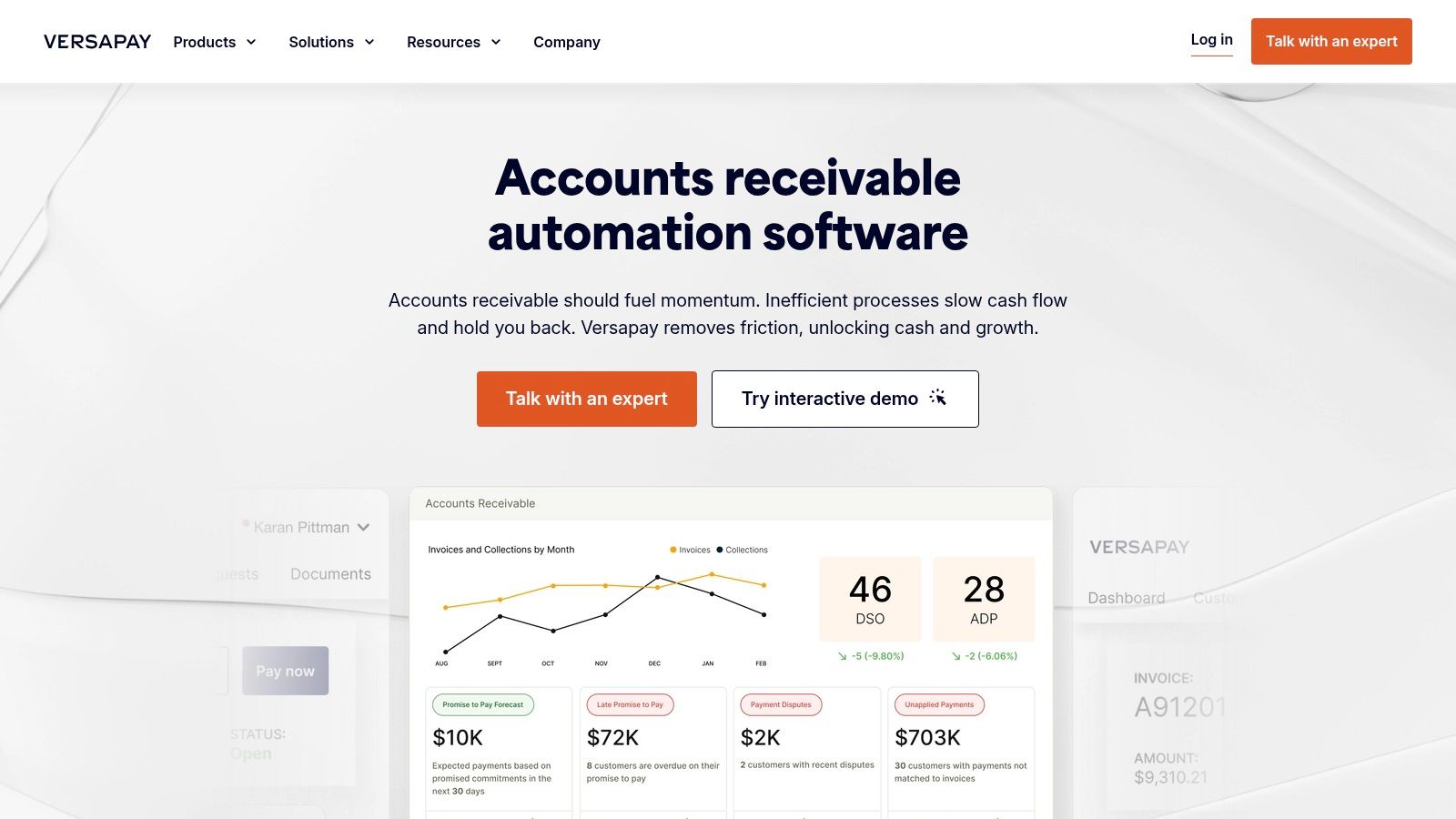
Versapay takes a collaboration-first approach to collections. Its automated reminders, follow-ups, and rule-based escalations sit alongside a self-service AR portal where customers and finance teams can work through payment blockers.
That makes it a good fit when overdue invoices are often symptoms of unresolved questions. In professional services, the obstacle may be a missing purchase order, an approval issue, an unaccepted deliverable, or a disagreement about scope. Sending more reminders won't resolve those issues. A collaborative portal can give the client a clearer route to raise the problem and give the collector a better view of what needs attention.
The value is in dispute resolution
Versapay provides visibility into expected cash flow and collector worklists, helping managers distinguish routine follow-up from accounts that need intervention. Rule-based escalations can route the right work to the right person instead of relying on a shared inbox or informal instructions.
The platform is positioned for US mid-market and enterprise finance teams and offers enterprise-scale support. That scale can be useful for firms with multiple entities, larger invoice volumes, or a collections operation that needs structured ownership across collectors, account managers, and client stakeholders.
The trade-off is proportionality. Pricing isn't published and usually requires scoping and implementation. Smaller firms with a straightforward invoice ledger may find that a collaboration-heavy AR portal solves a problem they don't yet have. Larger firms, however, may value the ability to bring customer communication, disputes, payments, and collector activity into one operating view.
A useful evaluation question is whether the firm's overdue balance is primarily caused by forgetfulness or friction. Versapay is more compelling when friction is the recurring cause.
Explore Versapay if dispute visibility and collaborative payment resolution are central to the firm's collection process. It's less compelling as a lightweight reminder-only tool.
4. Tesorio
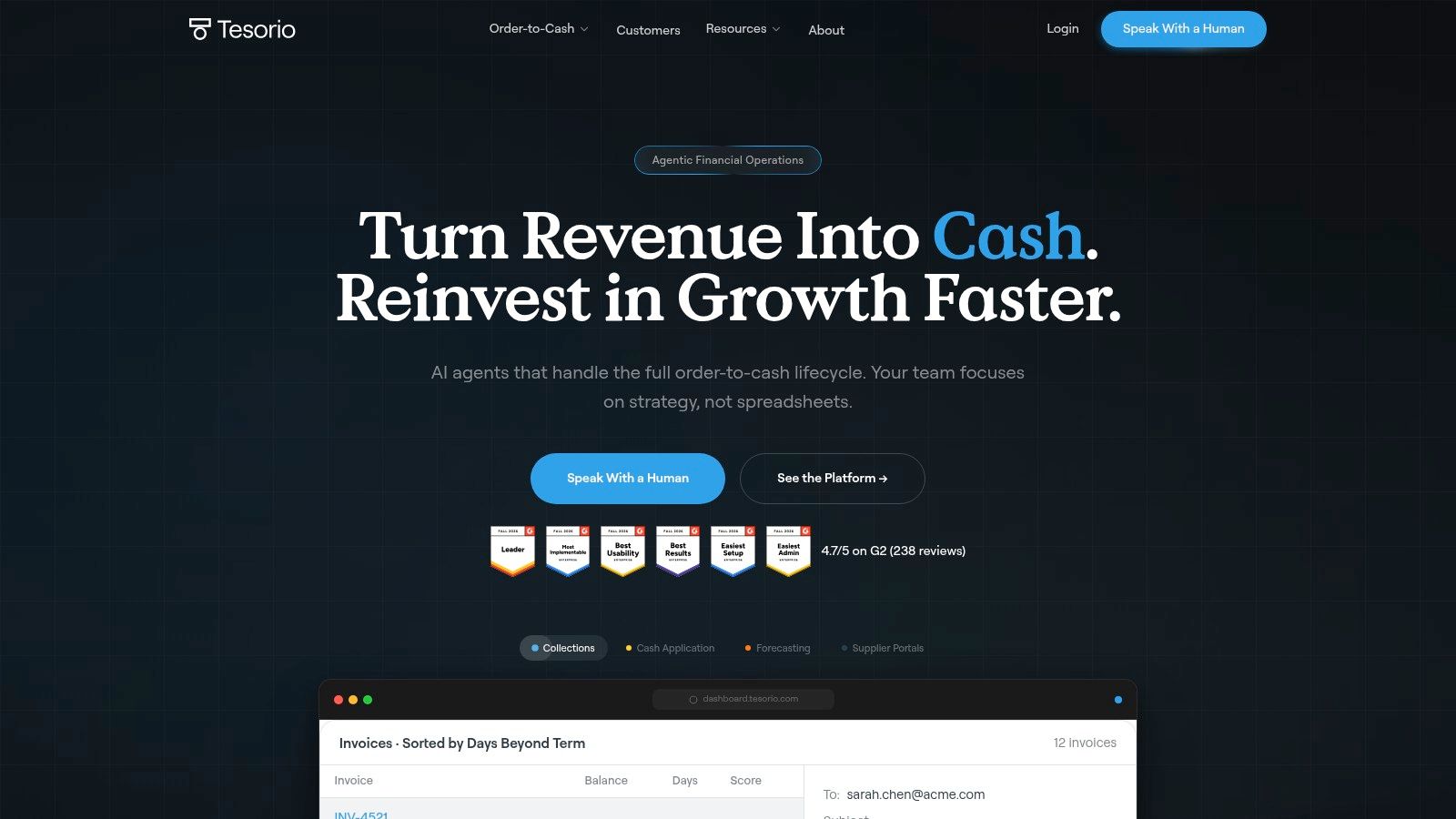
Tesorio is built for finance teams that want reminders connected to cash forecasting and collection prioritization. It centralizes open invoices from ERP systems, applies segmented workflows, and uses AI-assisted worklists to help teams decide which accounts deserve attention first.
That focus changes the operating question. Instead of asking only whether a reminder was sent, the team can ask whether the next action is likely to affect near-term cash. A high-value invoice approaching its due date may warrant a different treatment from a small, low-risk balance that has a reliable payment history.
Prioritization before activity
Tesorio combines automated dunning with forecasting, tags, templates, dashboards, and ERP integrations. Finance leaders can use those capabilities to align collector activity with expected cash and to monitor whether follow-up is concentrated on the accounts that matter.
The product is well suited to mid-market and enterprise organizations consolidating multi-ERP or multi-entity data. That's a meaningful advantage for professional services groups that have grown through acquisition or operate several legal entities with different billing processes.
Its limitation is implementation weight. Pricing and packaging aren't publicly listed, so evaluation requires sales engagement. Enterprise deployments can also take time, and a small AR team with one accounting system may not need the full forecasting and prioritization layer.
The strongest business case appears when the firm already has plenty of collection activity but insufficient focus. Tesorio can help structure the work around cash impact, but it won't replace the need for accurate invoice data, clear ownership, and documented dispute handling.
Use Tesorio when reducing DSO depends on consolidating receivables and prioritizing collector effort across entities. For a simpler workflow, a lighter AR software for professional services may be easier to launch and govern.
5. Upflow
Upflow is a practical option for teams that want multi-step collections workflows without committing to a large enterprise AR suite. It automates email and SMS reminders, assigns follow-up tasks such as calls and postal letters, and provides reporting on collection activity and outcomes.
The workflow design is its main strength. A firm can let email handle routine reminders, reserve SMS for selected accounts, and assign a phone call when an invoice reaches a defined aging point. That creates channel coordination without pretending that every customer should receive the same message in the same format.
Volume-based economics
Upflow's pricing tiers are based on annual Gross Invoice Value rather than per-user fees. That structure can work well for firms with several stakeholders who need access to receivables, because the cost isn't tied directly to the number of internal users.
Rollout is generally suited to SMB and mid-market teams that want to move quickly. Flexible scheduling and personalization support tone control, while reporting gives managers a way to review chasing activity. Some plans also include AI assistants.
The trade-off is that advanced channels and capabilities can introduce additional credits or add-on costs. SMS may be useful for improving reach, but it should be governed by client preference, geography, consent requirements, and the account's communication history. The product may also lack the deeper enterprise modules required by large, multi-entity finance operations.
A sensible implementation starts with email-first workflows, then adds SMS where the firm has a clear reason to use it. In a 2025–2026 survey of AR and credit-management professionals, email follow-ups were used by 91% of respondents, compared with 23% for SMS and 15% for WhatsApp, according to collections automation survey data.
Choose Upflow when fast deployment, workflow flexibility, and volume-based pricing are more important than a broad enterprise suite.
6. Chaser
Chaser focuses tightly on invoice chasing. It's designed for SMBs, accounting firms, and finance teams that need scheduled, polite reminders through email and SMS without a heavy implementation project.
That narrow focus is useful. Many firms don't need predictive forecasting or a full credit-to-cash suite. They need every invoice to enter a consistent cadence, every message to use an approved tone, and every follow-up to be visible to the person responsible for collections.
A straightforward deployment
Chaser supports scheduled email reminders from the firm's own domain, SMS chasing, prebuilt templates, and configurable schedules. Reporting covers chasing activity and recoveries, while published pricing tiers make initial cost evaluation easier than quote-only platforms.
The relationship-preserving design is important for professional services. A reminder should identify the invoice, state the due date or overdue status clearly, provide a payment route, and invite the client to raise a genuine issue. It shouldn't sound like an accusation when the firm has no evidence of intentional delay.
Chaser's limitations appear when the process becomes more complex. Advanced analytics and enterprise workflow depth may be lighter than those of larger AR platforms. SMS and additional usage can also require extra credits, so the firm should model likely message volume rather than looking only at the base subscription.
The evidence for structured chasing is strong. One cited late-payment study found that 73% of late invoices were paid after three reminders, with 21% after the first, 20% after the second, and 32% after the third, as summarized in late-payment research from Chaser. The practical lesson isn't to send three identical messages. It's to design a cadence with clear timing and progressive tone.
Teams refining their wording can use payment reminder templates as a starting point, then adapt messages to the firm's terms and client relationships. Chaser is a strong candidate when quick setup and purpose-built chasing matter most.
7. Quadient AR, YayPay
Quadient's AR platform, commonly associated with YayPay, is aimed at firms that need more than reminder emails. It combines configurable follow-up workflows and internal escalation with predictive analytics, a customer portal, and broader AR modules covering credit, collections, disputes, and cash application.
That breadth can support a finance function that wants one operating system for the full receivables lifecycle. Reminders become one control inside a wider process, rather than a separate tool sitting beside credit decisions, dispute queues, and reconciliation.
Best for broader AR transformation
Predictive analytics can help flag at-risk payers and prioritize collection work. Configurable escalation lets the firm define what happens when an invoice remains unpaid, when a client disputes a balance, or when a collector needs internal support.
The customer portal gives clients a self-service route for payment and account interaction. That can reduce the back-and-forth that often makes overdue balances harder to resolve. End-to-end modules also create a stronger foundation for teams that want to connect collection effectiveness with cash application and credit policy.
Evaluation requires more vendor interaction. Pricing is quote-based, and product information can be distributed across corporate pages. Quadient materials document productivity and ROI metrics, but a buyer should validate how those outcomes relate to the firm's own invoice volume, systems, approval policy, and client mix rather than treating vendor material as a forecast.
Quadient AR is most suitable for organizations with a mature finance function and a clear appetite for broader transformation. A smaller firm may get faster value from a focused reminder platform, particularly if its core issue is inconsistent follow-up rather than fragmented AR data.
Review Quadient AR when credit, collections, disputes, cash application, and predictive prioritization need to sit in the same roadmap.
Top 7 Automated Invoice Reminder Tools, Comparison
Solution | Implementation Complexity 🔄 | Resource Requirements ⚡ | Expected Outcomes 📊 | Ideal Use Cases 💡 | Key Advantages ⭐ |
|---|---|---|---|---|---|
Free Invoice Generator, Create and Send a Professional Invoice (Resolut) | Low, fast setup; domain verification required | Minimal, free tool; optional Resolut AR integration | Create/send branded invoices; automated reminders up to 90 days; modest DSO improvement when paired with AR | Small businesses and finance teams needing no‑cost, quick invoicing | ⭐⭐, Free, domain-sent emails, mandatory review gate, integrates with Resolut AR |
Invoiced by Flywire | Medium–High, ERP integrations and omnichannel setup | Moderate–High, may require external SMS/postal providers; sales process for pricing | Granular dunning, omnichannel outreach, shorter time‑to‑cash at scale | Mid‑market to enterprise with complex cadences and global payments | ⭐⭐⭐⭐, Smart Chasing, omnichannel, AI drafting, strong ERP (NetSuite) support |
Versapay | Medium, enterprise scoping and implementation | Moderate, best value at higher volumes/multi‑entity organizations | Faster dispute resolution via collaborative portal; improved collector efficiency | US mid‑market/enterprise modernizing collections | ⭐⭐⭐⭐, Collaboration-focused portal, enterprise-grade support, cash‑flow visibility |
Tesorio | Medium–High, ERP consolidation and enterprise rollout | High, sales engagement; multi‑ERP consolidation resources | AI-driven prioritization and forecasting; measurable DSO reduction | Mid‑market/enterprise focused on cash-impact and forecasting | ⭐⭐⭐⭐, AI prioritization, forecasting, strong multi‑ERP reporting |
Upflow | Low–Medium, quick rollout; configurable workflows | Moderate, GIV‑based pricing; SMS add‑ons or credits may apply | Rapid deployment of multi-step cadences; actionable analytics | SMBs to mid‑market wanting fast, volume-based pricing rollouts | ⭐⭐⭐, Transparent GIV pricing, quick setup, SMS reminders available |
Chaser | Low, specialist, easy deployment | Low, published tiers; SMS/extra usage may cost more | Improved chasing cadence and recoveries while preserving relationships | SMBs, accounting firms needing simple, polite invoice chasing | ⭐⭐⭐, Purpose-built chasing, published pricing, easy to deploy |
Quadient AR (YayPay) | High, full AR suite with configurable workflows | High, quote-based pricing; vendor discovery required | End‑to‑end AR automation with predictive analytics and ROI potential | Organizations needing integrated AR (credit, disputes, cash application) | ⭐⭐⭐⭐, Broad AR suite, predictive analytics, integrated modules |
Turn Reminders Into a Controlled Cash Process
The right tool won't fix an undefined collections process. Before configuring automated invoice reminders, decide how the firm wants to treat different clients, invoices, and failure modes.
Start with segmentation. Separate cooperative clients from historically unresponsive accounts, high-value invoices from routine balances, and clean invoices from disputed work. Add practical signals such as client region, preferred channel, project owner, account manager, and whether payment requires a purchase order or approval step.
Then define the cadence. Use pre-due checkpoints to confirm receipt and make payment easy. Use post-due reminders to request action, not to repeat the same friendly message indefinitely. Assign email, SMS, and phone specific roles, and make the channel order visible to the finance team.
Tone should progress without becoming emotional. A cooperative client needs clarity and a payment link. An unresponsive client needs a firmer deadline, a named owner, and a defined escalation path. A disputed invoice needs a pause rule and a route to the person who can resolve the issue.
Human approval gates matter. Require review before sending messages for high-value accounts, active disputes, strategic clients, or invoices with unusual terms. Autopilot can handle predictable cases, while co-pilot workflows give finance staff control over exceptions.
A practical 30-day rollout
- Days 1–5, map the ledger: Confirm invoice status, due dates, contacts, payment links, dispute flags, and account ownership.
- Days 6–10, write the cadence: Create pre-due, due-date, early-overdue, firm, and escalation messages with approved tone variants.
- Days 11–15, configure controls: Set approval rules, pause conditions, timezone handling, channel preferences, and escalation owners.
- Days 16–20, run a controlled pilot: Use one client segment or service line. Change one variable at a time, such as send timing, subject line, payment-link placement, message length, or channel order.
- Days 21–25, review exceptions: Examine replies, disputes, bounced messages, payment promises, and cases where automation sent an inappropriate reminder.
- Days 26–30, measure and expand: Compare cash outcomes with the baseline, correct workflow rules, and add the next segment only when ownership is clear.
Track delivery and response rates, but don't stop there. Monitor days to pay, overdue balance, promise-to-pay follow-through, dispute aging, collection effectiveness, and DSO. Activity tells you whether the system is running. Cash measures whether it's working.
One 2026 report covering the UK and Australia found that 40% of businesses spend six or more hours per week on AR tasks, while businesses using AR automation were 52% more likely to be paid within two weeks of the due date than those relying on manual processes, according to accounts receivable automation research. That supports automation as a control system, not merely an email convenience.
A useful dashboard should show the movement from invoice delivery to payment, the point where disputes enter the process, and the exact trigger for human escalation. A supporting chart can compare days to pay and overdue balance by client segment, while a cinematic image of a Controller reviewing a clean receivables queue can reinforce the operating reality: good automation gives the team fewer surprises and better decisions.
For firms using QuickBooks Online, invoice data can feed reminder workflows through integration or manual PDF import. The broader objective is simple, consistent follow-up that protects client relationships while helping the firm reduce DSO and improve cash flow. Resolut automates AR for professional services, consistent, accurate, and human.
Resolut connects invoice-triggered reminders, approval controls, omnichannel outreach, payment options, and cash application in one AR operating process. Visit Resolut to see how your firm can replace scattered follow-up with consistent, accurate, and human collections automation.