Automated Invoice Template: Reduce DSO & Improve Cash Flow
Build a strategic automated invoice template to improve cash flow and reduce DSO. This guide covers required fields, design, integration, and AR automation.
Enterprises still lose enormous value to slow, manual accounts receivable work. Automated invoice capture and generation tools have improved accuracy enough that finance leaders can no longer treat invoicing as an admin task.
The template sits at the front of the revenue collection process. It determines whether billing data enters the system in a clean, usable format or arrives with missing fields, inconsistent terms, and exceptions that someone has to chase down later. In practice, that difference shows up in approval cycle time, dispute volume, and days sales outstanding.
Many finance teams still build invoices as isolated documents. The work happens in fragments across ERP exports, spreadsheet edits, PDF attachments, inbox threads, and reminder calendars. That setup creates weak control points. Every manual touch introduces another chance for the wrong billing contact, stale payment instructions, missing PO number, or mismatched tax treatment to delay payment.
This matters even more in professional services. Invoices often need to reflect matter codes, project phases, retainers, time entries, milestone schedules, and client-specific billing rules without manual cleanup before send. A polished layout helps, but it does not get cash in faster on its own. A well-architected automated invoice template does. It creates a consistent transaction record that can flow into delivery workflows, collections logic, reconciliation, and reporting systems such as Resolut, where finance teams can manage AR as an operating process instead of a document trail.
That is the lens for the rest of this article. The automated invoice template is the foundation of AR automation, and its quality affects cash flow long before the collections team sends the first reminder.
Foundational Elements of a High-Performance Invoice Template
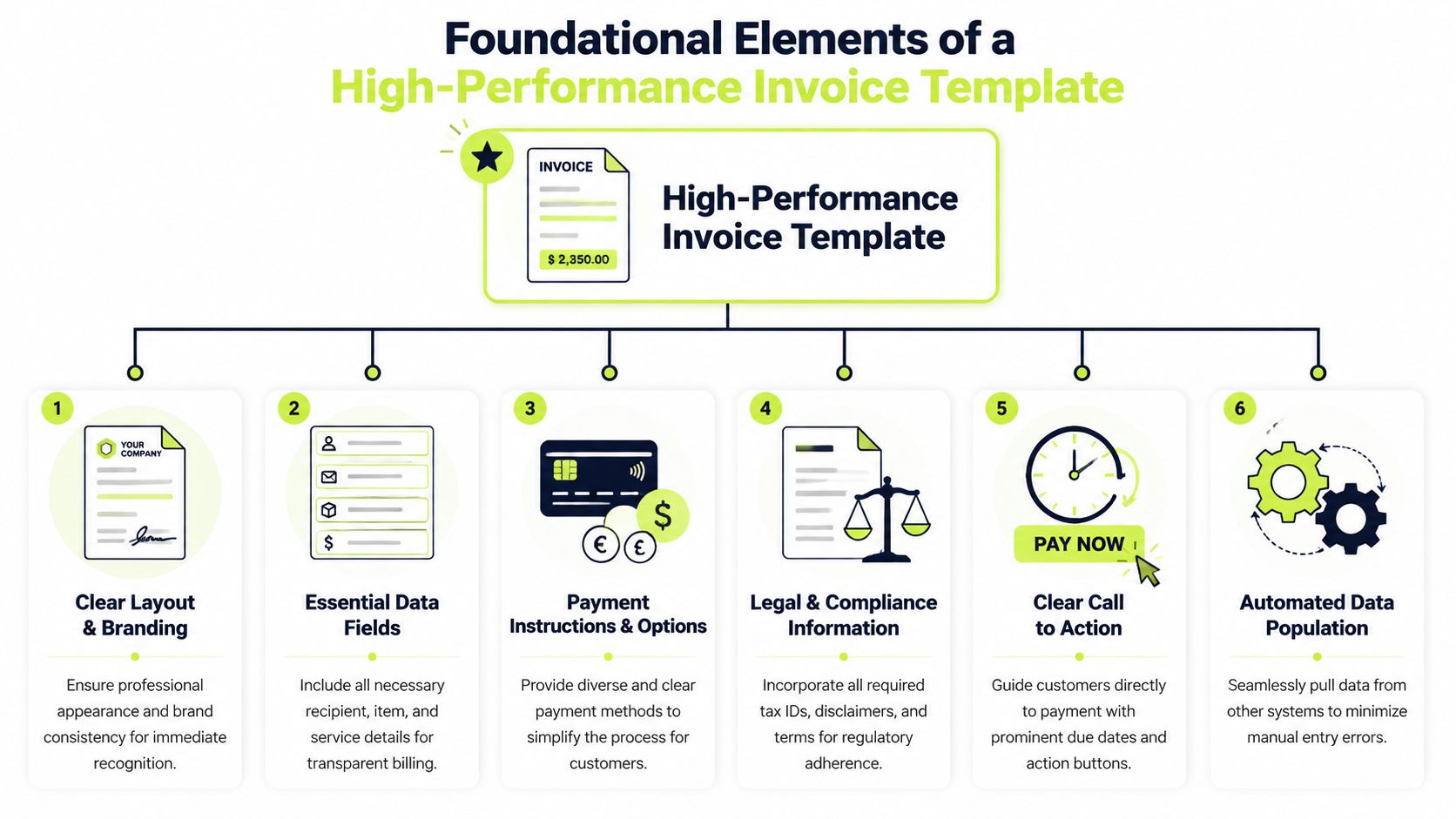
An automated invoice template is a system asset, not a branded form. Its job is to create a clean, reliable billing record that can move from draft to delivery with as little manual intervention as possible.
In Excel alone, teams can configure templates to populate client details from a master database, generate sequential invoice numbers, auto-calculate due dates from payment terms, and look up pricing from inventory sheets. That setup can reduce invoice creation time from minutes to seconds, as shown in this Excel invoice automation walkthrough.
Separate static fields from dynamic fields
Most template failures start with bad structure. Teams mix permanent company data with variable billing data, then wonder why version control slips.
Use two layers:
- Static company layer with legal name, remit-to address, tax identifiers, logo, standard payment instructions, and default terms.
- Dynamic transaction layer with client name, billing contact, invoice date, due date, invoice number, project or matter ID, PO number, service lines, rates, taxes, and totals.
That sounds basic, but control begins here. Static fields should rarely change. Dynamic fields should pull from approved sources.
Practical rule: If a billing coordinator can overwrite a critical field manually, someone eventually will.
Build around a master data source
The strongest templates don't rely on people retyping information. They pull from maintained lists and tables.
That usually means:
- A client master for billing names, addresses, contact routing, payment terms, and required reference fields.
- A service or rate table for standard descriptions, units, and pricing logic.
- A project or engagement register that ties the invoice to an approved commercial record.
When those tables exist, tools like XLOOKUP, dropdown validation, and conditional formatting become control mechanisms, not conveniences. You reduce typo risk, keep naming consistent, and prevent the classic mismatch between the contract, the invoice, and the ledger.
Design for auditability, not just speed
Fast invoice generation matters. So does the ability to explain what happened later.
A scalable template should support:
Template element | Why it matters operationally |
|---|---|
Sequential invoice numbering | Prevents gaps and duplicate records |
Locked formula cells | Protects totals and due date calculations |
Required reference fields | Reduces client AP questions |
Standardized service descriptions | Improves approval and coding on the client side |
Single-page PDF output where possible | Makes review and delivery cleaner |
A lot of firms overbuild the visual layer and underbuild the control layer. The better approach is the reverse. Start with field logic, source tables, validations, and protections. Then make it look professional.
The invoice should answer three questions instantly: what was billed, why it was billed, and how to pay it.
Include fields your AR process will need later
Template design begins to support AI AR automation and broader workflow discipline. The template should capture not only what finance needs to send the invoice, but what the AR team needs if payment slows down.
Useful downstream fields include:
- Client contact routing for AP, approver, and project sponsor
- Engagement owner so disputes go to the right internal person
- Contract or PO reference so reminders can cite the original commitment
- Payment terms code so workflows can segment follow-up timing
- Client-specific notes such as portal submission requirements
Without those fields, collections becomes detective work. With them, follow-up becomes controlled execution.
Designing Invoices for Faster Payments and Fewer Queries
Most delayed invoices aren't delayed because the client refuses to pay. They're delayed because the invoice lands with friction. Someone in accounts payable can't find the PO. The service description is vague. The due date is buried. The payment method isn't obvious. So the invoice sits in an exception queue.
That's a design failure, not a collections failure.
Put payment-critical information first
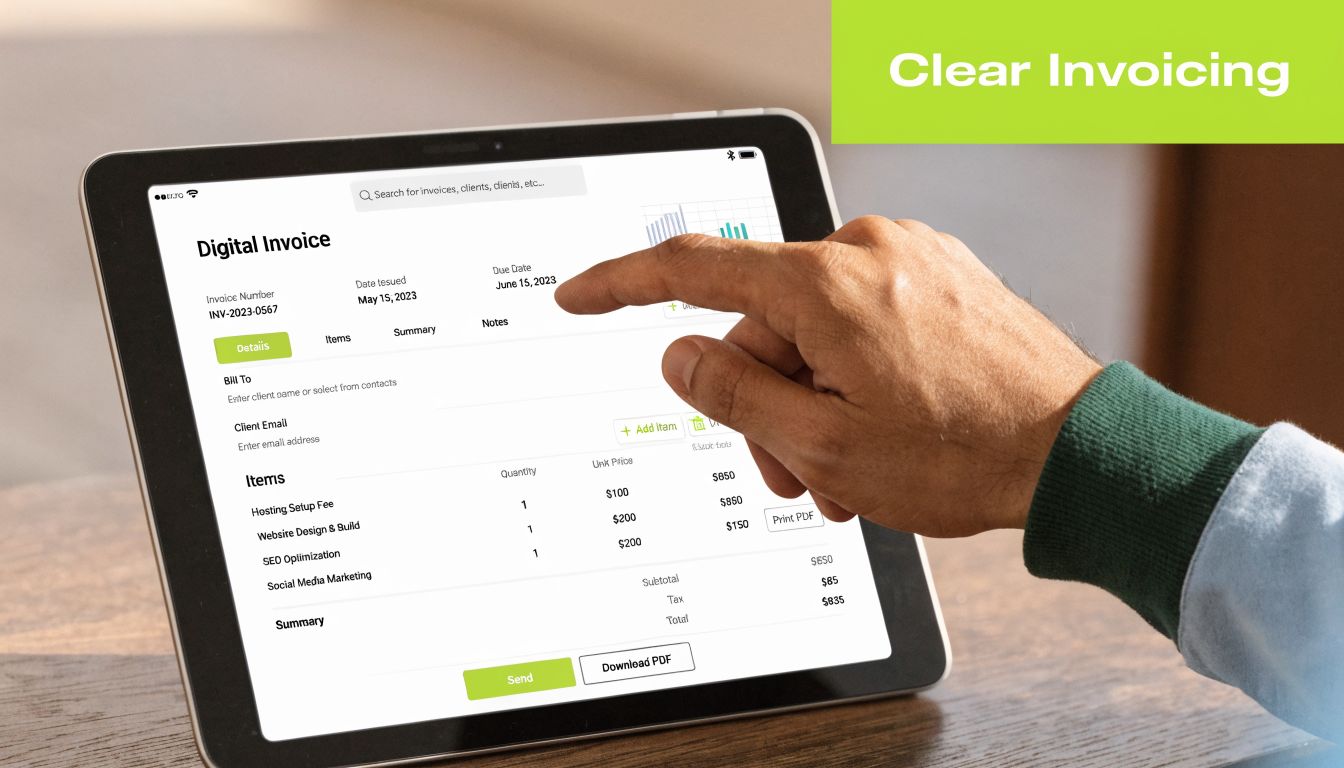
A finance operator should be able to scan the first screen of the invoice and verify every field that determines payment routing.
The top half should make these obvious:
- Invoice number and issue date
- Client billing entity
- PO or matter reference
- Due date
- Total amount due
- Approved payment instructions
If any of those elements require hunting, queries go up. In professional services, that often means your team spends more time answering billing emails than managing collections.
A clean legal or consulting invoice format helps. If you need a practical reference point, this guide to legal invoice format shows how structure affects clarity in professional billing.
Write line items for approval, not internal memory
Controllers often inherit invoice descriptions that make perfect sense to the service team and no sense to the client. “Phase 2 support,” “strategic review,” or “monthly services” may align with your internal shorthand. They don't always survive client-side approval workflows.
The stronger pattern is specific and standardized:
- service period
- workstream or matter
- unit basis if relevant
- approved rate or milestone label
- any reference the client's AP team expects
That doesn't mean making invoices verbose. It means making them legible to someone who didn't attend the engagement calls.
If a client has to email your team to understand the bill, the invoice wasn't finished when it was sent.
Design for machine readability
This is one of the most overlooked parts of invoice design. Your invoice isn't just read by a person. It's often read by the client's AP software, OCR workflow, or routing rules.
Machine-readable invoices use clean field labels, consistent placements, simple tables, readable fonts, and minimal visual clutter. Avoid decorative elements that interfere with extraction. Keep totals, dates, tax details, and remit information clearly separated.
By ensuring invoices are machine-readable for client AP systems, firms can achieve straight-through processing rates of over 90%, which has been shown to reduce DSO by 10 to 15 days by avoiding manual exception handling on the payer's end, according to Suntec India's invoice automation analysis.
Tone matters more than firms assume
The wording around payment also influences behavior. Passive language creates room for delay. Clear language creates direction.
Compare these approaches:
Weak phrasing | Better phrasing |
|---|---|
Payment is kindly requested at your convenience | Payment is due on the listed due date |
Please review the attached invoice | Attached is invoice [number] for [service period] |
Reach out with any questions | Reply to this email if your team needs support routing or documentation |
The point isn't to sound aggressive. It's to remove ambiguity. The best invoices feel easy to approve and easy to pay.
Integrating Templates with Accounts Receivable Automation
A standalone template improves document creation. It doesn't solve receivables management.
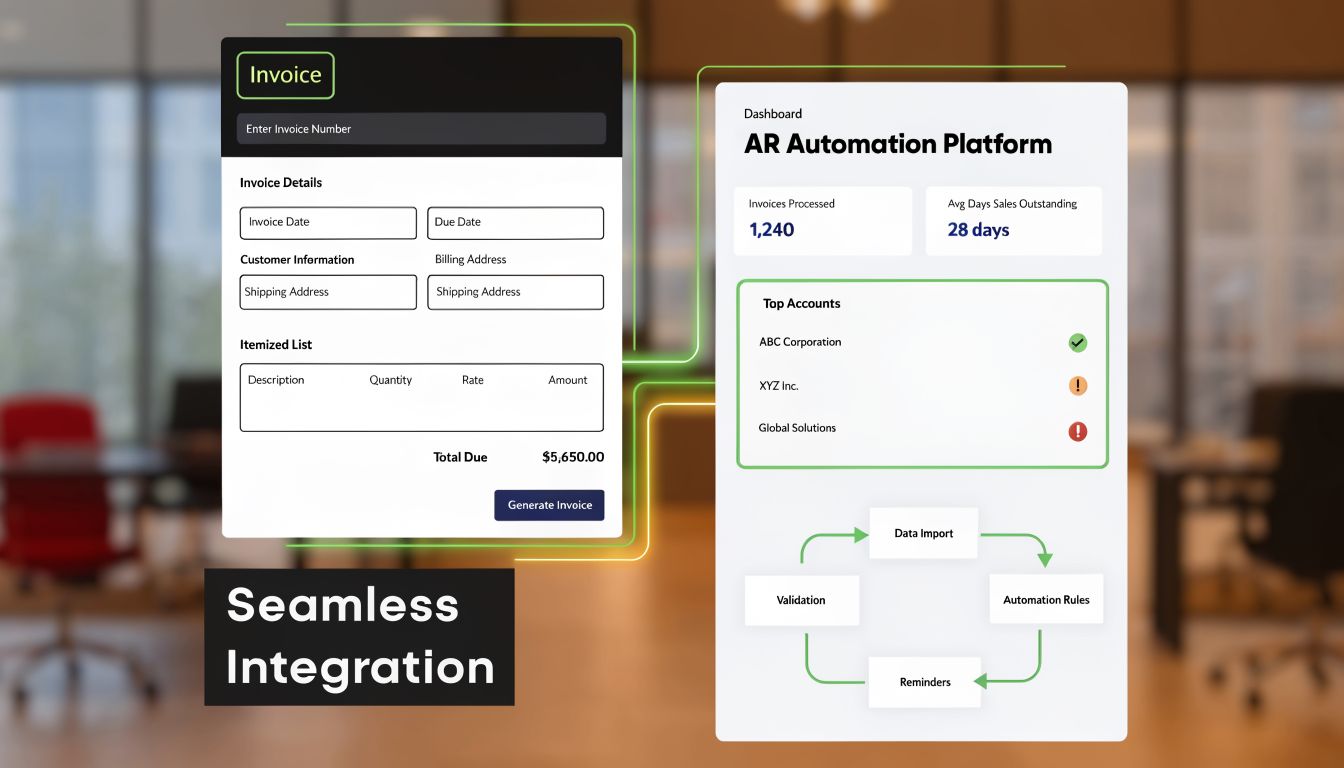
The primary gap in most invoicing strategies is the lack of integration between the invoice template and the full AR workflow. That disconnect is a key reason 1 in 10 invoices go unpaid and manual AR processes inflate DSO by an average of 20 to 30 days, as discussed in this analysis of Excel automated invoice template limitations.
The template should trigger downstream actions
Once an invoice is approved, the system should know what happens next without someone building a fresh task list by hand.
That means the invoice record should feed:
- delivery channel selection
- reminder scheduling
- dispute routing
- payment matching
- aging and collections prioritization
- cash forecasting visibility
In this context, accounts receivable automation becomes more than scheduled emails. The invoice data itself becomes the instruction set.
A mature workflow usually behaves like this:
- Invoice is generated from approved source data.
- Delivery record is logged automatically.
- Due date and terms trigger reminder timing.
- Payment or non-payment changes the next action.
- Exceptions route to a named owner.
- Reconciliation closes the loop back into accounting.
For firms evaluating broader system design, this overview of accounts receivable automation solutions is useful because it frames AR as an operating process rather than a single tool category.
QuickBooks AR automation only works if the upstream data is clean
A lot of firms want QuickBooks AR automation but start in the wrong place. They focus on reminder workflows before fixing invoice structure.
That creates a polished process around flawed inputs.
If your invoice template doesn't consistently capture:
- customer name in a normalized format
- correct billing contacts
- due date logic
- invoice references
- engagement owner
- payment routing instructions
then syncs into QuickBooks or any accounting platform will carry those defects forward. Collections notices may go to the wrong recipient. Reconciliation may fail. Reporting may split one client across multiple name variants.
Automation scales discipline. It also scales sloppiness.
Connect billing, collections, and cash application
An invoice template becomes powerful when it supports a closed-loop workflow. Billing sends the right document. Collections follows up based on the right terms. Cash application matches receipts without chasing context.
A disconnected process forces finance staff to swivel between systems. One team creates the invoice. Another tracks open balances. Someone else checks the bank, then updates the ERP manually. That's where things fall through the cracks.
Later in the workflow, video is often the clearest way to show what orchestration looks like in practice:
What works and what doesn't
A few implementation patterns show up repeatedly.
What works | What usually breaks |
|---|---|
One master invoice template with controlled variations by client type | Separate templates owned by different staff members |
Required data fields before issue | “We'll fix it in collections” |
Sync between billing record and AR workflow | Manual exports and rekeying |
Clear ownership for disputes | Shared inboxes with no escalation path |
Reconciliation tied to invoice IDs | Matching cash from memo fields and guesswork |
The practical takeaway is simple. The template is the front door to the AR system. If it doesn't capture the right data in the right format, no amount of downstream automation will feel stable.
Deploying Invoices with Multi-Channel and Personalization Logic
Sending an invoice isn't a clerical act. It's a delivery decision.
Professional services firms often default to email because it's familiar, not because it's always the best route. A better operating model uses the invoice data to decide how the message should be delivered and what the message should say.
Match the channel to the account context
Different invoices need different treatment. A standard recurring bill to a long-standing client can move through a clean email workflow. A high-value invoice tied to formal approval requirements may need secure portal delivery. An overdue balance may need email first, then SMS, then a task for direct outreach.
The logic should follow account reality:
- Routine recurring accounts usually benefit from predictable email delivery with a direct payment path.
- Large or compliance-heavy clients may require portal submission and reference-heavy messaging.
- Late-paying accounts often need tighter reminder sequencing and clearer escalation language.
- Relationship-sensitive clients may need outreach tied to the engagement lead, not a generic finance alias.
That's how AR software for professional services should behave. It should adapt to contract structure, stakeholder map, and payment behavior.
Personalization should be operational, not decorative
Most firms hear “personalization” and think first-name merge tags. That's not the useful version.
Useful personalization references the facts that help the invoice get approved. The project name. The service month. The statement that supporting documentation is attached. The right internal contact for questions. The approved payment route.
For email specifically, the message should behave like a transactional communication, not a campaign blast. This breakdown of improving email engagement for SaaS companies is aimed at another category, but the distinction is relevant. Invoices work best when the content is direct, expected, and operationally useful.
Clients pay faster when the message reduces effort. They pay slower when they have to interpret it.
Build rules before you build sequences
Teams often jump into reminder cadences too quickly. Start with rules.
A useful decision model includes:
- client segment
- invoice value
- payment terms
- prior dispute history
- required delivery method
- named relationship owner
From there, sequence logic gets simpler. A first notice can stay neutral. A later reminder can include stronger due-date language. A message to a current strategic account can copy the account lead. A message to a chronically late payer can route internally for human review sooner.
If your team is still manually sending invoice emails, this practical guide on how to send email invoice is a helpful baseline for getting delivery mechanics right before layering more complex logic.
The real objective is prioritization
Invoices don't get paid because they were sent. They get paid because they were received, recognized, approved, and acted on.
Multi-channel logic improves the odds that each of those steps happens with less delay. It also protects the client relationship because the outreach can stay consistent instead of feeling random or reactive.
Testing, Compliance, and KPI Tracking for Optimal Performance
No invoice system stays healthy by accident. Templates drift. Client requirements change. Teams add shortcuts. Payment links break. Billing labels become inconsistent. If nobody tests the process, you find out only after cash slows down.
That's why finance leaders should treat invoicing like an operating process with QA, compliance checks, and performance review.

Test the workflow, not just the template
A good test cycle doesn't stop at “the PDF looks right.”
It checks whether:
- source data populates correctly
- invoice IDs remain unique
- due dates calculate correctly by term
- delivery reaches the intended contact
- payment links and remittance instructions work
- posted cash matches back cleanly
That full-path test matters because small breakpoints create disproportionate downstream pain. One wrong field label can trigger a payer exception. One malformed client name can break reconciliation.
For teams that already think carefully about digital governance in other systems, the same discipline applies here. This article on verifying tracking compliance across web apps is a useful analogy for how automated checks support both compliance and data quality.
Compliance belongs in the template logic
Professional services firms often bill across different legal entities, tax treatments, and client procurement standards. The invoice template needs to account for that in the design, not through manual edits after generation.
At minimum, review:
- Entity-specific legal information so the correct issuer appears every time
- Tax treatment fields so exemptions, tax IDs, and rate applications follow approved rules
- Client-required references such as matter numbers, PO numbers, or submission notes
- Archiving standards so the final invoice record is stored consistently
If those controls live outside the template, someone in billing ends up improvising. That's where compliance risk enters.
Operating advice: Lock down what must be consistent. Give staff flexibility only where judgment is actually required.
Track a small KPI set relentlessly
Teams often either track too little or drown in dashboards. Start with a compact set tied directly to cash and process quality.
KPI | What it tells you |
|---|---|
DSO | How quickly receivables convert into cash |
Collection Effectiveness Index | How much of collectible AR the team is actually recovering |
Average days delinquent | Whether lateness is improving or spreading |
Exception volume | How often invoices need manual rescue |
Rework rate | How often invoices are corrected after issue |
You don't need dozens of metrics to manage AR well. You need a handful that show whether invoices are getting out cleanly, getting paid on time, and getting applied without friction.
Use AI validation where error risk is repetitive
According to IDC, manual invoicing processes carry an annual error rate of 2%, and that can be reduced to 0.5% with AI-driven validation. That improvement directly contributes to accelerating payments by up to 20%, based on Moxo's analysis of automated invoice data capture.
That matters most in repetitive error categories:
- duplicate invoice risk
- mismatched vendor naming
- invalid dates
- broken total logic
- missing reference fields
The most effective use of AI AR automation isn't replacing finance judgment. It's catching the predictable mistakes that drain it.
Two visual ideas worth putting on a dashboard
- Aging waterfall by invoice cohort Show invoices by issue week and how many move from current to overdue to collected.
- Exception heatmap by client and error type Highlight where formatting, missing references, or routing errors keep recurring.
These visuals help controllers spot process breakdowns before they become a quarter-end cash conversation.
Conclusion The Template as a System, Not a Document
Invoice templates set the operating standard for accounts receivable. If the template is weak, every downstream step absorbs the cost through payment delays, avoidable disputes, manual correction, and messy cash application.
The right design changes AR from a document workflow into a controlled process. Required fields become structured data. Layout supports approval and payment. Delivery follows rules instead of memory. Collections, reconciliation, and reporting start with cleaner inputs, which is what makes automation reliable at scale.
This matters most for firms in the $3M to $50M range. Volume rises faster than finance headcount. One client wants PO matching, another needs matter codes, another routes invoices through a portal, and a fourth rejects anything with inconsistent tax or entity details. Without a template built as a system component, the team ends up relying on tribal knowledge, inbox triage, and manual rescue work.
The tooling is available. The primary constraint is process architecture. Teams that get results use the invoice template as the control point that connects billing data, approval rules, delivery logic, collections timing, and payment posting. Teams that treat it as a static file usually create more exceptions than they remove.
A well-built automated invoice template supports cleaner billing, fewer payment questions, better machine readability, stronger control, and tighter linkage to collections activity. Those are the mechanics behind DSO reduction and more predictable cash flow.
That is also where platforms like Resolut fit. The value is not just faster invoice creation. It is enforcing consistency across issue, follow-up, and reconciliation so the finance team can spend time on true exceptions instead of preventable rework.
When the template is treated as infrastructure, AR gets easier to manage. Clients receive clearer invoices. Approvals move faster. Cash arrives with less friction, and finance leaders gain a process they can scale without adding the same amount of administrative load.