
Automated Payment Plan: A CFO's Guide to Control Cash Flow
Implement an automated payment plan to reduce DSO and improve cash flow. A guide for CFOs at professional services firms on models, risks, and AR automation.
Revenue can look healthy on paper while cash stays erratic in the bank.
That usually happens in professional services firms that bill correctly, deliver strong work, and still rely on too much manual AR. One client pays on receipt. Another waits for a reminder. A third says AP only runs on Thursdays. Your controller spends time chasing approvals instead of reviewing forecast variance. Partners ask why collections are slow when utilization is high.
That isn't a sales problem. It's an execution problem inside the receivables process.
An automated payment plan solves a specific part of that problem. It turns agreed payment timing into a controlled collection workflow. Done well, it supports accounts receivable automation, helps reduce DSO, and gives finance a cleaner base for forecasting. Done badly, it creates exceptions, client friction, and reconciliation headaches.
The End of Unpredictable AR Cycles
In many firms, AR starts to drift long before anyone labels it a problem.
A large invoice goes out at the end of the month. The client approves it, but no one enters the payment in their bank portal. A project manager sends a friendly note. Finance follows up a week later. Then someone on the client side asks for installment terms after the invoice is already late. What should have been a clean collection becomes a string of manual touches.
That pattern creates two kinds of cost. The first is obvious: slower cash conversion. The second is quieter: your finance team gets pulled into administrative work that has no strategic value. They spend time coordinating, reminding, and reconciling instead of analyzing collections trends or tightening billing policy.
For firms trying to improve control, the broader market matters. Automated payment capability is no longer a fringe feature. In California, AB 290, chaptered in 2025, required the California FAIR Plan Association to establish an automatic payment system for premiums by April 1, 2026, according to the Federal Reserve Payments Study overview. That matters because it shows where operating expectations are heading. Automation is becoming part of basic financial infrastructure.
Why manual follow-up fails at scale
Manual collections can work when invoice volume is low and client behavior is stable. Most firms outgrow that quickly.
Three failure points show up repeatedly:
- Timing slips: Invoices go out on time, but follow-up doesn't.
- Responsibility blurs: Project leads, partners, and finance all touch collections, so no one owns the sequence cleanly.
- Client relationships absorb friction: The person asking for payment is often the same person trying to preserve goodwill.
If you're tightening your broader cash flow management with ERP, AR discipline has to sit inside the same control framework as billing, cash application, and forecasting.
A lot of firms also underestimate the customer-side issue. Clients don't just want a bill. They want a payment experience that feels predictable and easy to complete. That's one reason digital expectations keep rising, and why finance leaders are paying closer attention to the operational side of digital customer experience.
Unpredictable AR usually comes from inconsistent process, not inconsistent demand.
What an Automated Payment Plan Is Operationally
An automated payment plan is not a reminder sequence.
It's a pre-authorized payment schedule that allows the system to initiate collection on agreed dates and amounts without someone re-entering payment details each cycle. That distinction matters. A reminder asks the client to act. An automated plan executes the agreed collection workflow.

Operational definition: An automated payment plan relies on tokenized stored credentials plus an explicit recurring-payment authorization, so the system can charge based on a preset schedule without collecting payment details again.
That operating model is described in Solum's overview of automated payment plans. For finance teams, the practical point is simple: the schedule, the authorization, and the stored credentials all have to be in place before automation can do useful work.
The two controls that matter most
The first control is stored credentials. Payment information has to be saved in a tokenized form so the system can reference it safely without exposing raw details to staff.
The second control is explicit recurring authorization. The client has to agree to the cadence, amount structure, and charging terms. If that authorization is vague, your plan becomes hard to defend operationally and harder to manage when a dispute shows up.
Those two controls give finance the ability to configure:
- Amount logic: fixed installment, deposit plus balance, or custom schedule
- Start timing: on signing, on invoice approval, or after a defined date
- Duration: monthly, weekly, or tied to project milestones
- Remainder handling: final balance cleanup, catch-up charge, or manual review
What works and what doesn't
What works is a setup process that treats the payment plan as part of contract execution, not as a salvage tool after delinquency.
What doesn't work is asking for payment credentials after the invoice is already aging. At that point, the client hears “collections pressure,” not “payment convenience.”
A strong implementation also separates payment automation from billing ambiguity. If scope, approvals, or change orders are unresolved, automation won't fix the underlying dispute. It will just automate conflict.
Some firms with more complex billing profiles also study adjacent recurring-payment practices in verticals with heavier underwriting or processing friction. A useful reference point is this overview of payment processing for high-risk merchants, not because most service firms are high-risk, but because it highlights how processor rules, authorization quality, and payment-method mix affect recurring collections.
If the client can't tell what they're authorizing, finance shouldn't automate it.
The Business Case Financial Benefits and Operational Risks
The financial case for an automated payment plan starts with one issue: cash timing.
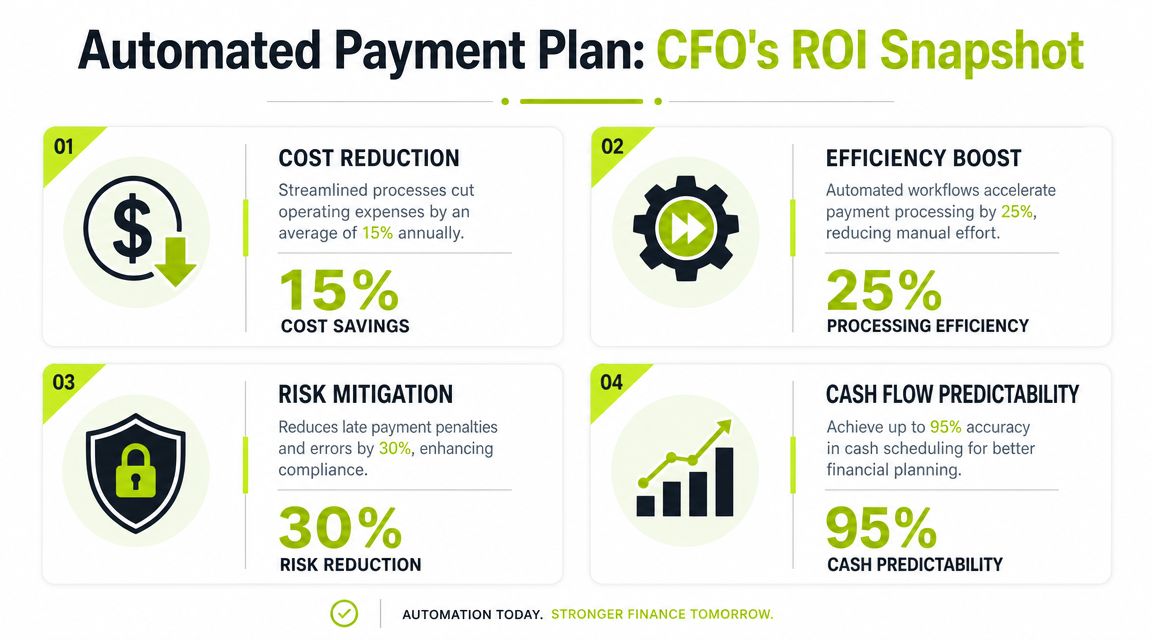
When payments are scheduled and system-initiated, finance gets a more deterministic collections pattern. Stripe's explanation of automated payment systems describes the core technical benefit as DSO compression through deterministic cash scheduling, with API and ERP integration that updates records in near real time and security controls such as tokenization and PCI DSS-aligned handling. For a CFO, that translates into fewer surprises between invoicing and cash receipt.
Where the upside shows up first
The first gain is forecast quality. When you know which invoices are on manual collection versus which are on pre-authorized schedules, weekly cash forecasting becomes less speculative.
The second gain is labor discipline. Your team spends less time sending nudges and more time handling actual exceptions. That's where AR software for professional services becomes useful. It should reduce decision noise, not just send more reminders.
The third gain is customer-specific flexibility. A client who resists one large invoice may accept a structured installment plan at the start of the engagement. That changes the collections conversation from reactive pressure to controlled terms.
For firms exploring AI AR automation, the practical use isn't magic. It's prioritization, workflow routing, communication timing, and exception handling around the plan.
The risks finance has to own
Automation introduces new dependencies, and they need active management.
- Failed payment risk: Cards expire. Accounts have insufficient funds. Bank debits fail. Without retry logic and ownership rules, the system goes quiet at the worst moment.
- Compliance burden: If cards are involved, credential handling and storage practices matter. ACH requires its own process discipline.
- Client perception: Poorly timed charges or vague authorizations can damage trust, especially in advisory relationships.
- Reconciliation complexity: If the payment engine and accounting system don't stay in sync, staff still spend time fixing records manually.
Automation improves control only when exception handling is tighter than the old manual process.
There's also a pricing tradeoff by rail. Cards are convenient and fast to adopt. ACH may fit larger recurring amounts better. Bank transfer workflows can work well for certain B2B clients if the collection process remains structured. The right answer depends on invoice size, client preference, and the value of speed versus processing cost.
One more point matters. An automated payment plan is strongest when it's tied into invoice status, collections activity, and cash application. If the payment tool sits off to the side as a disconnected widget, finance won't trust the numbers. And when finance doesn't trust the numbers, the team goes back to spreadsheets.
Choosing Your Automated Payment Model
Not every professional services firm should use the same collection structure.
The right model depends on how you earn revenue, how predictable the work is, and how much billing complexity your clients will tolerate. Modern payment rails support this flexibility. The U.S. RTP network processes over $4 billion daily, operates with 100% uptime, supports transaction values up to $10 million, and runs 24/7/365, according to The Clearing House RTP network overview. That infrastructure matters because it supports automated collections outside normal banking hours and gives firms more options for triggered settlement.
Comparison of Automated Payment Models
Model Type | Best For | Cash Flow Impact | Client Experience |
|---|---|---|---|
Fixed installments | Large one-time projects with a defined fee | Strong visibility because timing and amount are known in advance | Clear and easy to understand |
Recurring subscription | Monthly retainers, support agreements, outsourced finance services | Very stable if scope stays consistent | Low-friction once authorized |
Variable or milestone-based | Project work with phased delivery or staged approvals | Better than ad hoc billing, but depends on clean milestone governance | Works well when milestones are documented clearly |
Fixed installments
This model works well when the commercial terms are known upfront.
Examples include implementation fees, annual advisory projects, or a large audit-related engagement billed across several dates. It gives finance a clean expected-cash schedule and gives the client a manageable obligation structure.
The weakness is rigidity. If scope changes often, fixed installments become hard to defend and harder to reconcile.
Recurring subscription
This is the cleanest model operationally.
It fits retained legal work, bookkeeping, outsourced controller services, marketing retainers, and support contracts. If your firm wants to improve cash flow without turning every invoice into a collections event, this is usually the first model to standardize.
A related operating pattern is discussed in this piece on automatic payment pools, especially where firms manage recurring obligations across many customers at once.
Variable or milestone-based
This model fits firms with phased work, change orders, and project-based billing.
Used carefully, it can align collections with value delivery. Used poorly, it becomes a source of disputes because “milestone achieved” means one thing to your delivery team and another to the client's approver.
Choose the model your operations can govern consistently, not the one that looks best in a proposal.
An Implementation Roadmap for Financial Control
Most failures happen before the first automated charge ever runs.
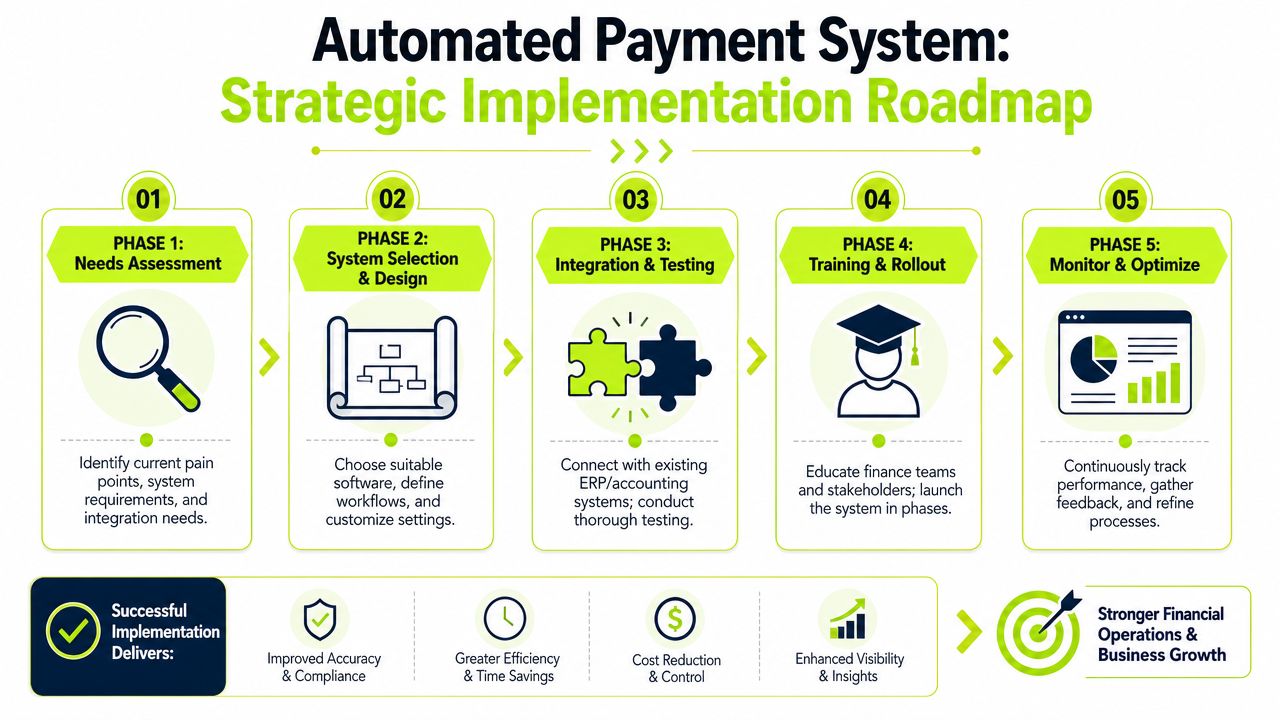
They happen when firms choose a tool that doesn't fit their billing logic, skip the consent design, or fail to define who handles exceptions. If you want QuickBooks AR automation or a broader receivables workflow tied into your accounting stack, implementation has to start with process design, not software demos.
Start with invoice reality
Before selecting anything, segment your receivables.
Separate retainers from project invoices. Separate clients who routinely pay digitally from clients that still require AP approval chains. Separate clean invoices from disputed ones. An automated payment plan should attach first to the invoices with stable approval logic.
A simple review framework helps:
- Invoice type: recurring, staged, or one-time
- Payment method fit: card, ACH, bank transfer, or client-directed method
- Approval pattern: single approver, multi-step AP, or procurement-controlled
- Exception likelihood: low, moderate, or high based on past behavior
This sounds basic, but it prevents a common mistake. Firms often automate the most painful accounts first, when they should automate the most governable accounts first.
Design the authorization flow carefully
Consent language needs to be explicit, easy to understand, and tied to the underlying commercial terms.
The client should know the amount basis, timing, method, and what happens if a payment fails. If they need to update a card or bank account, there should be a defined path that doesn't force the whole plan to be rebuilt every time.
That same principle shows up in many recurring-service industries. Even something as ordinary as a comprehensive boiler service plan depends on clear service terms, schedule clarity, and renewal expectations. Finance teams should treat payment authorization with the same discipline.
Here's a useful walkthrough on the broader implementation pattern:
Integrate with accounting and workflow systems
If the platform doesn't sync reliably with your accounting records, the finance team will end up maintaining two versions of reality.
For many firms, that means the payment plan system has to connect cleanly to QuickBooks or the ERP, push payment status updates back to the ledger, and preserve invoice-level detail for reporting and audit trail purposes. That's the practical standard for accounts receivable automation. Finance needs visibility into what was due, what was charged, what cleared, and what failed.
A workable stack usually needs these controls:
- Invoice sync: Charges must map back to the right invoice or installment record.
- Status visibility: Staff should see scheduled, pending, paid, failed, and stopped states clearly.
- Ownership rules: Failed payments need an assigned queue, not a generic inbox.
- Audit trail: Authorization, updates, retries, and overrides should all be traceable.
Roll out in phases
Don't launch firmwide on day one.
Start with a controlled group of clients whose billing is stable and whose payment terms are straightforward. That gives you a chance to test payment-method capture, communication timing, retry behavior, and reconciliation before exposing every edge case at once.
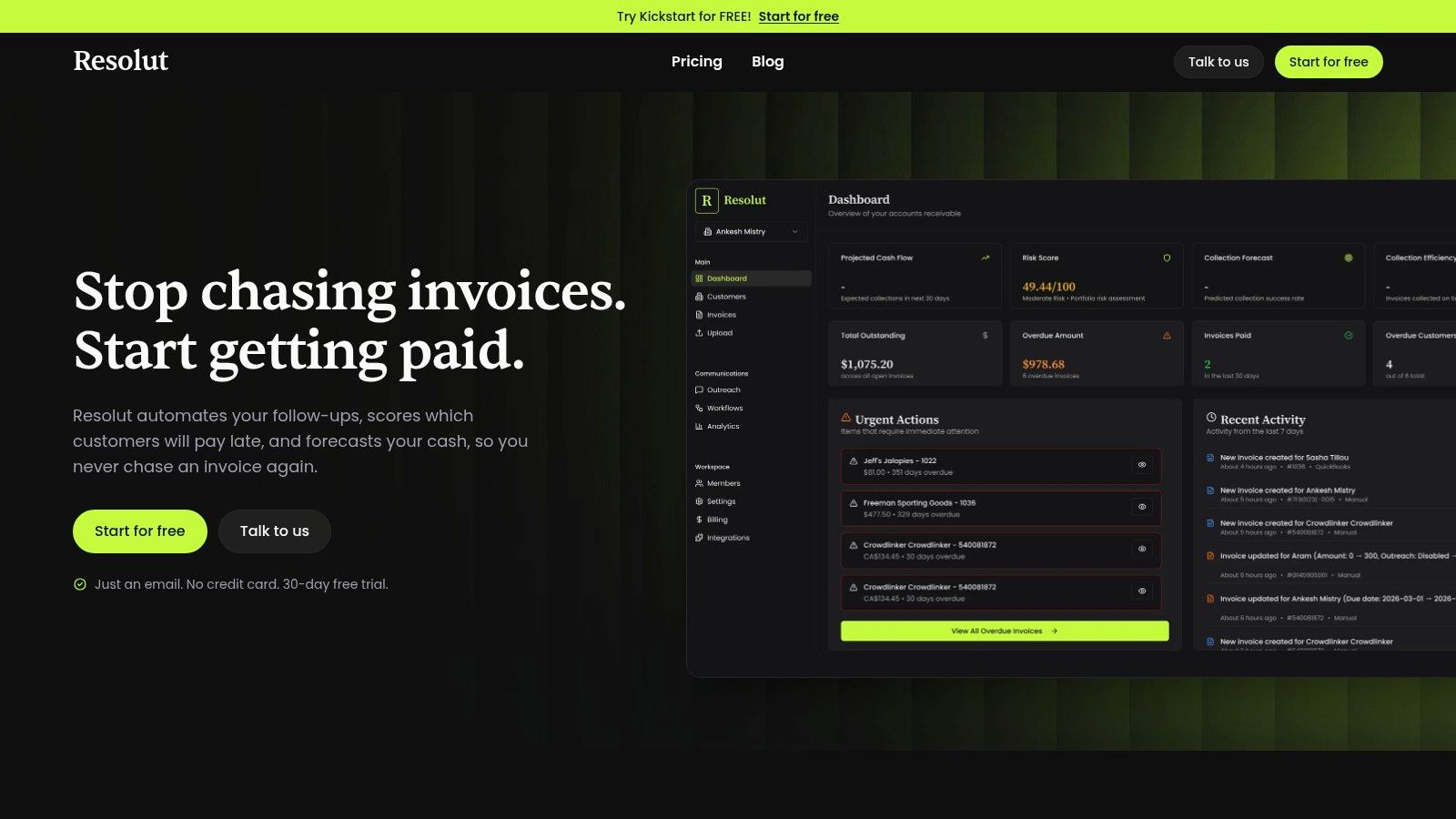
One option in this category is Resolut, which combines AR workflows, billing orchestration, collections activity, and cash application in one operating layer for finance teams. In practice, the selection standard should stay the same whether you choose Resolut or another platform. It has to fit your invoice logic, support your review controls, and keep finance in command of the process.
Measuring ROI and Managing Exceptions
Finance shouldn't judge an automated payment plan by setup volume.
Judge it by operating outcomes and by how well the system handles failure. That second part is where many implementations break down. Nuvei's guide to automated payments notes that buyers need a clear process for failed debits, card expirations, insufficient funds, and customer payment-method updates without forcing a restart of the entire authorization flow.
The KPIs that matter
For a professional services firm, the most useful measures are operational.
- DSO trend: Are scheduled-payment accounts aging more cleanly than manually collected accounts?
- Plan completion rate: Are clients finishing the agreed schedule or dropping out midstream?
- Manual touch volume: Is staff time moving away from reminders and toward exception management?
- Cash forecast confidence: Are near-term expected receipts becoming more reliable?
- Reconciliation effort: Is the team closing cash application faster with fewer manual adjustments?
You don't need a huge dashboard to see whether the system is working. You need clean segmentation between automated-plan accounts and everything else.
Teams that want cleaner close processes should also think beyond collection into matching and posting. By doing so, automated payment reconciliation becomes part of the same control system, not a separate back-office chore.
Exception handling scripts that preserve control
When a payment fails, speed matters. Tone also matters.
Use short, neutral language that assumes the issue is operational first, not adversarial. For example:
“We attempted the scheduled payment on your agreed plan, but it didn't go through. Please update your payment method using the secure link below, or reply if you'd like us to review the schedule with you.”
For an expired card:
“Your payment plan is still active, but the payment method on file needs to be updated before the next scheduled charge. Once updated, the plan can continue without changing the underlying schedule.”
For insufficient funds:
- Acknowledge clearly: State that the scheduled payment wasn't completed.
- Give the next action: Offer a secure update path or a quick call with finance.
- Preserve the agreement: Refer back to the existing plan terms without sounding legalistic.
- Escalate only when needed: Don't turn a recoverable failure into a relationship problem on the first miss.
What good control looks like
A strong automated payment plan doesn't eliminate human involvement. It improves where humans spend their time.
Staff should still review exceptions, approve unusual changes, and step in when a client's situation changes. But they shouldn't be rebuilding standard collection activity by hand every month.
That's the value for a CFO or controller. Better cash timing. Better visibility. Fewer surprises. And less dependence on whether someone remembered to send the third reminder on a Friday afternoon.
Resolut helps professional services firms automate AR with a steadier operating model. If you're looking for a more controlled way to reduce DSO, improve cash flow, and keep collections consistent without losing the human touch, Resolut is built for that.