Payment Reconciliation Software: 10 Tools Compared in 2026
Compare payment reconciliation software by features, pricing, and integrations, with best-fit use cases for CFOs and controllers in 2026.
It is the third business day of the month. Processor payouts show one total, the bank shows another, and the ledger has a third number nobody wants to explain. Most controllers at professional services firms have lived this close. The cause is rarely one bad record. It is a gap between where money moves and where it gets recorded, and the software you choose needs to close the gap where it actually opens.
I don't rank payment reconciliation software on a single score. I sort it by the layer that breaks first. Some tools explode a card payout. Some apply cash to an invoice. Some exist for the close binder. A firm between $3M and $50M rarely needs all three on day one.
That split is old. In the Association for Financial Professionals' 2016 Electronic Payments Report, email was the most widely used remittance method, reported by 61% of organizations, and 36% of respondents viewed more efficient reconciliation as a major benefit of electronic payments. Funds can post while the explanation still sits in an inbox.
Picture a controller at 7 a.m. with three monitors: a payout PDF, a bank feed, and a ledger that won't tie. A simple three-column chart of those totals, with the unmatched dollars circled, is the only visual I want on the wall during close.
If clients also pay by card, the same break shows up when you're reconciling ecommerce transactions against deposits that arrive net of fees. Pick the layer that costs the most hours this month. Then notice what each tool leaves alone.
1. Resolut
Resolut works at the invoice layer. Its accounts receivable automation combines collections, risk assessment, dynamic billing, a payment portal, and cash application. For professional services firms, the fit is strongest when reminders, partial payments, or cash without clear remittance details slow down applying money to invoices. It does not explain a processor's fees.
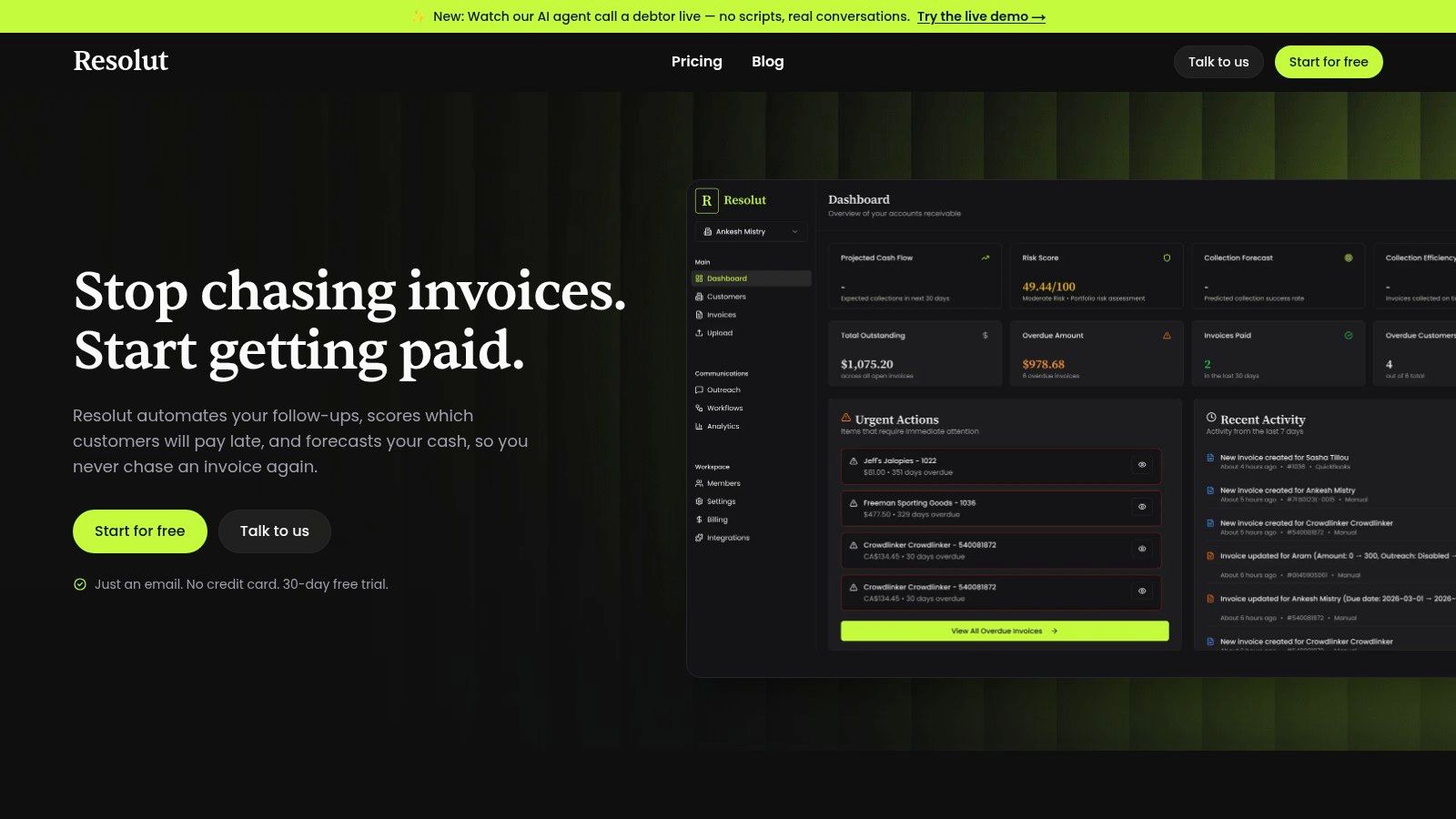
AI AR automation covers personalized reminders across email, SMS, phone, and other channels, with timing and tone adapted to each customer. At-risk invoices can be flagged early, and teams can choose autopilot or co-pilot workflows, keeping people involved where they want control. The payment portal accepts cards, bank transfers, and digital wallets. Automated cash application then matches incoming payments to receivables, reducing manual work.
What it fixes and what it doesn't
This is a tool for the invoice and collections break, not a processor-payout matcher. It can help address late payment and unclear remittance, while bringing credit risk, outreach, billing, and cash application into one workflow. That broader coverage can reduce administrative handoffs, but it does not mean every payout discrepancy is resolved.
QuickBooks still depends on the bank line's identifying information for automatic matching. Intuit's note on automatic matching explains that transactions without a unique bank-provided ID may need to be matched manually. Resolut can support the invoice-side work, but it does not remove that bank-data constraint or calculate processor fees.
Where I would use it: late invoices and unapplied cash are the main operational drag. If the problem starts with a net deposit that must be broken into fees, refunds, or transactions, choose a payout-layer tool instead.
- Collections: personalized multichannel outreach and invoice-risk alerts help teams focus follow-up.
- Cash application: automated matching reduces manual work, while the payment portal gives customers multiple payment options.
- Left untouched: processor-fee reconciliation and QuickBooks Desktop are not described capabilities. Savings are not guaranteed.
See the product at Resolut.
2. Reconciler
A Square deposit of $4,280 against invoices totaling $4,610 points to a payout mismatch, not necessarily missing revenue. Fees, a refund, or a chargeback can explain the difference. Reconciler is a read-only matcher for smaller and mid-sized teams: it traces Stripe, PayPal, or Square payouts to the underlying transactions, then matches them against the bank and books.
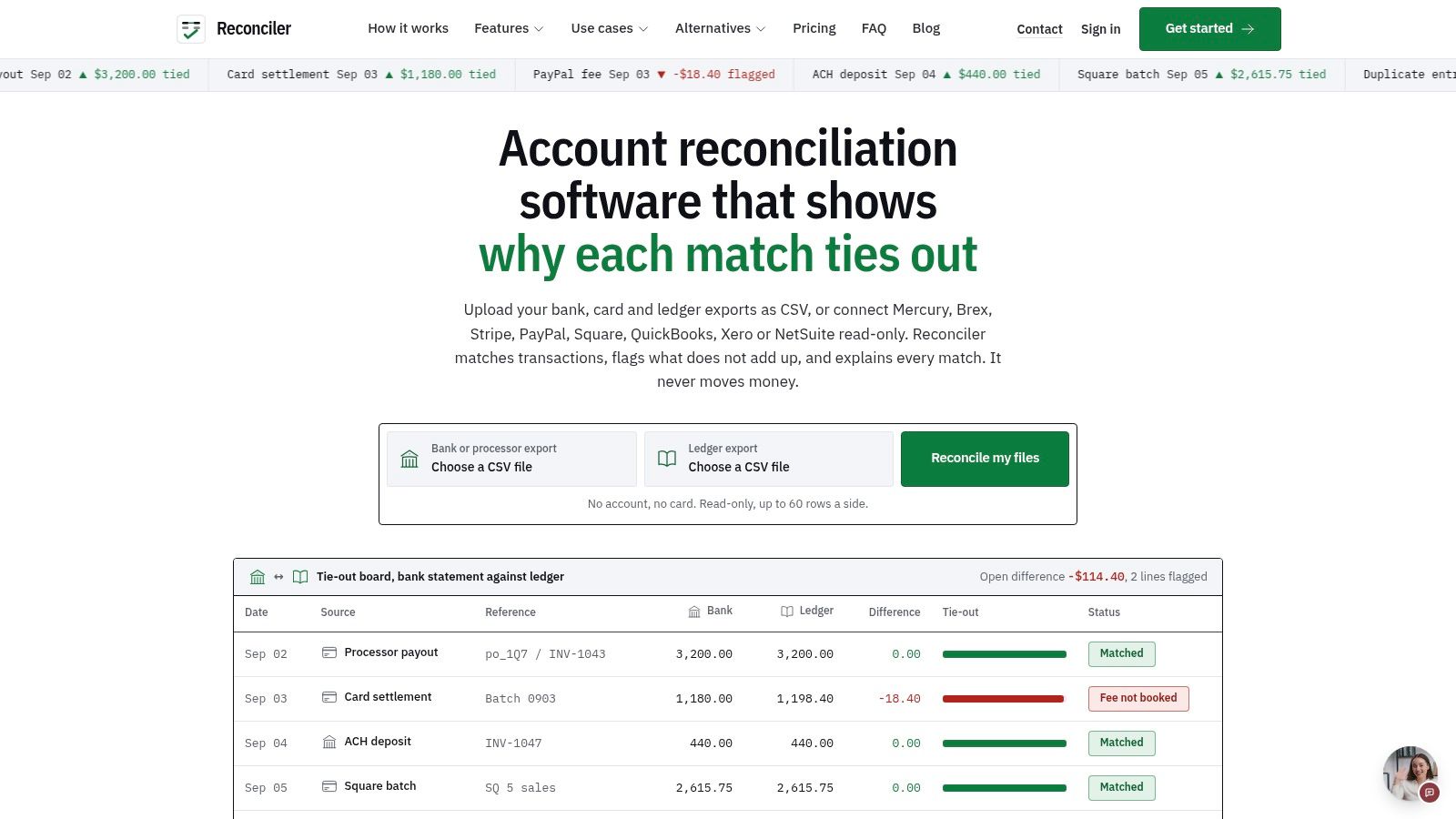
Connect supported financial services or upload files. The tool does not move funds or post journal entries. Public pricing starts at $29 per month. Check Reconciler's current plans and integration list, including any volume cap, before budgeting or assuming your processor is covered.
For a clear boundary between payout matching and the rest of the workflow, see what payment reconciliation covers.
A read-only tool keeps software from writing to the books during close week, but your team still handles the accounting entry.
- Payout layer: matches deposits to transactions, including fees, refunds, chargebacks, and timing differences.
- Invoice layer: leaves collections and cash application untouched.
- Close layer: your team still books the entry.
3. Ledge
Cross-border timing is where "missing cash" is often just late cash. In 2024, one-third of European retail cross-border payments took more than one business day to settle. The European Central Bank has also described mixed payment-messaging standards as ongoing friction, citing a BIS look across 82 jurisdictions and 197 payment systems in 2025. A matcher that only joins equal amounts on the same day will call a good receipt an exception.
Ledge is a cross-system platform for teams living in that gap. It pulls processors, banks, ERPs, and entities into multi-step matches, including one-to-one and many-to-one. Exception review is part of the product, not a spreadsheet you bolt on later. Posting and audit trails sit next to payment reconciliation and cash application.
Pricing is quote-based, not self-serve. A 12-person firm on one bank and QuickBooks will feel the weight. A firm with foreign entities, refunds, chargebacks, and FX will feel the point. I want a chart of exception age by corridor before I believe a "real-time" claim, because a confirmed payout is not the same as cash you can forecast.
- Handles: timing gaps, messy references, and an owner on the exception.
- Ask before you sign: which connectors you really get, and how long onboarding takes.
- Leaves alone: a light, public-price tool for one processor.
The payment workflow is described at Ledge.
4. Simetrik
Simetrik is settlement operations, not Tuesday cash application for a consulting firm. It matches partner settlement files to internal records when you have many acquirers, formats, and currencies. Fee checks, dispute workflows, anomaly flags, and exception queues live in the same view.
That combination matters when the break is a partner file, not a client invoice. A professional services firm with one merchant account usually doesn't have a dispute desk. A firm that resells payments, or that settles across several processors, might.
I'd trial it on one ugly month of settlement files, not on a demo with clean rows. Quote-based pricing means you won't know cost until someone scopes your sources. Implementation effort tracks how messy those sources are.
- Strong fit: multi-partner payment ops, fee validation, and dispute lifecycle.
- Weak fit: everyday invoice matching and client collections.
- Untouched: the relationship side of AR. Nobody is chasing a late retainer from this screen.
Product context is on Simetrik.
5. BlackLine Transaction Matching
BlackLine Transaction Matching is a close-control product for high volume. You load data from ERPs, banks, and payment providers, apply rules your team defines, and push exceptions into account reconciliations and journal workflows. The match is a means. The sign-off is the product.
The close math is why large teams buy it. A U.S. Bank summary of a Datos Insights survey of 1,037 employees at midsize and large businesses reported that businesses using AP automation to reconcile payments can save two to three days each month when closing. In related research in that same summary, 50% of organizations automating most or all reconciliations closed quarterly books within six business days, versus 33% using little or no reconciliation automation. The same summary noted that 73% of finance teams were still not fully automated and 27% had no automation in place. Rules that match are not the same as exceptions that clear.
For a $10M services firm, this can be more platform than the AR team can run. Pricing isn't public. Fit depends on whether your close already lives in a controlled workflow or still lives in workpapers.
- You get: configurable patterns, audit history, and a path into the close.
- You still own: materiality thresholds, who may approve a match, and duplicate-payment review.
- Skip it if: the only break is one processor deposit per week.
See BlackLine Transaction Matching.
6. ReconArt
ReconArt starts from the bank statement, not the invoice. It ingests broad statement formats, normalizes them, and matches one-to-many or many-to-many against internal records. Exceptions get a class, a review, and an audit-ready sign-off. That suits a firm whose "payment" problem is really "we have six accounts, two entities, and three file layouts."
Automation is still thin in the matching step that looks similar. A 2022 survey of finance professionals found that 32% of organizations had an AP-automation solution, dropping to 29% below $250 million in revenue, against 48% above $1 billion and 51% between $250 million and $1 billion. PO-to-invoice matching was automated by 34%, versus 74% for invoice approvals and 60% for payment authorization. Approving a bill is not the same as tying the cash.
A short walkthrough of the entries, not the software, is in this reconciliation example. Use it to see which side of the entry your current process never finishes.
- Good: multi-currency, higher volume, and a controlled review.
- Cost of flexibility: you will configure rules before a payment workflow feels native.
- Pricing: not public. Validate ERP and bank connectors on your files, not on a slide.
More is at ReconArt.
7. HighRadius Autonomous Cash Application
HighRadius is for the remittance break. Checks, ACH, wires, and cards arrive, and the open invoices don't update because the advice came in a different channel, or didn't come at all. The product captures remittance, matches payment to invoice, codes deductions, and writes back to the ERP.
The harder problem is who owns the miss. In a 2025 OFX survey of 150 UK SME finance leaders, 42% named insufficient automation or inefficient reconciliation as a leading accounts-payable issue, 39% cited multiple payment methods, and 37% cited inadequate vendor support and reporting. A high match rate that dumps the rest into a nameless queue doesn't improve cash flow. It hides the aging.
I treat "autonomous" as a claim to test on your remittances, not a brochure rate. Pricing is quote-based, and the breadth is mid-market to enterprise. A firm that only needs bank-to-book matching will overbuy.
How the application step should behave is laid out in this note on cash application automation.
- Fixes: unapplied cash and multi-channel remittance.
- Doesn't fix: a single processor payout you can't split, or a close platform you don't have.
- Demand in the pilot: exception aging, reason codes, and a named approver.
See HighRadius cash application.
8. Versapay Cash Application
Most B2B cash still gets matched by hand. In 2024, 85% of respondents to an SSON survey commissioned by Versapay said their organizations still manually matched payments with remittances, according to Versapay's write-up of that survey. That's the invoice layer, stated plainly.
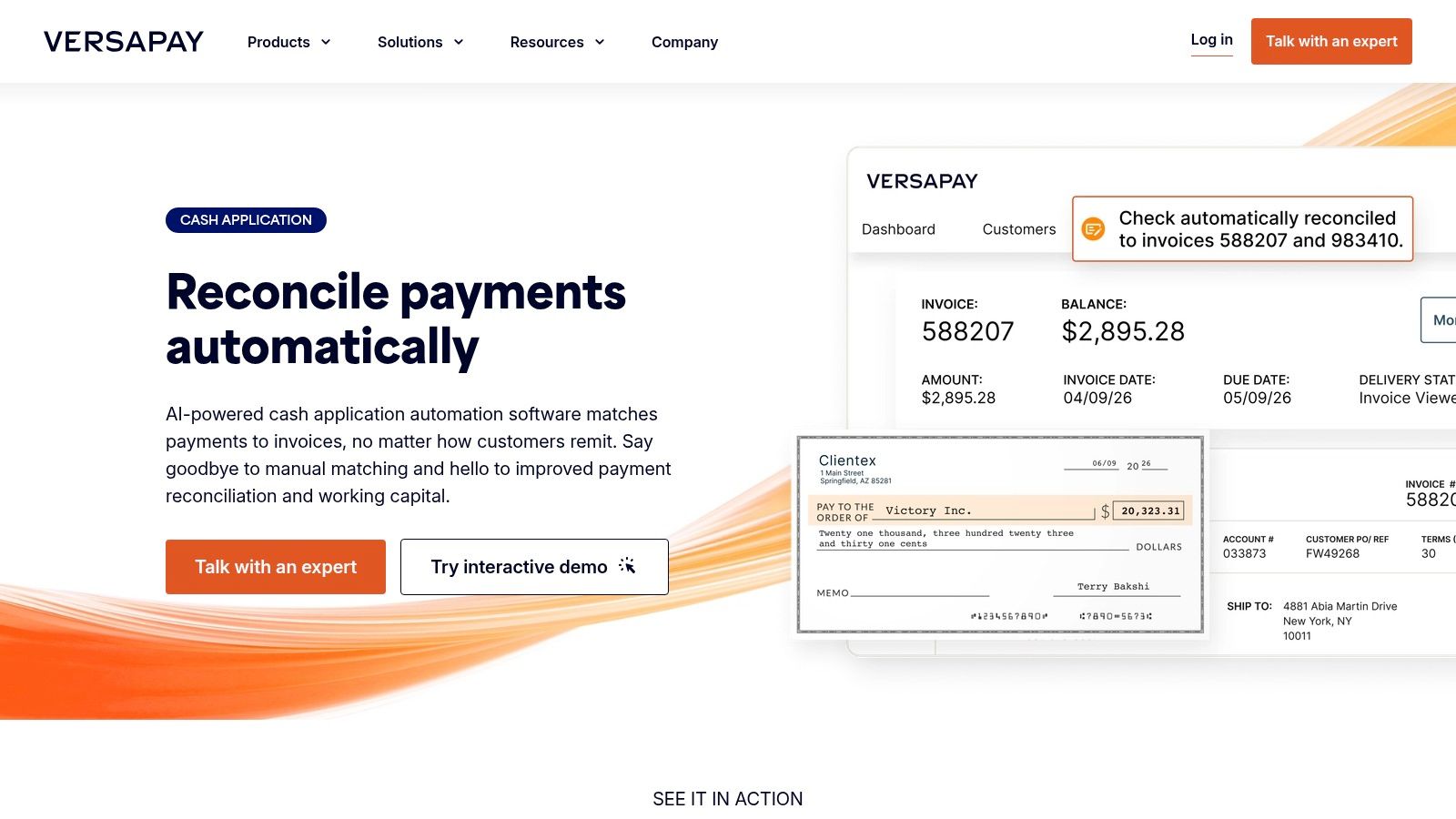
Versapay Cash Application uses AI, machine learning, and document extraction to match ACH, wire, and check payments to invoices. Exceptions route to people. Posting and reporting go back to the ERP. It can sit beside a lockbox you already pay for, which matters if you don't want to rip out the bank's deposit process to get a better match.
The wider product also touches invoicing, collections, and how the customer pays. That's useful when the break is the whole receivables conversation, and extra when you only need a matcher. Pricing isn't on the product page. Confirm your ERP, your remittance formats, and your mix of payments before you assume fit.
- Keeps: your lockbox, if the integration holds.
- Adds: capture, match, exception routing, and a path into the rest of AR.
- Won't replace: a read-only payout explainer for card fees.
The workflow is at Versapay.
9. Billtrust Cash Application
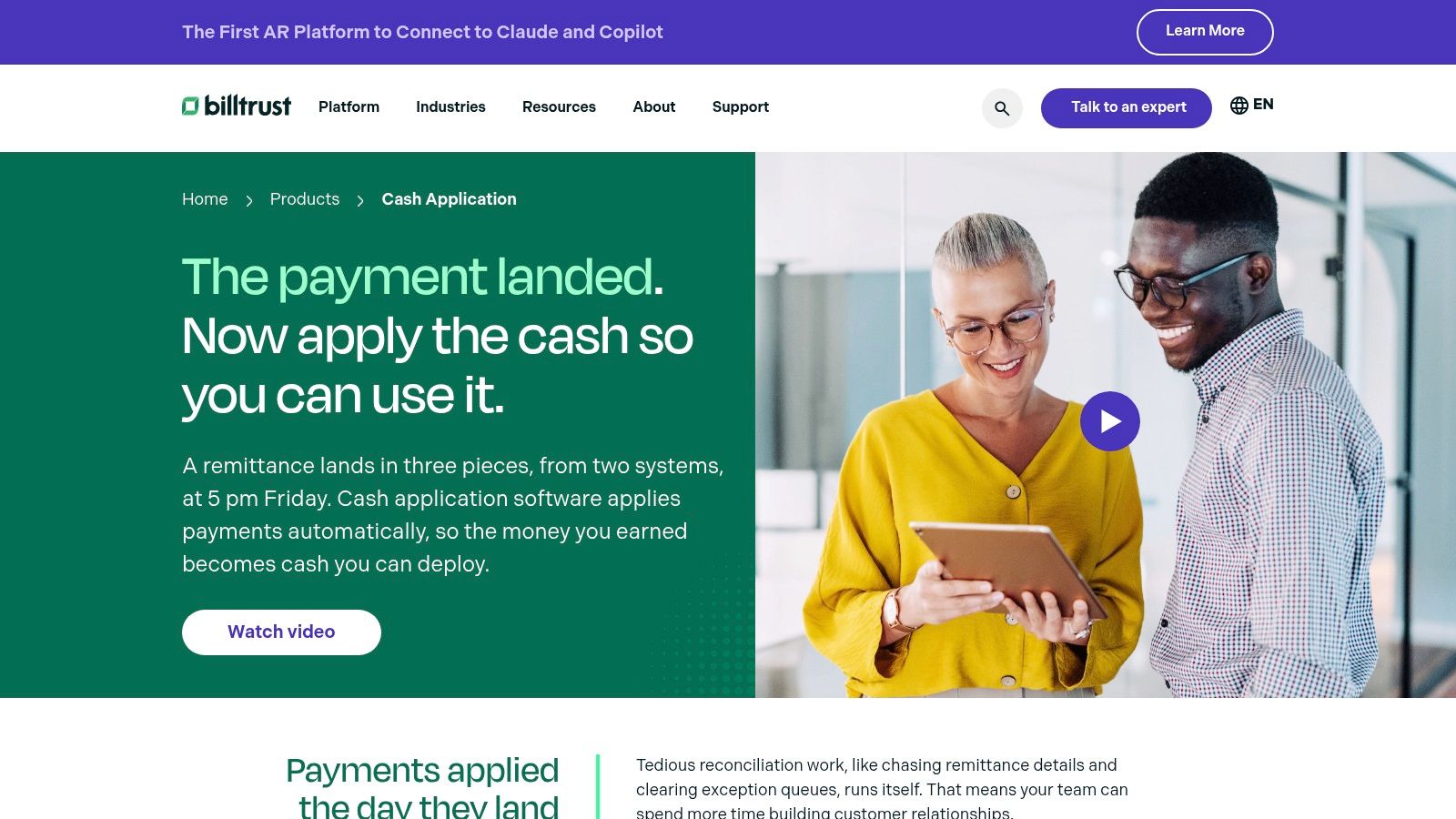
Billtrust is built for remittances that never arrive in one place. AP portals, email, checks, and electronic payments each carry a piece of the story. The software ingests them, standardizes the advice, matches to invoices, and parks the rest for review. Match analytics tell you whether the engine is getting better or just getting busier.
In 2024, the National Association of Credit Management reported that 21% of credit professionals considered their cash-application process inefficient. I read that as a design problem, not a staffing problem. If advice and money travel separately, adding headcount just reviews the same gap faster.
Enterprise rollout is real work, and pricing isn't published. Ask how they define a match, then run a sample of your worst remittances, including short pays and portal screenshots. A rate on clean ACH files won't predict your portal month.
- Layer fixed: disconnected B2B advice and the exception that follows.
- Layer left: processor-fee math and a full financial close suite.
- Fit check: can it live inside a broader AR platform you already run, or does it become one?
Overview at Billtrust.
10. Paystand
When mismatches begin at the payment rail, changing the rail may address more than matching software can. Paystand connects B2B payment acceptance, invoice payment, cash application, and deposit reconciliation with ERP workflows. The trade-off is clear: you change how customers pay to reduce the places a payment can break. That can suit a firm ready to change its payment process, but adds work if clients and banking procedures are already settled.
Fraud controls also depend on how payments arrive. AFP payments-fraud research indicates that organizations face attempted or actual payment fraud, and checks remain a common target. A services firm that still accepts checks should treat the receipt path as a control, not just a way to improve cash flow. Paystand's focus is the acceptance and deposit layer; it does not automatically solve every mismatch in payment methods the firm continues to accept.
Pricing depends on products, volume, integrations, and workflows. Confirm that the payment methods and ERP you rely on are supported before modeling a switch. If the gap is only cash application for payments you already receive, the broader platform may be more change than you need.
- Buys you: collection and reconciliation under one vendor, on common ERPs.
- Costs you: a change to how invoices get paid.
- Doesn't promise: a fit for every method you accept today.
Review the product details at Paystand.
Payment reconciliation software compared by core job, pricing disclosure, and best fit
Item | Core Job | Pricing Disclosure | Best Fit |
|---|---|---|---|
Resolut | Automates invoice collections, risk scoring, cash forecasting, and cash application | 30-day free trial; ROI calculator assumes $149/month | Businesses and accounting firms seeking automated AR follow-up |
Reconciler | Matches processor payouts with bank and accounting records | Public plans start at $29/month | Smaller teams needing read-only payment reconciliation |
Ledge | Reconciles transactions across processors, banks, ERPs, and entities | Quote-based | Finance teams with complex, cross-system payment workflows |
Simetrik | Matches settlement data and supports fee and dispute workflows | Quote-based | Large businesses and fintechs managing complex payment operations |
BlackLine Transaction Matching | Automates high-volume matching and flags exceptions | Pricing not publicly posted | Large organizations with financial-close and control requirements |
ReconArt | Reconciles bank statements with internal records and manages exceptions | Pricing not public | Organizations needing flexible bank and operational reconciliation |
HighRadius Autonomous Cash Application | Captures remittance and matches payments to open invoices | Quote-based | Mid-market and enterprise AR teams with high payment volumes |
Versapay Cash Application | Matches B2B payments to invoices and routes exceptions | Pricing not listed on the product page | B2B teams connecting cash application with broader AR workflows |
Billtrust Cash Application | Extracts remittance data and matches B2B payments to invoices | Pricing not published | B2B AR teams handling varied payment and remittance sources |
Paystand | Connects B2B payment acceptance, cash application, and deposit reconciliation | Varies by products, volume, integrations, and workflows | Businesses seeking an integrated payment and reconciliation platform |
Match the Tool to the Break, Not the Brochure
Start with one close, not a vendor shortlist. Pull a single month of processor payouts, bank deposits, and ledger entries. Mark each difference as fees or refunds at the processor, a remittance gap at the invoice, or timing at period end. The tool that fixes the expensive break is the right first buy, even if it covers less ground.
Trace the month before you buy
- Payout break: net deposits, fees, refunds, chargebacks. Reconciler if the stack is small. Ledge or Simetrik if partners, entities, or FX multiply the files.
- Remittance break: money without an invoice reference. HighRadius, Versapay, or Billtrust. Paystand if you're willing to change how clients pay.
- Close break: matches that never become a signed reconciliation. BlackLine or ReconArt, and only if the team will live in the review queue.
- Collections break: invoices that aren't late in the ledger because they were never chased. That's Resolut, not a payout tool.
A limited study of three U.S. financial institutions in 2023–2024, published in Frontiers in Management Science and Engineering, reported AI-supported reconciliation cutting average processing time per transaction from 16 minutes to 8 minutes, lifting the compliance match rate from 98.5% to 99.2%, with error rates of 2.8% manual versus 0.8% for the AI workflow. Don't treat that as your benchmark. Do treat time, error rate, and unapplied-cash aging as the numbers you track after go-live.
I want one more picture before a purchase order. A timeline from settlement date to ledger post, with weekends and FX tolerance marked, beats a match-rate badge. Real-time matching is not real-time cash certainty when intermediaries, fees, and holidays sit in the middle.
If you want a wider market pass after you've named your break, compare payment reconciliation software options against the layer you just circled. Then ignore anything that automates a step you already finish on time.
Resolut automates AR for professional services, consistent, accurate, and human. I'd start there when the close argument is late client cash, not a card fee you can't see.
Resolut brings collections, risk signals, and cash application into one AR workflow so professional services firms can apply payments and follow up without a second system for every rail. If your break is the invoice, not the processor file, see how Resolut handles reminders, QuickBooks Online, and the cash you still have to explain.