Scheduled Text App: How It Works for Payment Reminders
Learn what a scheduled text app does, how timed SMS works, and how finance teams use it for payment reminders without compliance gaps.
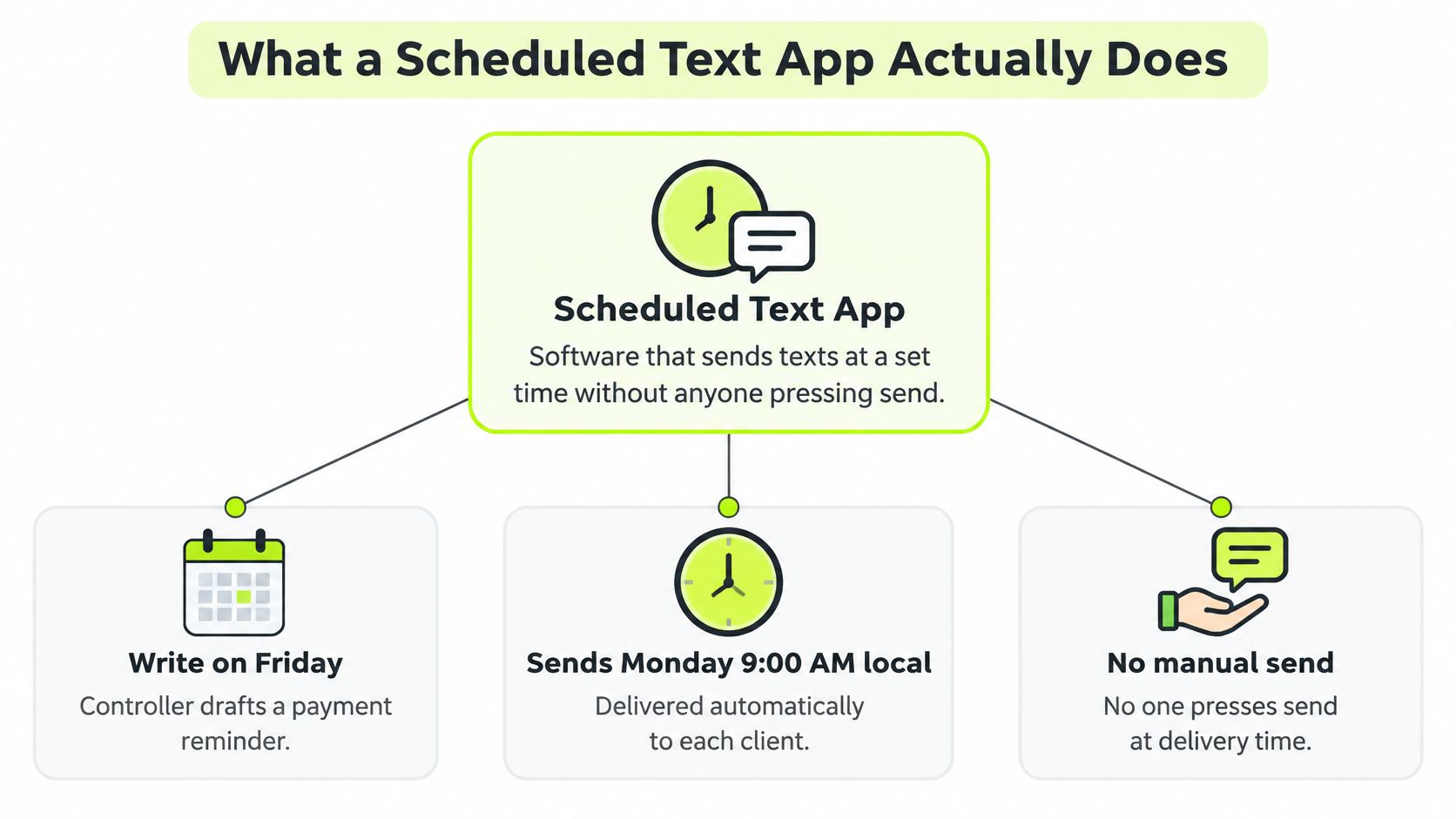
Friday afternoon, a firm's controller opens the aged receivables list and writes fourteen payment reminders by hand. She schedules each one for Monday morning, closes the laptop and leaves. Over the weekend one client pays, another replies with a question about a line item, and on Monday all fourteen messages go out exactly as written.
That gap between writing a message and sending it is where most of the risk in payment reminders lives. A scheduled text app holds a message and releases it at a set time or after a trigger, which sounds like a small convenience until you count what changes in between.
A reminder is a payment communication with a state, a consent record and an audit trail. Treat it like one and the software decision gets much easier.
The operators who get this right don't treat texting as a nudge channel. They treat it as a controlled workflow that happens to travel over SMS, and they hold it to the same standard as an invoice, a statement or a payment posting.
What a Scheduled Text App Actually Does
A scheduled text app queues a message for a date and time, or for an event such as an invoice crossing its due date, then delivers it without anyone pressing send. You write once, and the system handles the timing for every recipient on the list.
The scheduling built into iOS and Android was designed for one message to one person. You compose, you pick a time, the phone holds it. Nothing in that flow asks whether the invoice was paid, whether the client withdrew consent, or whether the number is still in service.
A finance-grade tool handles the opposite case: hundreds of recipients, each with a different time zone, invoice and payment status. Every scheduled reminder also carries more than a send time. It carries a consent check before dispatch, a cancellation rule tied to the invoice, and a written record of what happened after it left the queue. These are the capabilities worth checking before price enters the conversation.
Capability | What it does | Why finance teams use it |
|---|---|---|
Timed send | Delivers a message at a set date and time | Reminders go out without manual follow-up |
Local time zones | Sends according to the recipient's time zone | Messages land at a reasonable hour for each client |
Recurring cadence | Repeats a sequence on a fixed schedule | One setup covers every invoice in the sequence |
Event-based cancel | Stops or reschedules when the trigger changes | A paid invoice stops receiving reminders |
Delivery status | Records scheduled, sent, delivered and failed states | Reminders can be checked against actual outcomes |
If you want to see the same pattern applied to revenue recovery outside receivables, CartBoss text scheduling for revenue recovery shows how recovery sequences are timed and stopped.
Interface design decides whether scheduling gets used at all. When setting a send time takes more than a few clicks, finance staff fall back to drafting reminders by hand, and the automation sits idle. The tools that earn daily use put the schedule beside the compose box, default the cadence to the invoice's due date, and show the pending queue in a single view.
Demand is rarely the constraint. Clients already expect payment communication by text. The constraint is whether your tool can hold a payment state while it holds a message.
How a Scheduled Message Moves From Queue to Customer
Three parts carry a message from draft to handset, and the separation between them is what keeps a retry from sending the same reminder twice.
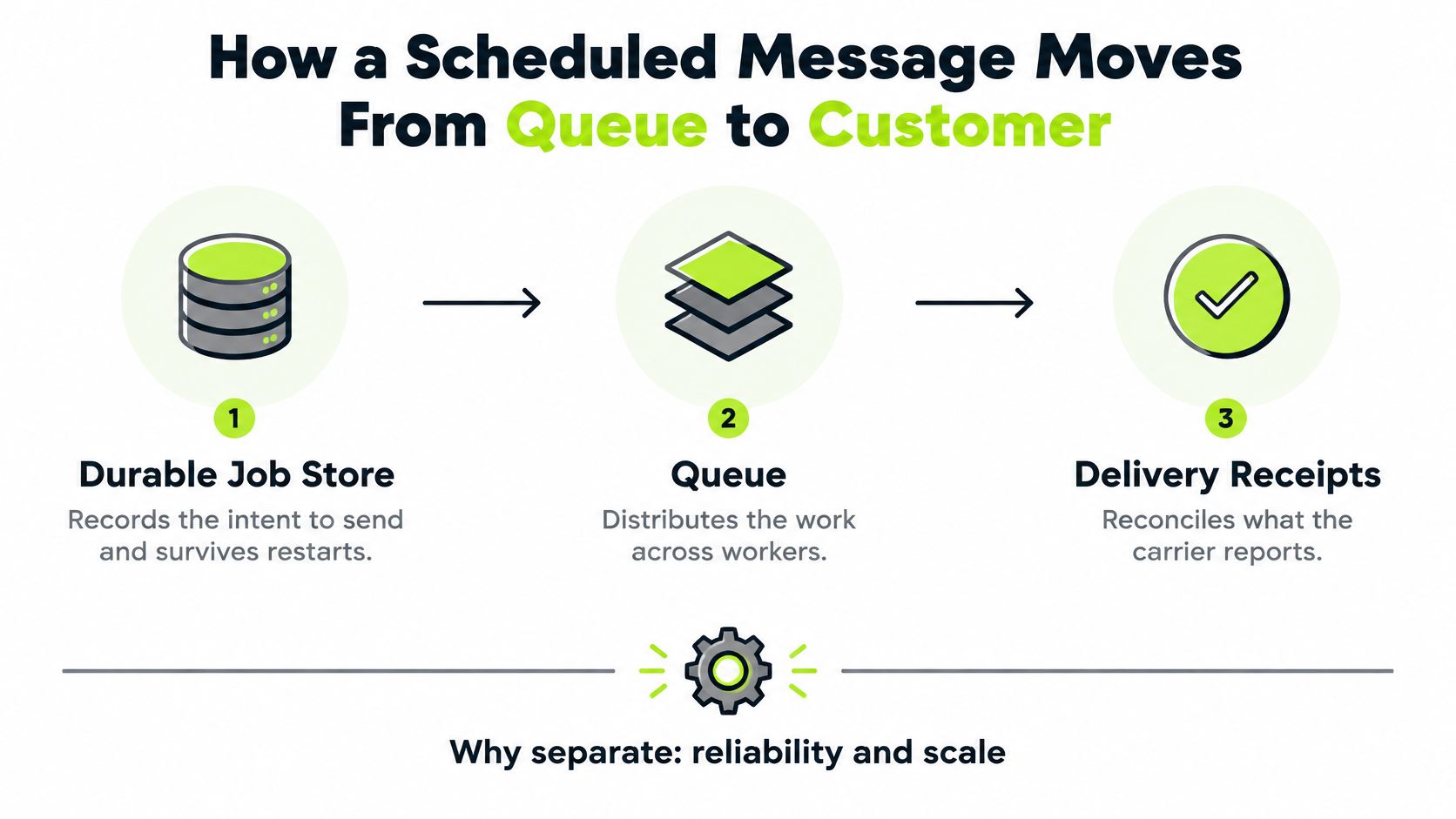
The three layers and the one intent they share
A durable job store records the intent to send: recipient, invoice, template, scheduled time. A queue distributes the work across workers so a Monday morning batch doesn't serialize behind one thread. Delivery receipts come back from the carrier and reconcile what happened, which is the only version of events finance should trust.
The detail that saves you is the idempotency key, built from the recipient, the invoice, the message type and the scheduled timestamp. When a worker restarts mid-batch, the key is already in the store, the system recognizes the repeat and skips it. Without that key, a retry looks like a brand new message, and the client gets the same reminder twice in ten minutes.
What each state means for the person chasing payment
State | What it means | Next action |
|---|---|---|
Scheduled | Intent recorded, not yet sent | Confirm consent and the send time |
Canceled | Stopped before dispatch, usually by a payment | No action; check the audit log |
Dispatched | Handed to the carrier | Wait for the delivery receipt |
Delivered | Carrier confirmed delivery to the handset | Watch for a reply or a payment |
Failed | Carrier or number rejected the message | Verify the number and resend if permitted |
Opted-out | Recipient withdrew consent | Suppress all future reminders |
Cancel is the state that earns its keep in receivables. When QuickBooks Online is connected, invoice payment status syncs live, so a settled invoice stops its own reminders instead of waiting for someone to notice. That single behavior prevents more awkward client conversations than any tone guideline.
Time zones deserve their own rule. Store an IANA time-zone name such as America/New_York, never a fixed UTC offset. A stored offset drifts by an hour when daylight saving changes, and a reminder that lands at 8:00 instead of 9:00 is a small thing that reads as carelessness on a payment request.
Sent is not delivered. A 2025 benchmark reports 96.6% deliverability for campaign SMS against 92.8% for automated SMS, a gap that opens before any client replies. Automation carries a delivery penalty that broadcast traffic doesn't, and it shows up in your DSO before it shows up in any dashboard.
When a reminder shows dispatched but never delivered, work in order: pull the receipt, check the number format, then confirm the sender registration. Assume the plumbing failed before you assume the client ignored you.
Payment Reminder Sequences That Shorten Collection Time
Late invoices are a working-capital problem before they're an administrative one. Intuit's 2025 small business late payments report found that 56% of U.S. small businesses were owed money from unpaid invoices, with an average outstanding balance of $17,500 per affected business and 47% reporting at least some invoices more than 30 days overdue. The same report ties volume to cash strain: among businesses carrying more overdue invoices, 50% reported cash-flow problems, against 34% of businesses with fewer late payments.

The fix is a cadence that runs whether or not anyone remembers it, with each step tied to an invoice state rather than a person's to-do list. A reminder that fires because an invoice crossed day fourteen is a controlled payment communication: it has a trigger, a recipient on record and a result you can check later.
Five steps from notice to final reminder
Stage | Message purpose | Escalate when |
|---|---|---|
Three days before due date | Friendly notice with invoice and payment link | Not applicable |
Due date | Confirmation that payment is due today | Not applicable |
Seven days overdue | Polite follow-up that asks about any question or dispute | Client reports a dispute or question |
Fourteen days overdue | Firmer reminder with payment options listed | No payment or promise to pay |
Thirty days overdue | Final automated reminder before personal contact | Invoice still unpaid after thirty days |
Resolut runs this model directly: reminders follow a cadence you set once, go out from your own domain, are signed by your team, and use the template you wrote. Only the sending is automatic, which matters when a client at a $40,000 annual relationship reads the message. Because the platform scores which customers will pay late, you can tighten the cadence on high-risk accounts instead of rewriting the sequence for everyone.
Escalate to a person only when the invoice is still unresolved. Software handles timing; a person handles a dispute.
The cash behind the cadence
Say a firm carries forty open invoices at roughly $5,000 each. That's $200,000 in receivables, and each day of collection delay is about $548 of cash you don't have (200,000 divided by 365). Pulling the average collection date forward by a week moves close to $3,800 of working capital, without writing a single new engagement.
That's why the monthly number to report is days sales outstanding, or DSO: accounts receivable divided by credit sales for the period, multiplied by the number of days in the period. Work it that way and the controller can rebuild the figure from the ledger every month, which makes any improvement in collections visible without debate.
Wording does more work than controllers tend to expect. Start from a set of payment reminder templates that separate tone by stage, so the day-seven message reads like a check-in and the day-thirty message reads like a deadline. Samba's guide to payment reminders goes deeper on the copy itself, which is worth reading once before you write thirty templates in an afternoon.
Consent, Opt-Outs and Delivery Rules That Protect Each Send
A scheduled text is a compliance-controlled workflow, not a timed queue. In the United States, the FCC states that autodialed text messages to wireless numbers fall under the Telephone Consumer Protection Act, and senders generally must obtain prior express consent, while marketing or telemarketing messages generally require prior express written consent, per FCC guidance on revocation and consent.
The consent record belongs next to the scheduled message, not in a spreadsheet somewhere else. It also has to be re-checked immediately before dispatch, because the thing you're sending Monday can lose its permission on Sunday.
What to store with every queued message
- Recipient and mobile number, exactly as captured at opt-in.
- Timestamp of the consent event, not the campaign start date.
- Disclosure version, so you can prove which language the client saw.
- Source, whether that's a signed engagement letter, a portal checkbox or a reply.
- Permitted purpose, because consent for an invoice reminder isn't consent for a promotion.
Message category | Consent to document | Opt-out path |
|---|---|---|
Transactional invoice reminder | Consent record tied to the client relationship and invoice | Reply STOP to withdraw; suppress before the next send |
Marketing message | Prior express written consent with a clear disclosure version | Reply STOP; revocation honored within ten business days at most |
Clients outside the United States | Country-specific policy rules applied per recipient | Per local requirement |
The ten-business-day outer limit is a ceiling, not a target. FCC guidance states that reasonable revocation requests must be honored no later than ten business days, and in practice a reply of STOP should suppress the number before the next send ever fires. A suppression list that lags a week is a suppression list that generates complaints.
Resolut's SMS messages can be transactional, promotional or marketing, or account and security notifications, and message and data rates may apply. We send only to people who have expressly opted in by providing their mobile number and checking the consent box, and a reply of STOP to any message withdraws that consent.
Two limits are worth writing into your policy. First, rules differ by country, so a firm texting clients outside the United States should apply local policy rather than assuming TCPA governs everyone. Firms with European clients also need to reconcile telecom consent with data protection obligations, which GDPR compliance guidance covers from the data side. Second, the line between a service notification and marketing blurs when a reminder carries a payment request, so confirm the classification with counsel before the first batch goes out.
Payment Method Fees to Model Before Reminders Go Live
A reminder with a payment link is only as useful as the method behind the link. In QuickBooks Online, a bank payment has to be tied to an open invoice or sales receipt. Intuit notes that ACH payments entered manually by the merchant may face additional security checks and therefore be delayed, while collecting ACH through a pay-enabled invoice can reduce payment-processing risk, per QuickBooks' guide to processing customer bank transfers.
Fee mechanics decide which method you offer by default. Intuit's ACH convenience fee guidance states that the fee can be used when the invoice exceeds $125 but is below $100,000, with the customer paying a flat $25, while other payment methods may use percentage-based processing fees. Eligible Instant Deposit transactions carry a 1.75% fee.
The same fee on two invoice sizes
On a $2,000 invoice, the flat $25 works out to 1.25% of the amount. Instant Deposit at 1.75% on the same invoice costs $35, so the convenience fee is the cheaper route if the client will use bank transfer.
On a $100 invoice, the flat fee isn't available at all, because the invoice sits below the $125 threshold. A percentage-based method applies instead, and at that size the difference between 1.25% and 1.75% is a rounding error, so pick whichever method the client will complete.
Pick the cheapest method the client will use on time. A 1.25% fee collected in three days beats a free method collected in thirty.
Configure payment options by invoice band rather than one default for every client. High-value engagements may justify a fee for faster access to cash, while small recurring invoices should default to whatever removes friction. If you also accept cards, model convenience fee mechanics on credit cards alongside the ACH numbers, because the two structures don't scale the same way across invoice sizes.
How to Evaluate a Scheduled Text App for Finance Teams
Most comparisons ask whether a tool can send at the right time. That's the wrong test. Timing isn't the same as follow-through, and a reminder that can't handle a reply is a reminder that creates work.
The reply data makes the case. A 2025 benchmark covering more than 170 million business texts found that chat represented only 11.8% of outbound volume but generated 55.2% of all replies, with a 41.05% two-hour reply rate, according to Project Broadcast's Business Texting Benchmark Report. Campaign messages drew replies faster than broadcasts, at 8.91% against 2.39%, with fewer opt-outs.
Seven checks, in order
- Live payment status from the accounting system. If the tool can't see that an invoice was paid, it will chase a settled invoice, and that's the mistake clients remember.
- A stored consent record for every message. Consent has to be validated at dispatch, not at draft.
- Automatic stop on payment. The sequence should end itself the moment cash is applied, without a manual sweep.
- Reply routing and human handoff. Someone has to own the question, the dispute and the request for a different payment method.
- Dispute classification and escalation rules. A disputed invoice should leave the automated sequence immediately and land with a named person.
- Delivery reporting by country and message type. Automated SMS trails campaign SMS on deliverability in the benchmark above, and the gap widens by market and sender registration status.
- Pricing against your actual invoice and user volumes. A per-seat model that punishes you for adding a controller is a model that stalls adoption.
Resolut is one example of this design, and the same seven checks apply to it. All plans include no revenue caps, unlimited invoices, unlimited seats and unlimited workspaces, and a user can cancel from settings in one click, with no retention emails, no prorated charges and no conversation with a sales rep. Those terms matter less than the audit log, though. Ask any vendor for the log before the demo, and read what it records when a message is canceled.
Confirm Your Reminder Policy Before You Automate
One question decides whether you're ready. Can your reminder policy run a full batch without a person reviewing each message? If the answer is no, the software will scale an unclear policy.
Work through six actions in order.
- Choose the stages and their timing against how your clients pay, not how you wish they did.
- Write a template per stage with a tone rule, so the day-seven message stays neutral and never reads like a collections notice.
- Confirm a consent record exists for each client and each message category.
- Connect QuickBooks Online or upload PDF invoices, so the system sees live payment status rather than a stale export.
- Run two weeks in co-pilot mode, with a person reviewing each batch before it sends.
- Move to autopilot once replies, disputes and opt-outs look the way you expected.
Setup doesn't have to be a project. The path we use is three steps: connect QuickBooks or drop PDFs, pick a workflow and adjust the cadence, then the software does the chasing. Most workspaces send their first automated reminder within 10 minutes of setup.
Then track two numbers every month: days sales outstanding, and the share of invoices paid at each stage. Those figures sit in reports your controller already produces, so the change in accounts receivable automation shows up as evidence rather than anecdote. Resolut automates AR for professional services. Consistent, accurate and human.
If your team still writes payment reminders by hand and hopes someone remembers to send them, the fix is a cadence that runs itself, with consent checked at dispatch and payment status read live from your ledger. Resolut connects to QuickBooks Online or takes a folder of PDF invoices, then runs the reminder sequence you set once, signed by your team, with every send logged and every paid invoice stopping its own follow-ups. Visit Resolut to see how the cadence, the consent record and the payment link fit together before your next batch of overdue invoices goes out.