Accounts Receivable Reconciliation Guide for 2026
A practical accounts receivable reconciliation guide for CFOs and controllers. Reduce DSO, fix exceptions faster, and automate AR with confidence.
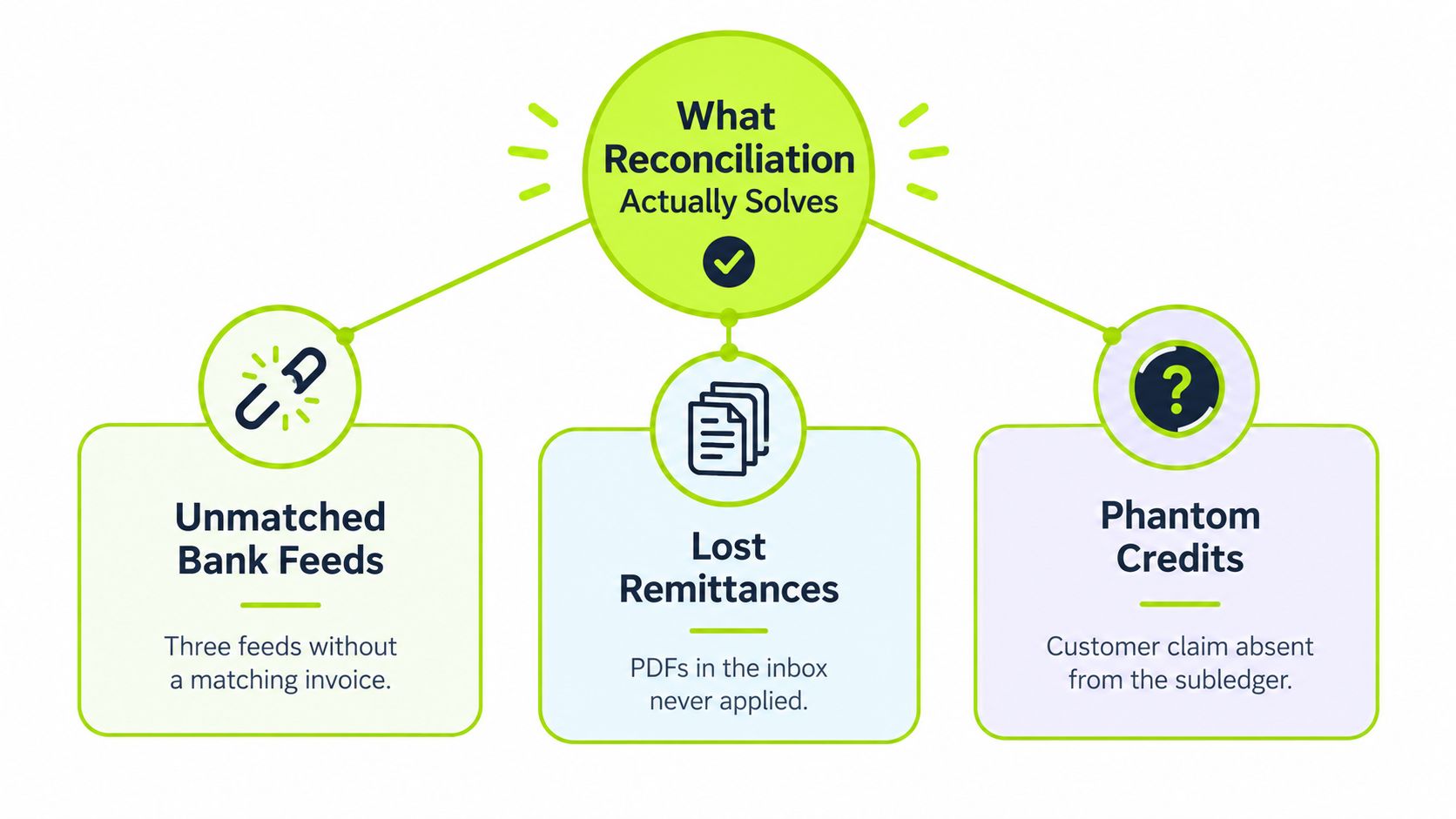
Two days before close, the controller's inbox is full of remittance PDFs, three bank feeds still don't match, and a customer is disputing a credit that nobody can find in the subledger. The ledger says the number is almost right. The bank says something else. The customer says the issue is already settled.
That gap is where accounts receivable reconciliation earns its keep. It's not a clean-up chore, and it's not just an audit artifact. It's the discipline of proving that what the AR subledger says is owed matches what customers, bank deposits, remittance details, and contract terms support, so finance can trust the receivables number before it hits cash forecasts, reserve reviews, and board reporting.
What Reconciliation Actually Solves
The fastest way to understand reconciliation is to watch it fail. A controller gets to close day, sees an unapplied credit sitting in the AR subledger, and hears from sales that the customer already paid. The bank feed shows cash came in, but the remittance email is missing the invoice number, and the customer service team has a note about a pricing dispute. Nothing is technically “wrong” in isolation. The problem is that the records don't yet agree on what was paid, what was credited, and what is still collectible.
That is why accounts receivable reconciliation is more than matching line items. It is the control that keeps the AR balance grounded in reality, which matters for revenue recognition, bad debt reserves, and the credibility of the cash number in the close package. It also exposes quieter problems, like duplicate invoices, credit memo abuse, and pricing errors that can distort Days Sales Outstanding, especially when invoicing volume is high and terms are already tight.
Not collections, not aging, not enough on its own
Collections chases money. Aging analysis groups risk. Reconciliation proves the ledger can be trusted. Those are related jobs, but they don't solve the same problem, and teams get into trouble when they treat them as interchangeable.
A useful external definition of reconciliation in a different operating context appears in what reconciliation means for checkouts, which helps frame the core idea plainly, records must agree before the result is dependable. In finance, that agreement has to exist across the bank, the AR subledger, and the documents that justify each receipt. The point isn't a neat report at month-end, it's a current view of collectible revenue.
Practical rule: if a credit, payment, or adjustment can't be tied back to an invoice and a source document, it isn't reconciled yet.
For a deeper process view, the internal guide on payment reconciliation is a good companion because it separates payment matching from broader AR control. That distinction matters when a finance team is trying to explain why a balance looks right in one system and wrong in another.
The Matching Workflow From Payment to Ledger
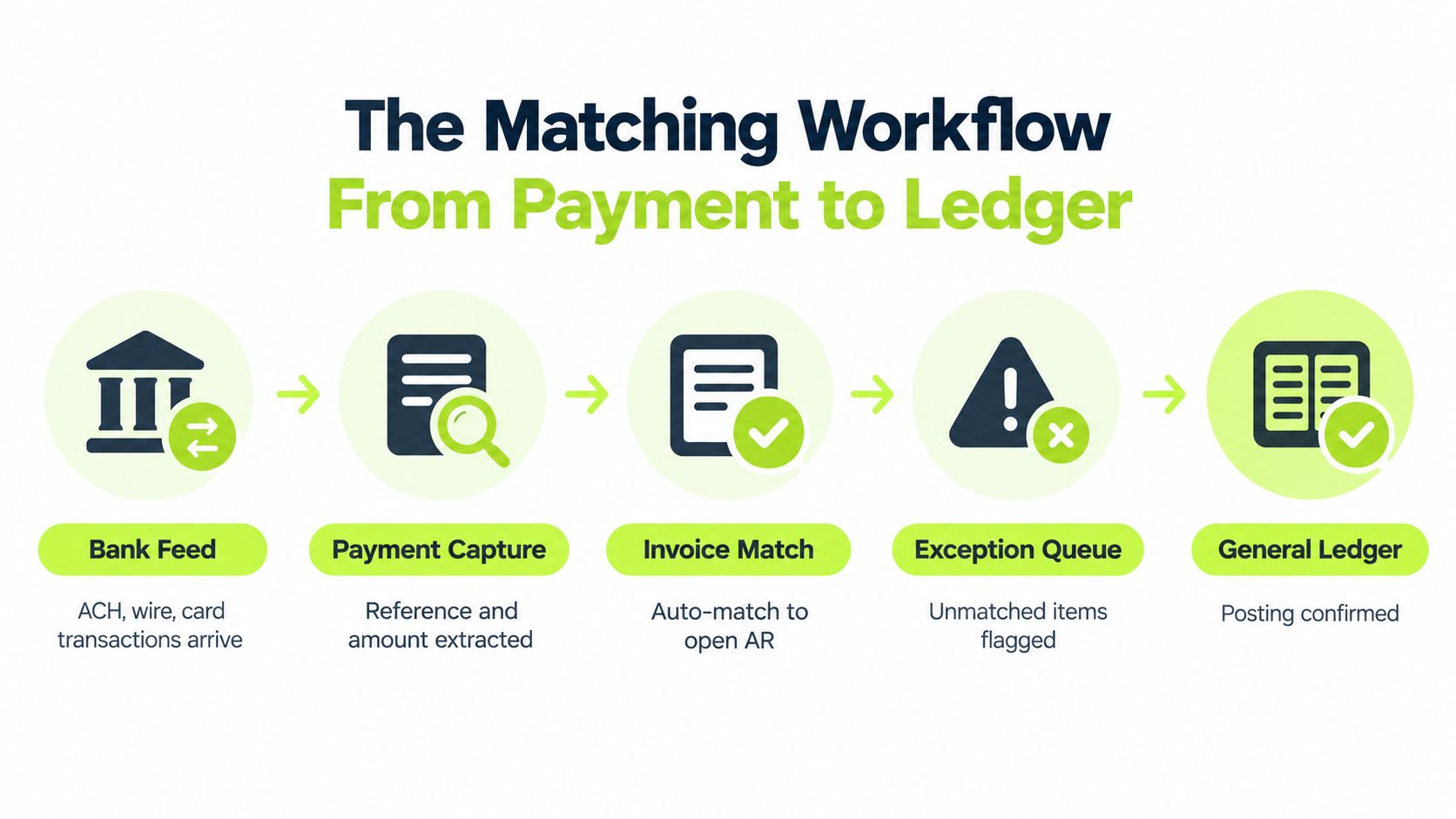
The matching workflow should move in one direction, from raw cash to posted accounting. It starts when ACH, wire, and card transactions land in the bank or processor feed with reference numbers that usually mean nothing to the AR team. Those references matter only if the system can capture them cleanly and pass them forward without losing context.
Next comes remittance capture. That's where emailed PDFs, EDI files, customer portal data, and spreadsheets get converted into usable invoice-level detail. If that step is weak, the team ends up matching on memory, inbox searches, and guesswork. That's not reconciliation, that's archaeology.
Key point: cash application answers which invoice a payment clears, while payment reconciliation checks whether the recorded payment agrees with the bank or processor payout.
Cash application is the bridge. It applies the payment to one invoice or many, handles partial payments, overpayments, and short pays, and records the result in the AR subledger. Oracle NetSuite's bank matching flow shows the logic clearly, imported bank transactions generate payment application suggestions, users review them, and approved matches create the payment, apply it to the invoice, and link it back to the bank line. That sequence is why bank-level confirmation matters as much as invoice-level matching. See the internal walkthrough on cash application process for a practical version of that flow.
The last mile is the general ledger. Discounts, write-offs, fees, and timing differences need to land in the right place so the subledger and GL agree, then bank reconciliation closes the loop on deposits and charges. A lot of teams get stuck because they treat those as separate chores. They're not. They're one control chain.
The strongest teams automate the front half and review the exceptions. That keeps the close from becoming a monthly repair job.
Later in the process, the same logic appears in payment application tools used by treasury and AR teams. The important part is the handoff discipline, not the brand of system doing the posting.
Where Reconciliation Breaks in Practice
A payment arrives from the right customer but names the wrong subsidiary. The remittance lists an invoice total that does not match the deduction. The bank deposit clears on a different day from the posting date. None of these breaks is unusual. They repeat because the source data and operating controls are weak, not because the matching tool is too slow.
Identity problems usually appear first. Payments may lack a customer number, carry the wrong subsidiary code, or reference master data left unresolved after an acquisition. Identity mismatches are the largest class of breaks, followed by value mismatches. That pattern puts the root cause upstream, in customer records, invoice fields, and remittance intake.
Exception classes worth caring about
Value mismatches include short pays, rebate deductions, freight claims, and advertising allowances. Customers may treat those amounts as obvious offsets, while AR has no approved credit memo to apply. Timing mismatches create quieter noise through in-transit cash, weekend deposits, cutoff differences, and currency conversion. Structural breaks take longer to unwind because they sit inside parent-child billing, consolidated invoices, or journal entries posted directly to the GL.
Exception Class | Typical Root Cause | Fix Point |
|---|---|---|
Identity mismatch | Missing or wrong customer identifiers | Order entry, master data, remittance intake |
Value mismatch | Short pay, deduction, unapproved offset | Billing, credit memo workflow, collections |
Timing mismatch | Deposit lag, cutoff timing, FX movement | Bank feed timing, close cadence |
Structural break | Parent-child billing or manual GL posting | Billing design, posting controls |
The fix point matters more than the queue count. An analyst can clear an identity exception today, but the same break will return tomorrow if order entry accepts incomplete identifiers. Likewise, a deduction should not remain an AR problem when the credit memo workflow cannot approve or communicate the offset.
Invoice controls belong in that chain. The guidance on invoice compliance for developers helps teams examine invoice data before weak fields reach AR. Better invoice inputs reduce the cleanup pushed onto reconciliation.
The common operational mistake is assigning every exception to cash application. Billing design, master data, remittance intake, and posting controls often own the underlying cause. Use the internal guidance on exception handling to classify breaks, assign an owner, and track whether the same root cause returns in the next review cycle. Month-end close should expose the pattern, not be the first time anyone sees it.
Moving From Monthly Close to Continuous Reconciliation
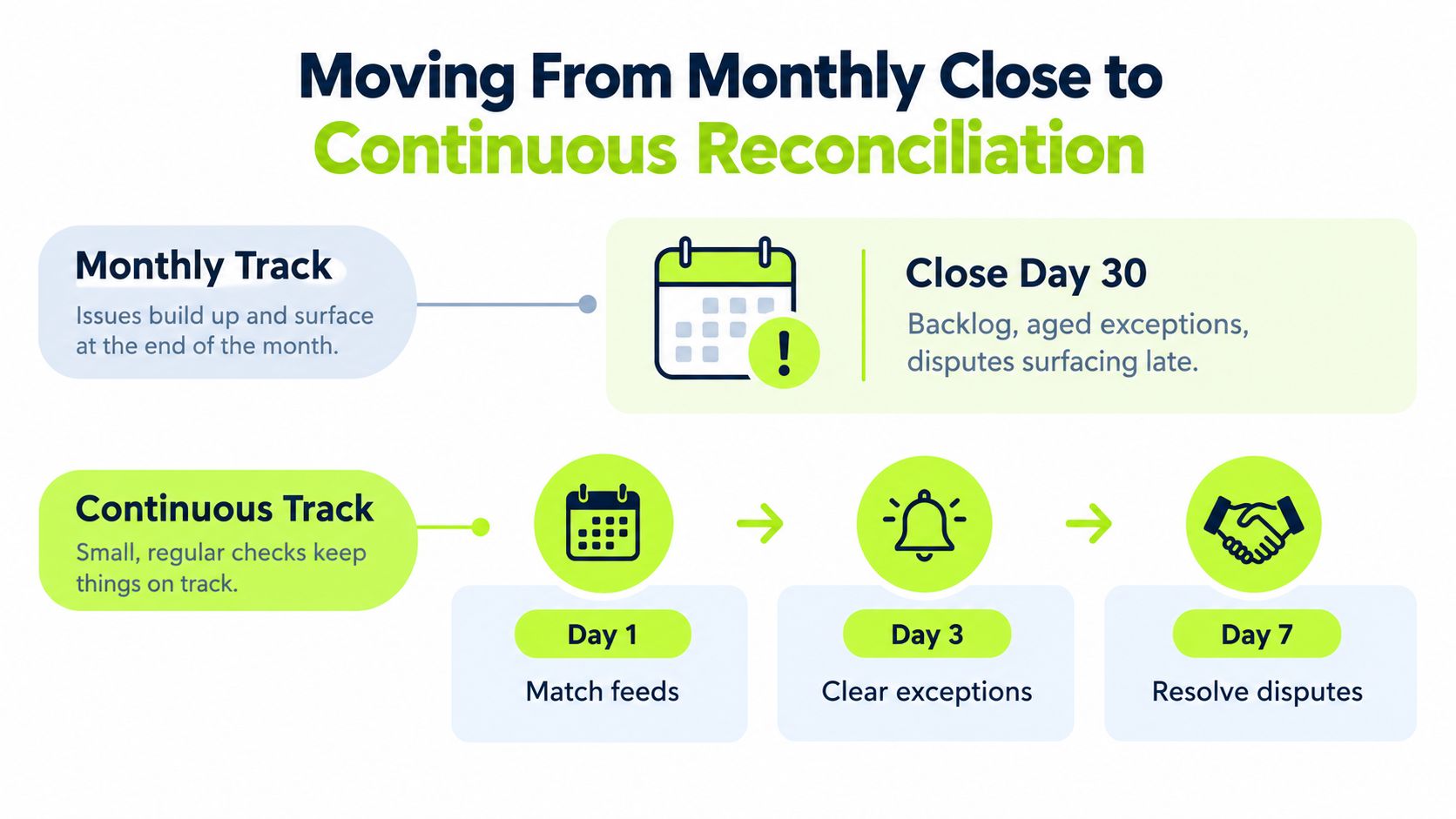
Monthly reconciliation survives because teams are used to it, not because it's the best control design. By the time close starts, the exceptions are older, customer disputes are colder, and the person trying to fix the entry is usually too far from the original transaction to investigate cleanly. That creates avoidable churn, especially in firms with steady invoice volume and multiple payment methods.
The better model is cadence by risk. High-value customers and high-volume payers get daily attention. The long tail gets weekly review. Month-end then becomes a summary and sign-off step, not a rescue mission. That shift matters because unresolved items are easier to explain when they're fresh, and faster resolution keeps unapplied cash from piling up.
If the exception queue needs a triage meeting every close, the cadence is already too slow.
There's another reason to stop relying on the monthly rhythm. Recent operational guidance says weekly or even daily reconciliation is now more realistic for high-volume environments, and e-invoicing and faster payment rails are adding pressure to automate the cash side of the house. The old model assumes the close is the moment of truth. In practice, the truth shows up every day.
The mistake I see most often is adopting a faster cadence without changing ownership underneath it. That only compresses the same firefighting into smaller windows. Real continuous reconciliation needs a defined SLA for exceptions, clear assignment, and a feedback loop into cash application so the same breaks don't come back next week.
Reconciling AR in QuickBooks and Where It Stalls
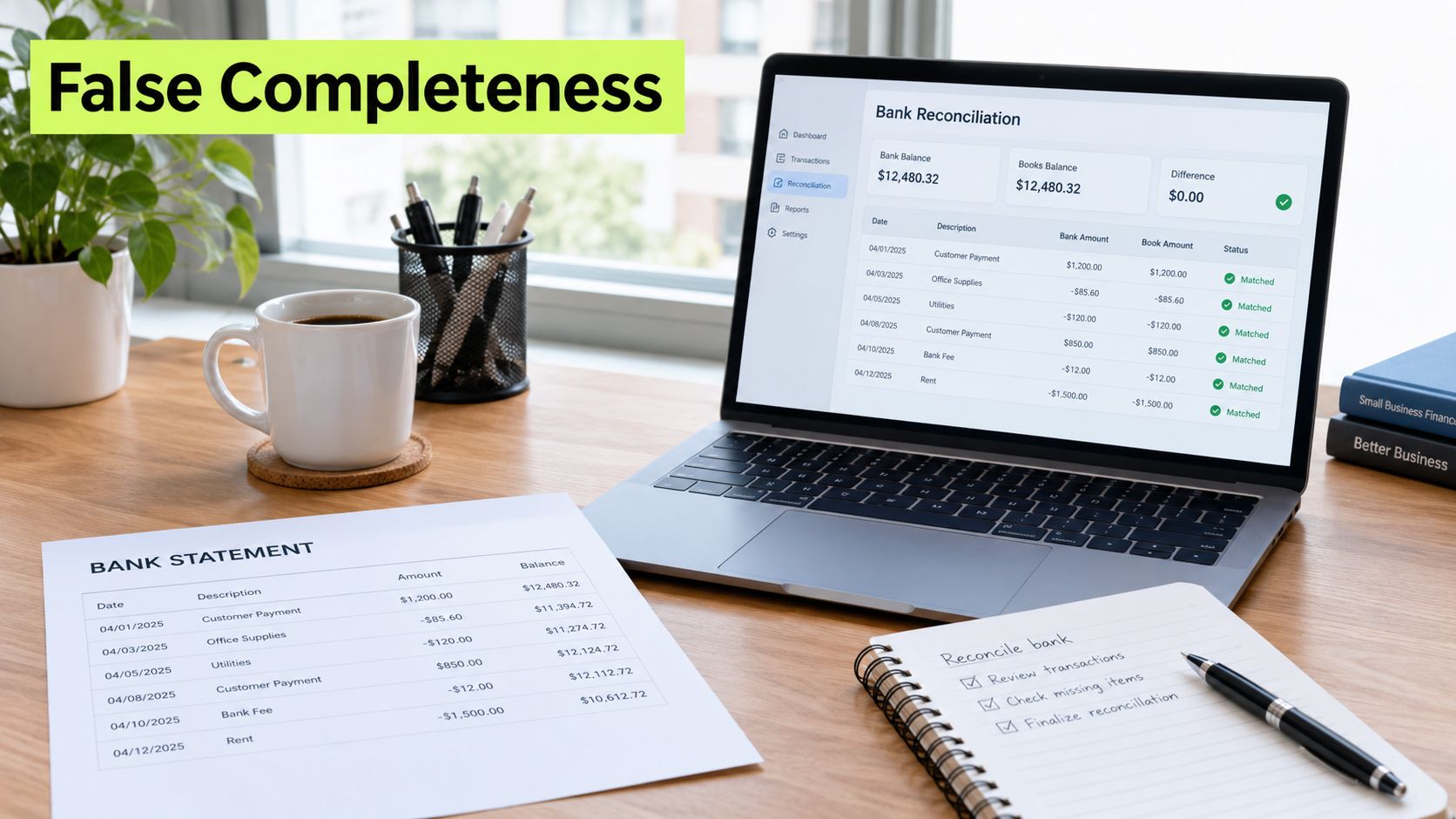
A QuickBooks file can look clean right up until the payments get messy. Bank Feed and Undeposited Funds handle straightforward deposits, and the Receive Payment screen is fine for standard receipts. For a simple business with tight terms and few exceptions, that is enough to keep the ledger moving.
The break starts with short pays, split allocations, customer credits arriving through outside portals, and multi-invoice remittances that need to be separated before posting. Purchase orders that do not match invoice values add another layer of manual sorting. QuickBooks can record those items, but it does not decide where they belong.
Where native tools help, and where they don't
QuickBooks works as a ledger of record. It is weaker as a reconciliation engine. The system gives you the transaction structure, the aging view, and the posting trail, but it does not do much with exception routing.
The internal walkthrough on cash application maps nicely to what QuickBooks does well up front, but the system still needs human judgment when the remittance is ambiguous or the payment does not match cleanly. That is the gap a dedicated layer can cover without replacing the accounting system.
For professional services teams, that difference matters. The goal is not a new general ledger. It is better matching, faster exception routing, and a shorter path from receipt to applied cash. That is the test for QuickBooks AR automation.
Building an Automation Stack That Holds Up
A durable stack starts by accepting a simple truth: reconciliation isn't a manual cleanup step; it's a controlled workflow that should be exception-only by the time a person sees it. The front end should ingest bank feeds automatically, capture remittance in whatever form it arrives, and surface only the items that require review. That's how accounts receivable automation earns its keep.
The middle of the stack matters most. A cash application engine should match on invoice number, amount tolerance, customer reference, and payer history, then assign a confidence score so controllers can see why a match was made. Without that, automation becomes a black box and trust erodes fast. With it, the team can focus on the small set of transactions that need judgment.
Governance is part of the stack
Automation without controls just creates a faster mess. Matching rules need versioning. Segregation of duties needs to stay intact. Auto-post thresholds should only be aggressive when audit comfort supports them. A system that posts everything and explains nothing is not operationally mature.
Control rule: automate the obvious, review the uncertain, and document the override.
A practical benchmark from best-practice guidance suggests setting auto-post at or above 95% only when the audit posture supports that level of trust. That's not a target for every team, it's a ceiling that should be earned, not assumed. The goal is to keep human review concentrated on the minority of payments that are ambiguous, not on every line item in the feed.
This is also where a platform like automate document reconciliation becomes relevant as a reference point for teams evaluating how far the workflow can be pushed before controls break. In the same category, AI AR automation should be judged on whether it lowers exception aging, not on whether it sounds intelligent in a demo.
Stack Layer | Function | Governance Control |
|---|---|---|
Bank feed ingestion | Pulls cash data in automatically | Source control and timestamp checks |
Match engine | Applies rules and confidence scoring | Versioned rule set |
Exception worklist | Prioritizes unresolved items | Aging and dollar-value routing |
Audit trail | Records actions and overrides | Reviewer sign-off |
Feedback loop | Learns from corrections | Monthly rule review |
I'd treat AR software for professional services as useful when it shortens the path from receipt to applied cash and doesn't force the team into constant manual repair. That's the standard that matters, not feature count.
Your Reconciliation Operating Checklist
A CFO can hand this to a controller and get a better month almost immediately.
- Daily cash application and triage: clear new receipts, tag every exception by class, and push unapplied cash toward resolution within 48 hours.
- Daily ownership review: confirm each unresolved item has a named owner and a next action, not just a comment in a queue.
- Weekly aging check: review the receivables aging, scan the top customers for variance, and compare the largest open items against source documents.
- Weekly root-cause review: group breaks by identity, value, timing, or structure, then decide which class deserves process correction first.
- Monthly sign-off: tie the AR subledger to the GL, document break aging, and note anything that rolled forward without resolution.
- Monthly controls review: inspect override activity, confirm segregation of duties, and remove any workaround that no longer serves a control purpose.
- Quarterly process reset: review exception patterns, matching rules, SLA performance, and the cases where humans still outperform the system.
- Quarterly automation review: retire manual steps once match accuracy and audit comfort are stable enough to support it.
That checklist works because it makes ownership visible. It also gives finance a baseline for measuring whether reduce DSO efforts are real or just cosmetic, since fewer stale exceptions and faster cash application usually show up before anything else. More important, it stops reconciliation from drifting back into a month-end panic.
For teams that want more control without adding headcount, accounts receivable automation can carry the repetitive matching while people focus on exceptions, policy, and customer conversations. In the professional services environment, that's usually the right split.
Resolut automates AR for professional services with structured cash application, exception handling, and reconciliation workflows that keep the ledger current without turning close into a repair session. If you want a cleaner path to improve cash flow and reduce the work hidden inside unapplied cash, visit Resolut and see how it fits your AR process.